AI agent for industrial designers
End-of-Life and Material Declaration Agent
A bill of materials where every component has a current, checked declaration or a plan to fix it
What it does
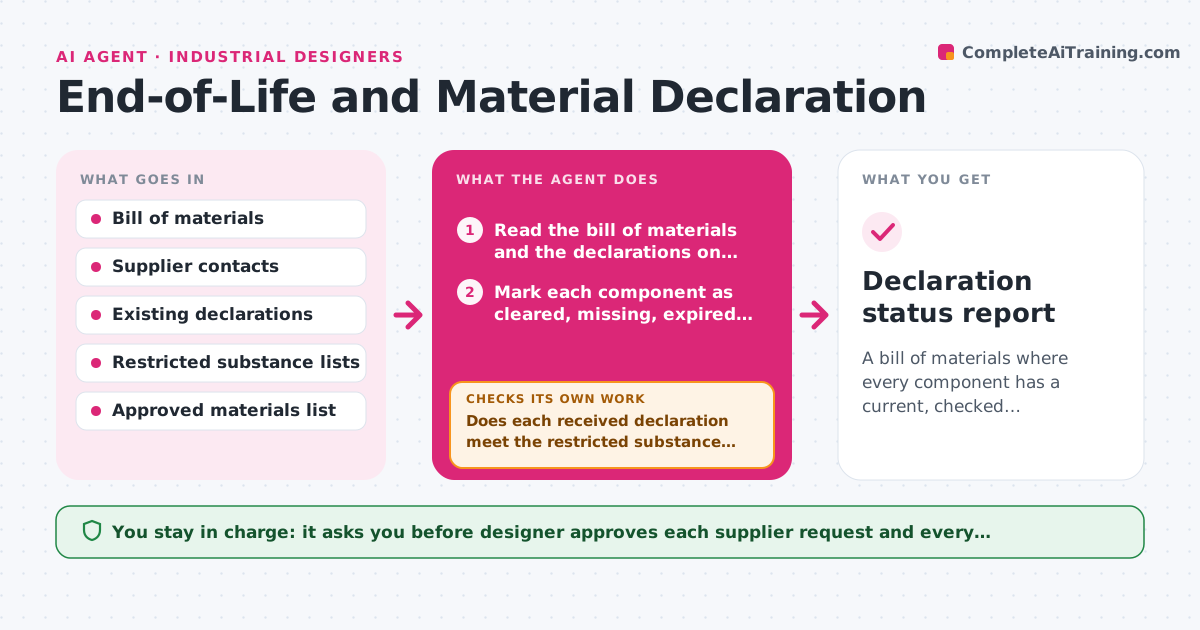
A launch date is set and, a month before, the team finds out that half the components have no material declaration and one contains a restricted substance. This agent reads the bill of materials and, for each component, checks whether a supplier declaration exists and is current. It asks suppliers for missing declarations with a clear request, checks each reply against the restricted substance lists the designer set, and flags problems such as a banned flame retardant or a missing recycled content figure. As replies arrive it rechecks the whole list, chasing silent suppliers and updating the status. For failures, it suggests candidate substitutes from the approved materials list. The designer approves substitutions. Edge case: a declaration older than the allowed age is treated as missing.
How it works
Follow the arrows from top to bottom. The orange dashed arrow is the loop: when a check fails, the agent goes back and tries again.
Read the steps as a list
- Bill of materials changes or weekly check
- Read the bill of materials and the declarations on file
- Mark each component as cleared, missing, expired or problem
- Draft requests to suppliers for missing or expired declarations
- Designer approves messages to suppliersThe agent waits here for your OK.
- Read new replies and declarations as they arrive
- Does each received declaration meet the restricted substance limits?If not: Flag the problem component and ask the supplier for a corrected declaration. Back to step 6.
- Suggest substitutes for components that fail
- Designer approves substitutionsThe agent waits here for your OK.
- Is every component cleared or with an action and date?If not: Re-mark the open components and send reminders. Back to step 2.
- Declaration status report
How it decides
A component is cleared when it has a declaration newer than the allowed age and no listed substance above its limit. Everything else is chased or flagged.
- A declaration older than 24 months counts as expired
- Any restricted substance above its limit is a failure
- Remind suppliers after 7 days without reply
- Suggest substitutes only from the approved materials list
Make it yours
Every agent is a starting point. You choose these settings for your own situation.
- Restricted substance lists
- Declaration age limit (default 24 months)
- Reminder timing (default 7 days)
- Approved materials list
- Component categories to check
What keeps you in control
It always asks you first
- Designer approves each supplier request and every substitution
Hard limits
- Never state that a product is compliant, only what the documents show
- Never message suppliers without approval
It stops when
- Done: All components are cleared
- Stop: A supplier will not provide a declaration, so the agent lists the component for a sourcing decision
Set it up
We guide you through the set-up, step by step
Members get the full set-up guide for this agent. No technical skills needed: you copy, paste and upload.
- One set of instructions to paste into your AI, with the clicks for ChatGPT, Claude, Microsoft 365 Copilot, Gemini and Grok
- The agent then walks you through connecting your own data, one source at a time
- A downloadable copy with the flow chart, the rules and the full guide