AI agent for project managers
Engagement Budget and Workplan Burn Agent
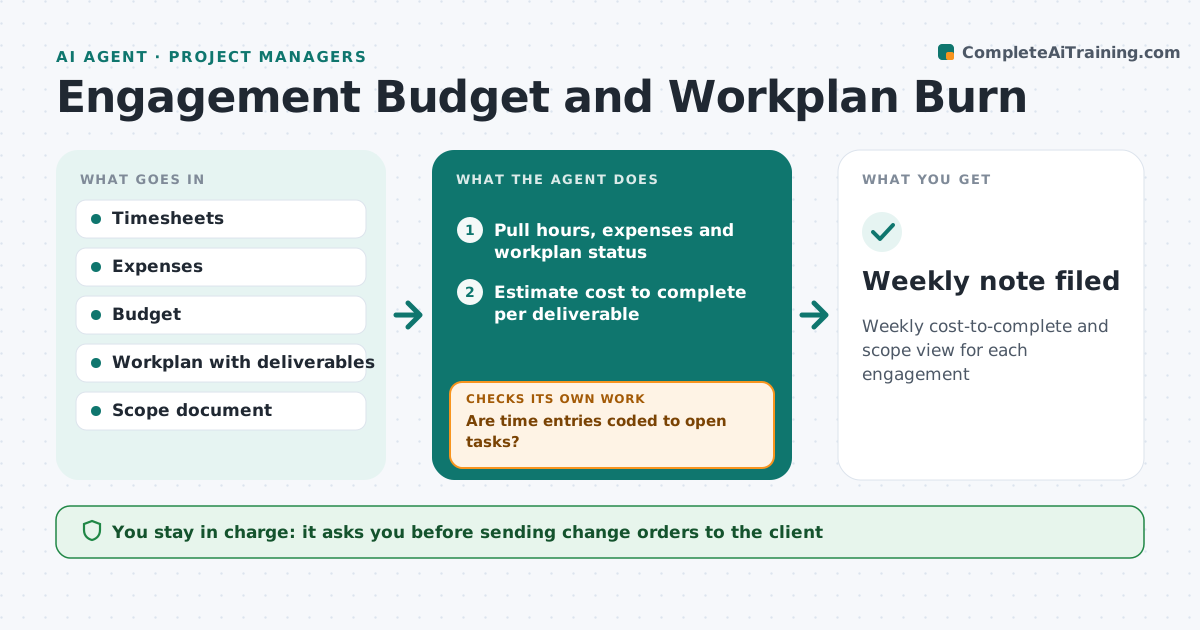
Weekly cost-to-complete and scope view for each engagement
What it does
Consulting projects have a fixed fee and a workplan, and overruns are often found only at the end. Each week this agent pulls logged hours and expenses, compares them with the budget, and compares deliverable progress with time spent. Time entries that look wrong, such as hours on closed tasks, go back to the team member for correction before the numbers are used. It estimates cost to complete and flags projects heading over budget. It lists client requests outside the agreed scope, and tags hours for unsigned scope changes separately. It drafts a weekly note on budget health. The engagement manager approves any change order request.
How it works
Follow the arrows from top to bottom. The orange dashed arrow is the loop: when a check fails, the agent goes back and tries again.
Read the steps as a list
- Weekly timesheets close
- Pull hours, expenses and workplan status
- Are time entries coded to open tasks?If not: ask team members to correct entries. Back to step 2.
- Estimate cost to complete per deliverable
- List work done outside agreed scope
- Draft budget health note and change order proposal
- Engagement manager approves change order requestThe agent waits here for your OK.
- Weekly note filed
How it decides
It estimates cost to complete from progress and burn rate and flags any engagement forecast to exceed budget by more than the tolerance.
- Forecast over budget by 5% triggers a warning
- Unsigned scope work is tracked separately
- Change orders proposed only with linked evidence of requests
Make it yours
Every agent is a starting point. You choose these settings for your own situation.
- Overrun warning level (default 5%)
- Report day
- Workplan tool
- Scope change log location
What keeps you in control
It always asks you first
- Sending change orders to the client
- Writing off hours
Hard limits
- Never sends invoices or change orders
- Does not judge individual performance
It stops when
- Done: note filed
- Stop: timesheets more than 20% missing
Set it up
We guide you through the set-up, step by step
Members get the full set-up guide for this agent. No technical skills needed: you copy, paste and upload.
- One set of instructions to paste into your AI, with the clicks for ChatGPT, Claude, Microsoft 365 Copilot, Gemini and Grok
- The agent then walks you through connecting your own data, one source at a time
- A downloadable copy with the flow chart, the rules and the full guide