AI agent for tax advisors
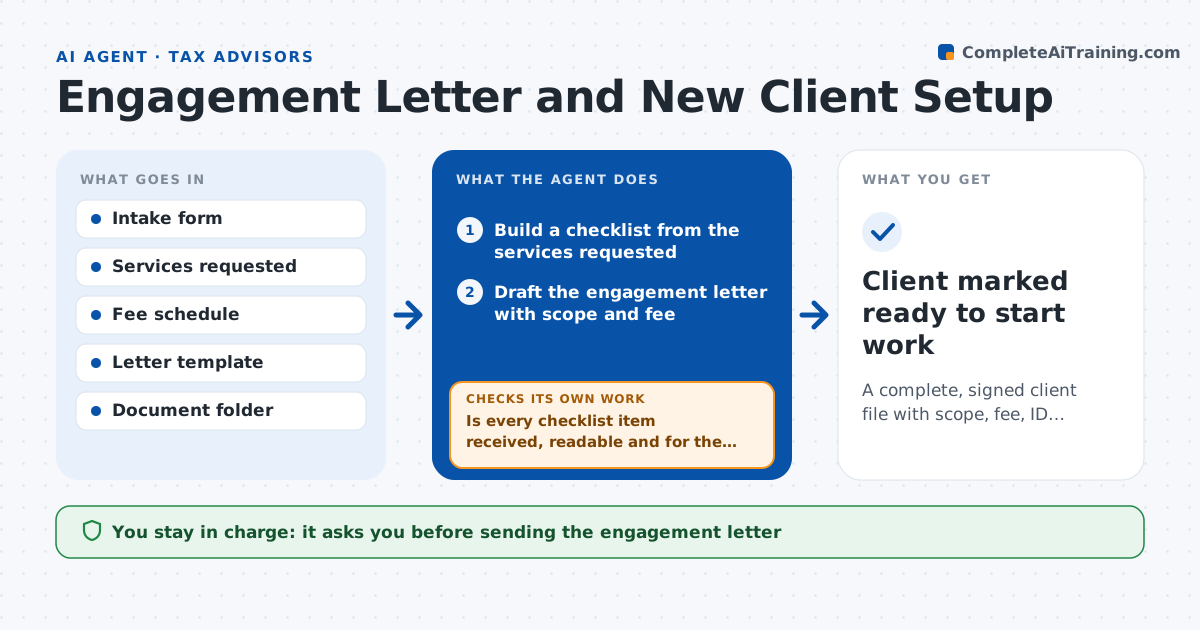
Engagement Letter and New Client Setup Agent
A complete, signed client file with scope, fee, ID and prior-year documents before work starts
What it does
New clients are eager and the paperwork lags, so work begins on an incomplete file. When a client signs up, this agent builds a checklist for that client type. It drafts the engagement letter with the right scope and fee, and prepares requests for prior returns and ID documents. After the advisor approves the letter, it is sent and the agent tracks what arrives. Every few days it rechecks the checklist against the folder and sends reminders for missing pieces. It also checks that received documents are readable and belong to the right tax year. Work is marked ready to start only when every required item is in. The advisor approves the letter and confirms the file is complete. Edge case: a client with a business and a personal return gets two scopes and two fee lines.
How it works
Follow the arrows from top to bottom. The orange dashed arrow is the loop: when a check fails, the agent goes back and tries again.
Read the steps as a list
- New client completes the intake form
- Build a checklist from the services requested
- Draft the engagement letter with scope and fee
- Advisor approves the engagement letterThe agent waits here for your OK.
- Send the letter and document requests to the client
- Check the client folder for new documents
- Is every checklist item received, readable and for the right year?If not: send a reminder naming the missing items and check again in three days. Back to step 6.
- Is the signed letter on file?If not: send a signature reminder to the client. Back to step 5.
- Advisor confirms the file is completeThe agent waits here for your OK.
- Client marked ready to start work
How it decides
The checklist is chosen from the services requested. A document counts as received only when it is readable, matches the year and name, and is saved in the client folder.
- Add a second scope and fee line for a client with both personal and business returns
- Treat an unreadable or wrong-year document as missing
- Send a reminder every 3 days, up to 4 times, then tell the advisor
- Do not mark ready while the signed letter is missing
Make it yours
Every agent is a starting point. You choose these settings for your own situation.
- Checklist items by service type
- Fee schedule lines
- Reminder interval and limit (default every 3 days, 4 times)
- Letter template wording
What keeps you in control
It always asks you first
- Sending the engagement letter
- Confirming the file is complete
Hard limits
- Never sends a letter without advisor approval
- Never begins preparing the return
It stops when
- Done: signed letter and all documents are in and the advisor confirms
- Stop: the client does not respond after four reminders
Set it up
We guide you through the set-up, step by step
Members get the full set-up guide for this agent. No technical skills needed: you copy, paste and upload.
- One set of instructions to paste into your AI, with the clicks for ChatGPT, Claude, Microsoft 365 Copilot, Gemini and Grok
- The agent then walks you through connecting your own data, one source at a time
- A downloadable copy with the flow chart, the rules and the full guide