AI agent for ctos
Engineering Metrics Health Review Agent
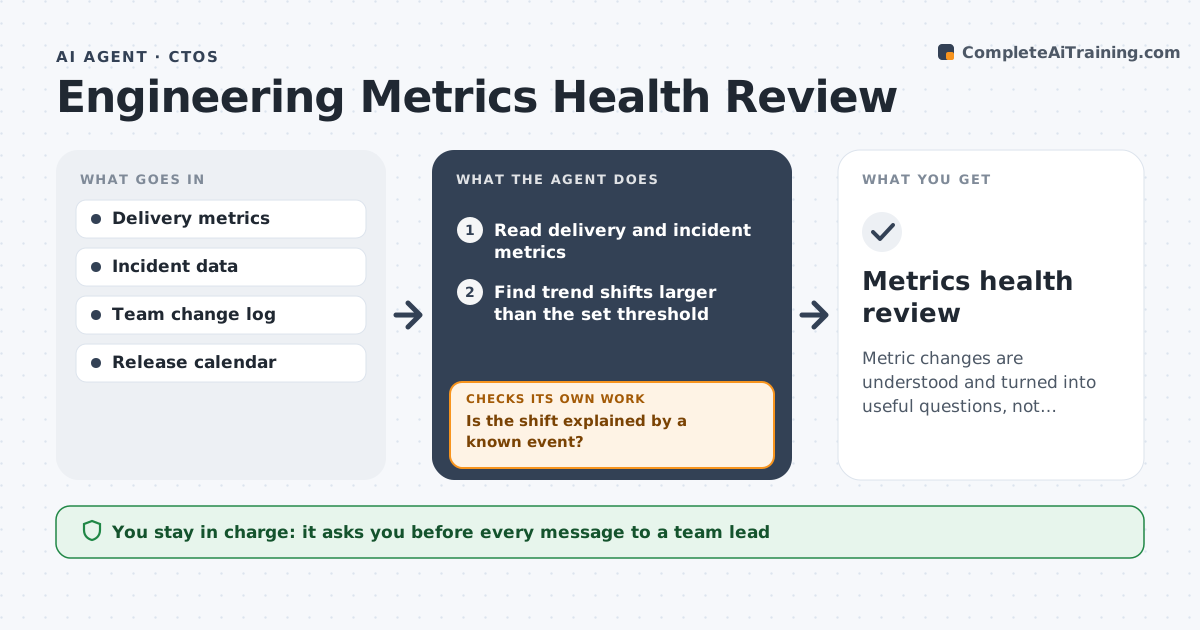
Metric changes are understood and turned into useful questions, not blame.
What it does
The dashboard shows lead time rising, and leaders either ignore it or blame the wrong team. This agent reads deployment frequency, lead time, change failure and incident data, finds trend shifts and checks whether a team change, release or holiday explains them. It drafts questions for team leads and rechecks the numbers after they respond. It treats a metric change as a question, not a verdict, and remembers earlier explanations so the same freeze or reorganization is not raised twice. Replies from team leads are added to the review, so the next month starts with context. Edge case: a drop in deployments is explained by a freeze week, so the agent notes it and moves on. The CTO approves any follow-up with teams.
How it works
Follow the arrows from top to bottom. The orange dashed arrow is the loop: when a check fails, the agent goes back and tries again.
Read the steps as a list
- Monthly metrics arrive
- Read delivery and incident metrics
- Find trend shifts larger than the set threshold
- Check team changes, releases and holidays for explanations
- Is the shift explained by a known event?If not: note it and drop the flag. Back to step 3.
- Draft questions for team leads on unexplained shifts
- CTO approves what is sent to teamsThe agent waits here for your OK.
- Collect responses and update the analysis
- Do the answers explain the shift?If not: ask a follow-up or flag it for review. Back to step 5.
- Metrics health review
How it decides
It flags shifts above a set size and tests whether known events explain them before raising a question.
- Flag shifts above 20% against the 3-month average.
- Do not compare teams with different work types.
- Check events before drafting questions.
- Frame questions as curiosity, not blame.
Make it yours
Every agent is a starting point. You choose these settings for your own situation.
- Shift threshold
- Metrics tracked
- Review frequency
- Event sources
- Question tone
What keeps you in control
It always asks you first
- Every message to a team lead
Hard limits
- Do not rank people or teams in the report.
- Do not message teams without approval.
It stops when
- Done: shifts are explained or logged for follow-up
- Stop: the metric data is incomplete, so the agent asks for a fix
Set it up
We guide you through the set-up, step by step
Members get the full set-up guide for this agent. No technical skills needed: you copy, paste and upload.
- One set of instructions to paste into your AI, with the clicks for ChatGPT, Claude, Microsoft 365 Copilot, Gemini and Grok
- The agent then walks you through connecting your own data, one source at a time
- A downloadable copy with the flow chart, the rules and the full guide