AI agent for ctos
Technical Debt Register and Paydown Agent
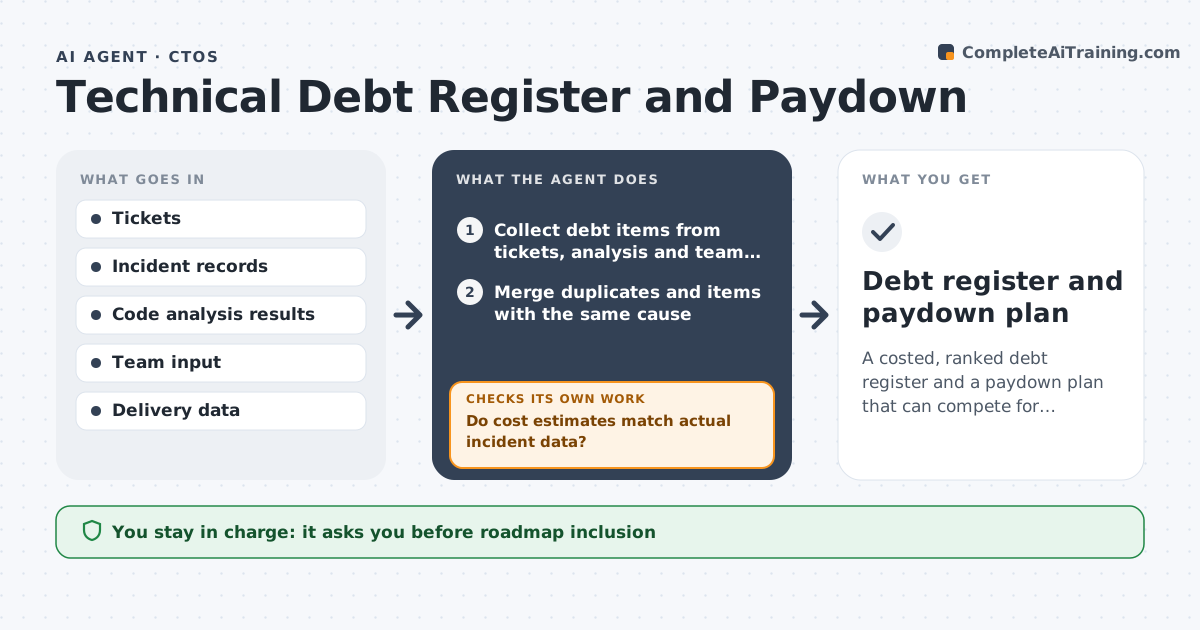
A costed, ranked debt register and a paydown plan that can compete for budget.
What it does
The team knows the payment module is fragile and the build is slow, but no one has priced them, so debt never wins budget. This agent collects debt items from tickets, code analysis and team input, and estimates the cost of each in incidents and delay. It ranks them and builds a paydown plan. It rechecks its estimates against actual incident data and updates them. It keeps the cost basis visible, so you can show finance how many hours and incidents each item costs. Estimates are corrected against real incident records each quarter, which makes the case stronger over time. Edge case: two items share the same root cause, so the agent merges them. The CTO approves what enters the roadmap.
How it works
Follow the arrows from top to bottom. The orange dashed arrow is the loop: when a check fails, the agent goes back and tries again.
Read the steps as a list
- Quarterly debt review
- Collect debt items from tickets, analysis and team input
- Merge duplicates and items with the same cause
- Estimate cost in incidents and delay hours
- Do cost estimates match actual incident data?If not: adjust estimates using the incident records. Back to step 3.
- Rank items by cost against effort
- Build a paydown plan by quarter
- Does the plan fit within the capacity set aside?If not: reduce scope or move items to later quarters. Back to step 6.
- CTO approves what enters the roadmapThe agent waits here for your OK.
- Debt register and paydown plan
How it decides
It ranks items by incident and delay cost per effort and merges items that share a root cause.
- Cost = incidents x average incident hours + weekly delay hours.
- Rank by cost per week of effort.
- Reserve 15% of capacity for debt.
- Security-related items go to the top.
Make it yours
Every agent is a starting point. You choose these settings for your own situation.
- Capacity share for debt
- Cost formula
- Source systems
- Review cadence
- Ranking basis
What keeps you in control
It always asks you first
- Roadmap inclusion
- Any change to priorities
Hard limits
- Do not change tickets or priorities.
- Do not state estimates as exact.
It stops when
- Done: the register is ranked and the CTO approved
- Stop: incident data is missing, so the agent asks for it
Set it up
We guide you through the set-up, step by step
Members get the full set-up guide for this agent. No technical skills needed: you copy, paste and upload.
- One set of instructions to paste into your AI, with the clicks for ChatGPT, Claude, Microsoft 365 Copilot, Gemini and Grok
- The agent then walks you through connecting your own data, one source at a time
- A downloadable copy with the flow chart, the rules and the full guide