AI agent for meteorologists
Snowfall Report Reconciliation Agent
Produce a defensible final snowfall total map for the event.
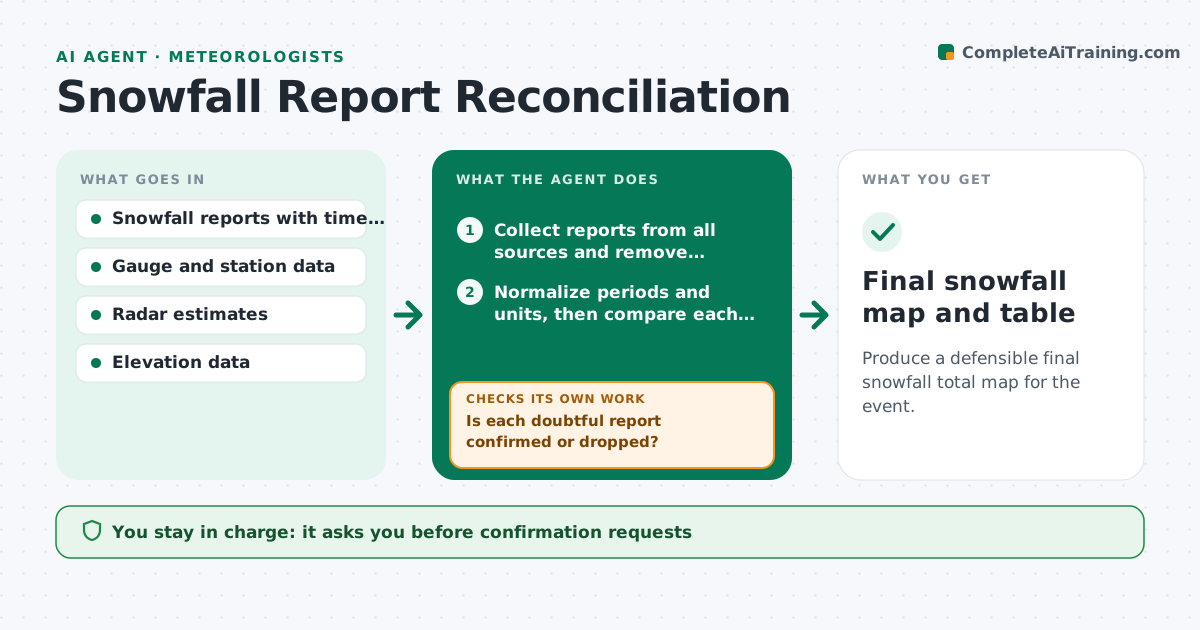
What it does
After a snowstorm, an office receives hundreds of snowfall totals from observers, spotters, airports and the public, and some are wrong because the observer measured drifts or the wrong time period. This agent collects the reports, notes the time period and the method where given, and compares each total with its neighbors and with radar and model estimates. It removes clear outliers, marks doubtful ones, and draws a map and a table of totals by place. For doubtful reports it drafts a request for confirmation to the observer and updates the map when answers arrive. It never publishes totals. The forecaster approves the final numbers. Edge case: a mountain report much higher than the valley is kept if elevation explains it.
How it works
Follow the arrows from top to bottom. The orange dashed arrow is the loop: when a check fails, the agent goes back and tries again.
Read the steps as a list
- Storm ends or scheduled run
- Collect reports from all sources and remove duplicates
- Normalize periods and units, then compare each report with neighbors, radar estimates and elevation
- Mark outliers and doubtful reports
- Forecaster approves confirmation requestsThe agent waits here for your OK.
- Send requests and read answers
- Is each doubtful report confirmed or dropped?If not: recompare with the new answers and send a second request. Back to step 4.
- Build the map and table of totals
- Does the map fit radar and gauge patterns without artifacts?If not: review the points causing the artifact and mark them doubtful. Back to step 3.
- Forecaster approves final totalsThe agent waits here for your OK.
- Final snowfall map and table
How it decides
It compares each report to the median of nearby reports after elevation adjustment, and marks it doubtful beyond a set percentage difference unless radar supports it.
- Mark a report doubtful when it differs by more than 40% from the local median without radar support
- Keep a high mountain report if elevation explains the difference
- Drop duplicates from the same observer and period
- Use only 24 hour totals with the same period in the map
Make it yours
Every agent is a starting point. You choose these settings for your own situation.
- Doubtful threshold (default 40%)
- Time period for totals
- Sources included
- Map style
- Minimum reports per area
What keeps you in control
It always asks you first
- Confirmation requests
- Final totals
Hard limits
- Never publish or issue totals
- Keep removed reports in a log
It stops when
- Done: totals approved
- Stop: fewer than a minimum number of reports in an area
Set it up
We guide you through the set-up, step by step
Members get the full set-up guide for this agent. No technical skills needed: you copy, paste and upload.
- One set of instructions to paste into your AI, with the clicks for ChatGPT, Claude, Microsoft 365 Copilot, Gemini and Grok
- The agent then walks you through connecting your own data, one source at a time
- A downloadable copy with the flow chart, the rules and the full guide