AI agent for real estate developers
Entitlement and Permit Tracker Agent
Approvals moving on schedule with every condition tracked
What it does
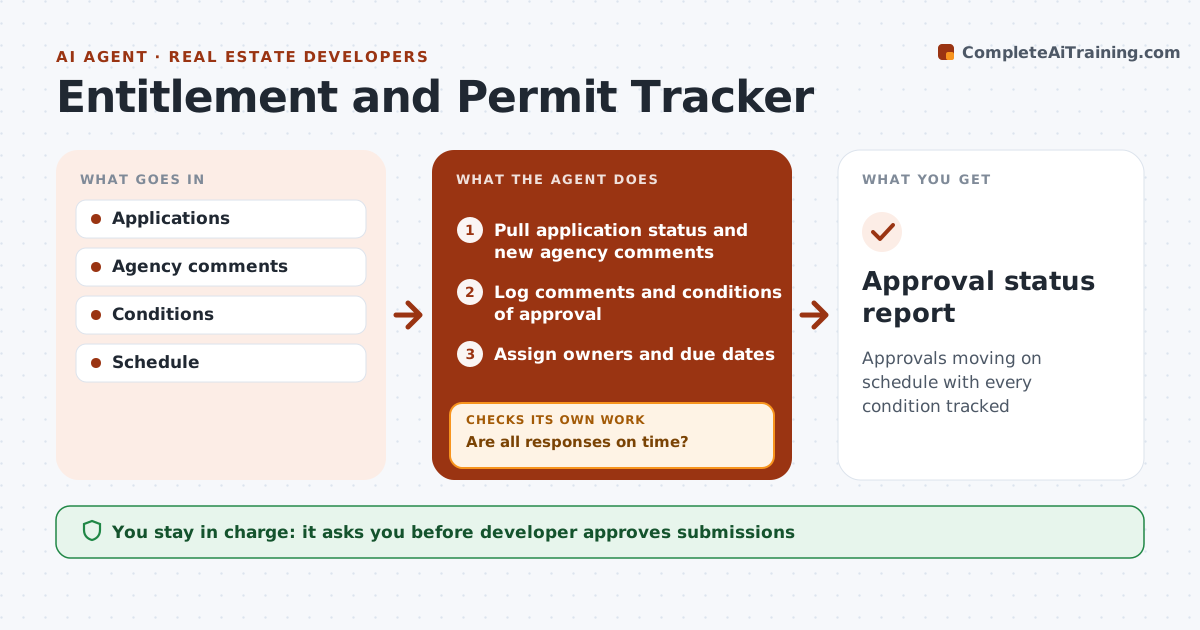
Development projects need zoning approvals, site plan approval, permits and utility agreements, each with comments and conditions, and one late response can delay financing. This agent tracks every application, review cycle and condition. It logs agency comments and gives every comment an owner among the consultants. It checks that responses are submitted before deadlines; when one is late, it reminds the owner, flags the delay to the developer, and checks again. It compares the approval timeline with the construction schedule and loan milestones, and flags delays that affect financing or start dates so the developer can act early. Conditions of approval that require action before permits are put first. The developer approves every submission to an agency. Edge case: a condition requires a traffic study before permits, so the agent flags it months ahead.
How it works
Follow the arrows from top to bottom. The orange dashed arrow is the loop: when a check fails, the agent goes back and tries again.
Read the steps as a list
- Weekly review
- Pull application status and new agency comments
- Log comments and conditions of approval
- Assign owners and due dates
- Are all responses on time?If not: remind owners and flag the delay to the developer. Back to step 4.
- Compare approval timeline with construction schedule and loan milestones
- Developer approves submissions to agenciesThe agent waits here for your OK.
- Approval status report
How it decides
Comments and conditions have owners and due dates. Delays that affect schedule are flagged.
- Pre-permit conditions first
- Schedule impact flagged
- Owners for every comment
Make it yours
Every agent is a starting point. You choose these settings for your own situation.
- Tracking fields
- Alert timing
- Consultant list
- Report format
What keeps you in control
It always asks you first
- Developer approves submissions
Hard limits
- Never submits to agencies
- Never commits to conditions
It stops when
- Done: permits issued
- Stop: project canceled
Set it up
We guide you through the set-up, step by step
Members get the full set-up guide for this agent. No technical skills needed: you copy, paste and upload.
- One set of instructions to paste into your AI, with the clicks for ChatGPT, Claude, Microsoft 365 Copilot, Gemini and Grok
- The agent then walks you through connecting your own data, one source at a time
- A downloadable copy with the flow chart, the rules and the full guide