AI agent for environmental engineers
Environmental Permit Compliance Agent
Every permit limit and deadline is checked each month with a ready report and no surprises
What it does
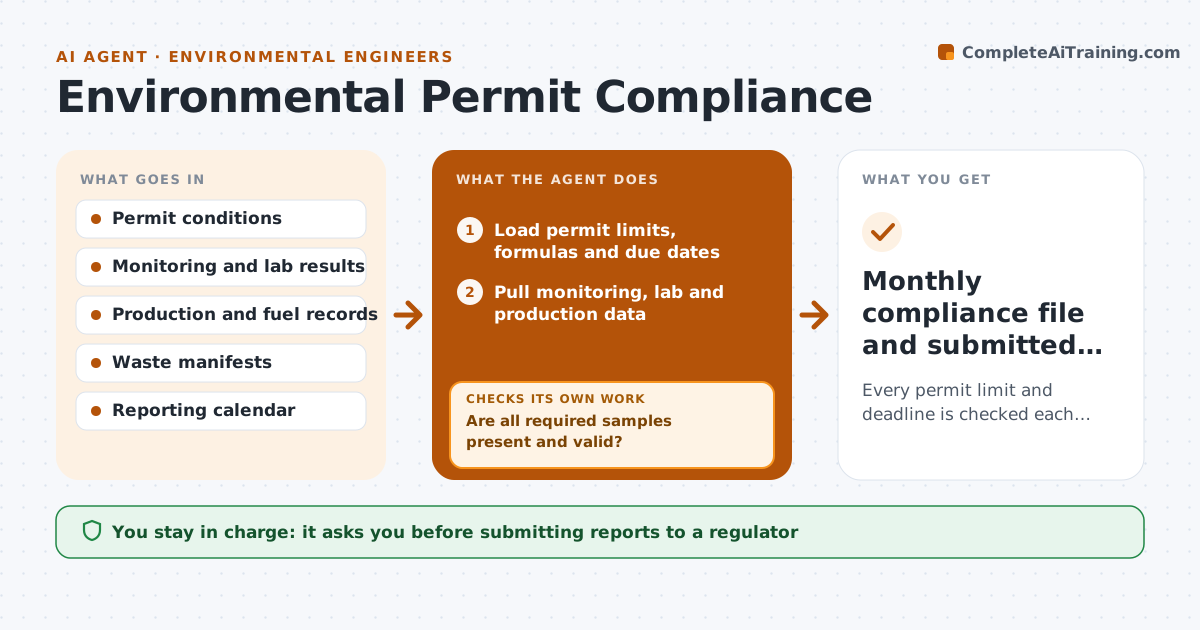
A plant permit sets limits on emissions, discharge and waste, plus monitoring and report deadlines, and one missed sample or rolling total can mean a violation. When a month closes or a deadline approaches, this agent loads the permit's limits, formulas and due dates and pulls monitoring, lab and production data. It first checks that every required sample is present and valid. Missing samples are a finding, and the agent lists them and requests them from the lab or operator. It then calculates each result the way the permit defines it, including rolling twelve-month totals, which can be exceeded even when the current month looks fine. It warns at 80 percent of any limit. It drafts the monthly compliance summary and any required report sections. The plant manager approves anything sent to a regulator. Edge case: a lab result with a failed quality check is treated as missing.
How it works
Follow the arrows from top to bottom. The orange dashed arrow is the loop: when a check fails, the agent goes back and tries again.
Read the steps as a list
- Month closes or deadline approaches
- Load permit limits, formulas and due dates
- Pull monitoring, lab and production data
- Are all required samples present and valid?If not: list missing samples and request them from the lab or operator. Back to step 3.
- Calculate results and rolling totals against each limit
- Draft compliance summary and report sections
- Plant manager approves any regulator submissionThe agent waits here for your OK.
- Monthly compliance file and submitted reports
How it decides
It calculates each limit the way the permit defines it, including rolling totals, and flags results above the warning share of the limit or any missing required sample.
- Warn at 80% of any limit
- Rolling totals follow the permit's own formula
- Missing required samples are treated as a finding
Make it yours
Every agent is a starting point. You choose these settings for your own situation.
- Warning threshold (default 80% of limit)
- Permits and outfalls included
- Days before a deadline to start
- Who approves submissions
What keeps you in control
It always asks you first
- Submitting reports to a regulator
- Reporting an exceedance
Hard limits
- Never submits to a regulator
- Never alters lab results
It stops when
- Done: summary filed and reports submitted on time
- Stop: a limit is exceeded; alert the plant manager immediately
Set it up
We guide you through the set-up, step by step
Members get the full set-up guide for this agent. No technical skills needed: you copy, paste and upload.
- One set of instructions to paste into your AI, with the clicks for ChatGPT, Claude, Microsoft 365 Copilot, Gemini and Grok
- The agent then walks you through connecting your own data, one source at a time
- A downloadable copy with the flow chart, the rules and the full guide