AI agent for erp consultants
ERP Requirements Traceability Agent
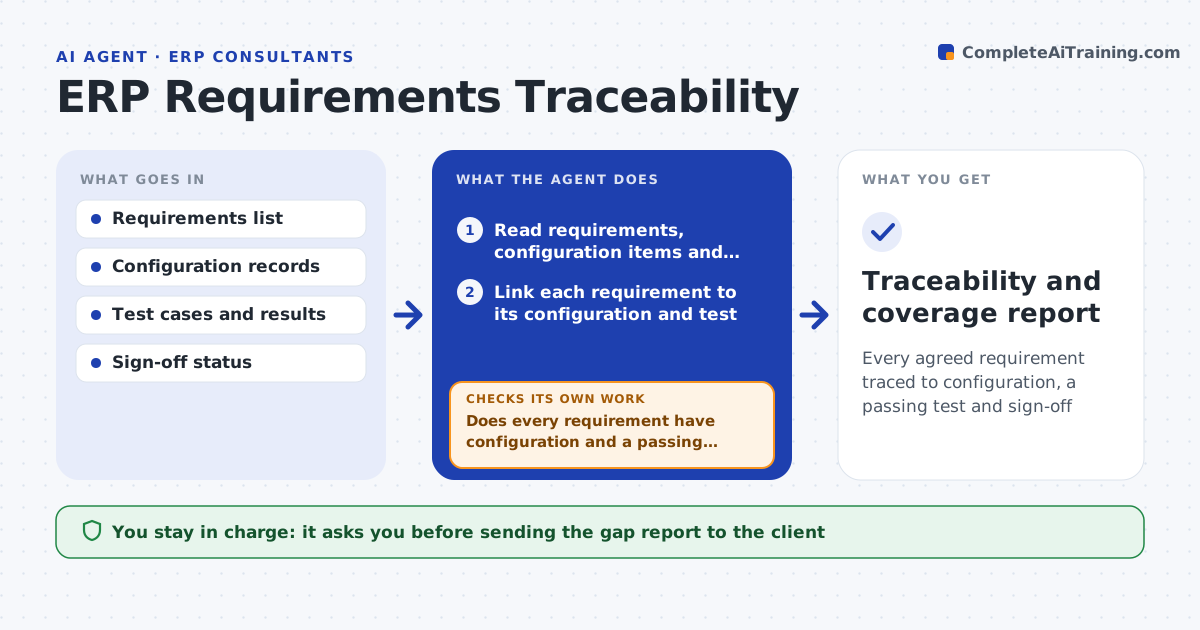
Every agreed requirement traced to configuration, a passing test and sign-off
What it does
On an ERP project, a requirement agreed early can be forgotten by the time the system is configured and tested. This agent keeps a traceability record linking each requirement to its configuration, its test case and its sign-off. As work progresses, it checks that every requirement has a configuration and a passing test. Where one is missing or a test is failing, it flags the gap to the owner and tracks it until resolved. It also flags configuration that traces to no requirement, which may be scope creep. Before each milestone it reports coverage. You approve the gap list before it goes to the client. Edge case: a requirement moved out of scope mid-project stays in the record as deferred, so it is never silently dropped.
How it works
Follow the arrows from top to bottom. The orange dashed arrow is the loop: when a check fails, the agent goes back and tries again.
Read the steps as a list
- Milestone check or new configuration done
- Read requirements, configuration items and test results
- Link each requirement to its configuration and test
- Does every requirement have configuration and a passing test?If not: flag the gap with its owner and recheck after the fix. Back to step 3.
- Flag configuration with no matching requirement
- Mark descoped requirements as deferred with the decision date
- Prepare the coverage report and gap list
- Consultant approves the gap report for the clientThe agent waits here for your OK.
- Traceability and coverage report
How it decides
A requirement is covered only when it has a configuration and a passing test; anything else is a flagged gap.
- Count a requirement covered only with a passing test
- Flag untraceable configuration as possible scope creep
- Keep deferred requirements as deferred, not deleted
Make it yours
Every agent is a starting point. You choose these settings for your own situation.
- Coverage definition
- Milestones to report at
- Owners by module
- Report format
What keeps you in control
It always asks you first
- Sending the gap report to the client
Hard limits
- Does not change configuration itself
- Never deletes a requirement from the record
It stops when
- Done: coverage reported and gaps tracked
- Stop: requirements are not documented
Set it up
We guide you through the set-up, step by step
Members get the full set-up guide for this agent. No technical skills needed: you copy, paste and upload.
- One set of instructions to paste into your AI, with the clicks for ChatGPT, Claude, Microsoft 365 Copilot, Gemini and Grok
- The agent then walks you through connecting your own data, one source at a time
- A downloadable copy with the flow chart, the rules and the full guide