AI agent for court reporters
Errata Sheet Processing Agent
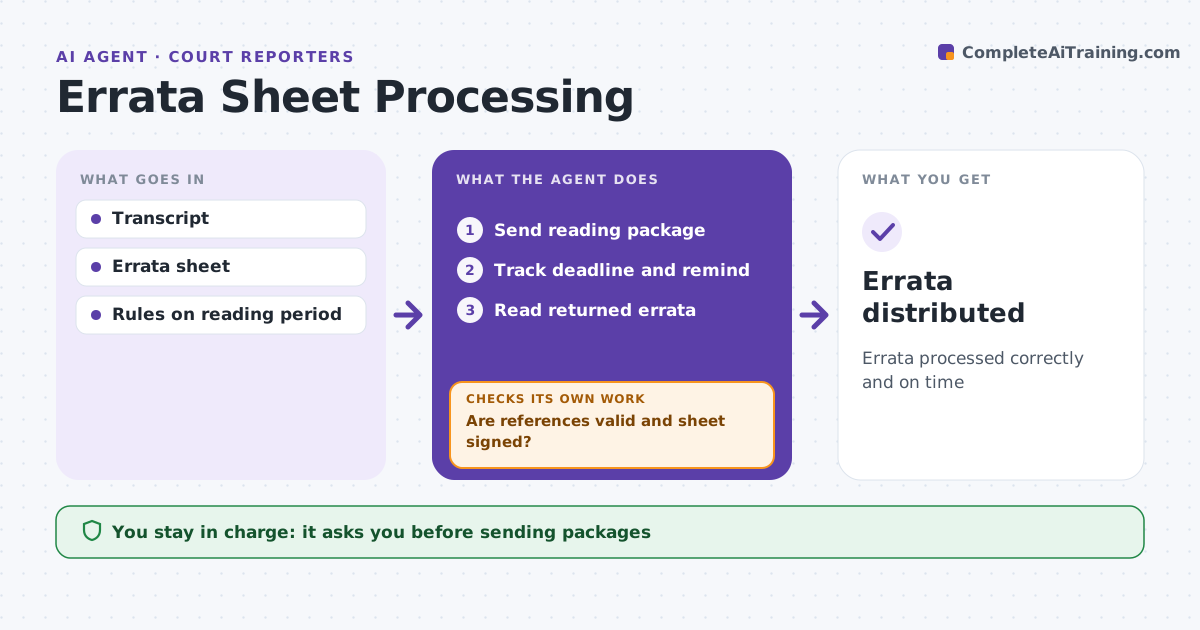
Errata processed correctly and on time
What it does
When a witness reads and signs a transcript, missed deadlines and sloppy errata sheets create problems for the record. This agent tracks the reading period, often 30 days, and sends the reading package once the reporter approves. It drafts reminders as the deadline nears. When the errata sheet returns, it reads each change, checks that page and line references exist, and lists original and changed text side by side. It checks the sheet is signed and dated. If references are wrong or the signature is missing, it drafts a request for a corrected sheet and checks again when it comes back. It prepares the certificate and distribution list. The reporter approves every package sent and every certificate. Edge case: the deadline passes with no response, so the agent drafts the not-signed certificate for the reporter instead of waiting.
How it works
Follow the arrows from top to bottom. The orange dashed arrow is the loop: when a check fails, the agent goes back and tries again.
Read the steps as a list
- Read and sign requested
- Send reading package
- Track deadline and remind
- Read returned errata
- Are references valid and sheet signed?If not: request a corrected sheet. Back to step 3.
- Reporter approves certificateThe agent waits here for your OK.
- Errata distributed
How it decides
It checks references and signatures and follows the reading period.
- Reading period per rule (often 30 days)
- Invalid page or line: request correction
- No response: not-signed certificate
Make it yours
Every agent is a starting point. You choose these settings for your own situation.
- Reading period
- Reminder timing
- Certificate template
- Distribution list
What keeps you in control
It always asks you first
- Sending packages
- Certificates
Hard limits
- Never changes the transcript text
- Never sends without approval
It stops when
- Done: distributed
- Stop: case settled and order cancelled
Set it up
We guide you through the set-up, step by step
Members get the full set-up guide for this agent. No technical skills needed: you copy, paste and upload.
- One set of instructions to paste into your AI, with the clicks for ChatGPT, Claude, Microsoft 365 Copilot, Gemini and Grok
- The agent then walks you through connecting your own data, one source at a time
- A downloadable copy with the flow chart, the rules and the full guide