AI agent for photographers
Event Coverage Shot List Agent
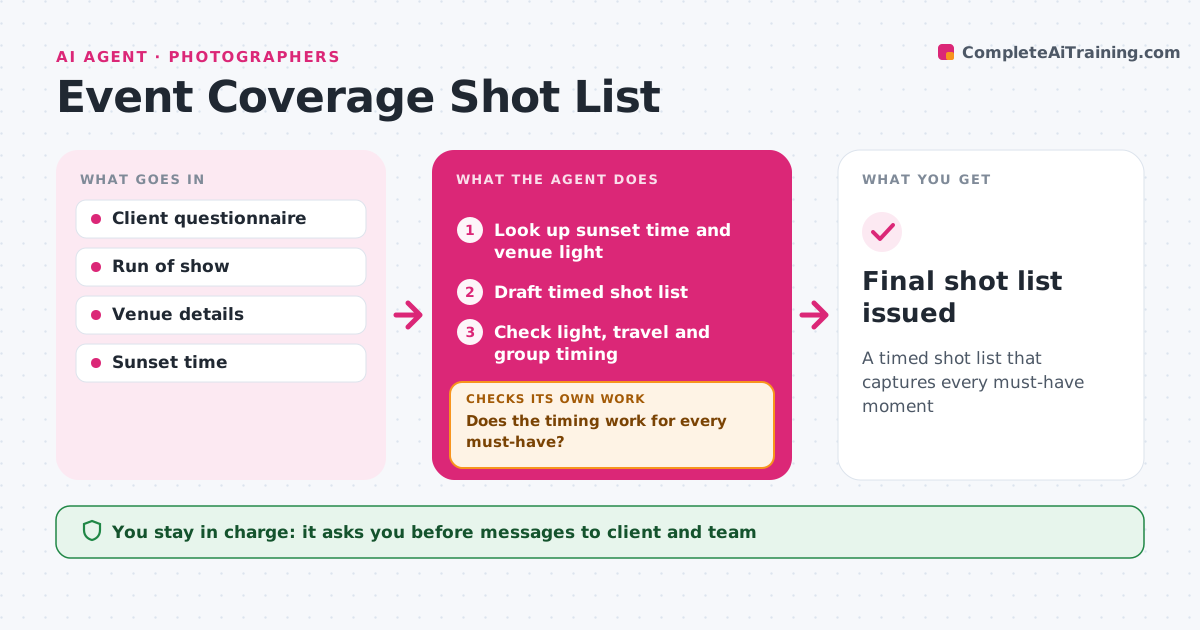
A timed shot list that captures every must-have moment
What it does
Event photographers lose key moments when the timeline is too tight for family groups or the light is gone. From the client questionnaire and run of show, this agent builds a timed shot list: key moments, must-have groups, details and locations with light notes, such as sunset time. It checks the timing works: enough time for groups, travel between locations and good light at each spot. Conflicts are raised with suggested fixes, like moving family groups before the ceremony. When the run of show changes, it updates the list and rechecks. It drafts a final timeline for the client and the second shooter. The photographer approves every message. Edge case: an indoor venue with no windows gets a flash plan note.
How it works
Follow the arrows from top to bottom. The orange dashed arrow is the loop: when a check fails, the agent goes back and tries again.
Read the steps as a list
- Questionnaire and run of show received
- Look up sunset time and venue light
- Draft timed shot list
- Check light, travel and group timing
- Does the timing work for every must-have?If not: suggest moving groups or moments and redraft. Back to step 3.
- Is the list still valid after run-of-show changes?If not: update the list and recheck the timing. Back to step 3.
- Draft timeline for client and second shooter
- Photographer approves messagesThe agent waits here for your OK.
- Final shot list issued
How it decides
It allows set times per group and per location move, and flags conflicts with the run of show.
- Allow 2 minutes per group shot
- Golden hour portraits need 20 minutes
- Changes trigger a full recheck
Make it yours
Every agent is a starting point. You choose these settings for your own situation.
- Minutes per group
- Light rules
- Timeline format
- Who receives it
What keeps you in control
It always asks you first
- Messages to client and team
Hard limits
- Never contacts the venue without approval
- Never shares client details
It stops when
- Done: shot list issued
- Stop: event cancelled
Set it up
We guide you through the set-up, step by step
Members get the full set-up guide for this agent. No technical skills needed: you copy, paste and upload.
- One set of instructions to paste into your AI, with the clicks for ChatGPT, Claude, Microsoft 365 Copilot, Gemini and Grok
- The agent then walks you through connecting your own data, one source at a time
- A downloadable copy with the flow chart, the rules and the full guide