AI agent for catering managers
Event Equipment Load List Reconciliation Agent
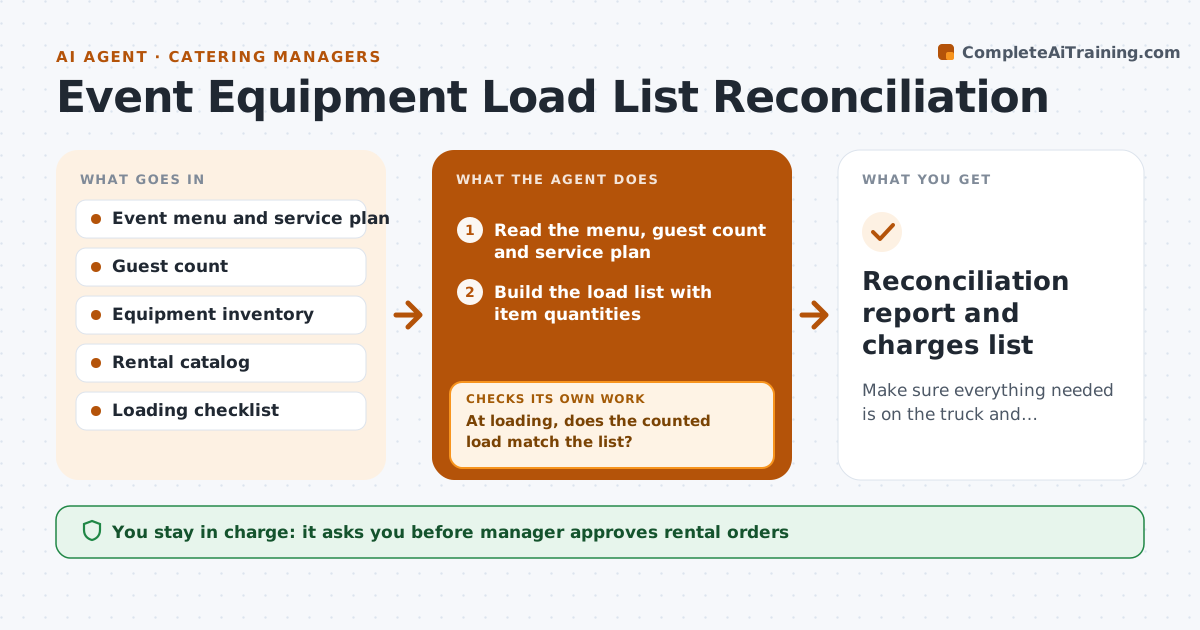
Make sure everything needed is on the truck and everything returns.
What it does
The truck arrives at the venue and there are 12 chafing dishes instead of 16, and no serving spoons for the salad. The agent builds the load list from the menu, guest count and service plan, listing equipment, linens, serving pieces and smallwares by item and quantity. It compares the list with inventory and existing rentals and flags shortages. For each shortage it drafts a rental order, and after approval it tracks confirmation. Before departure it checks the loaded count against the list, item by item, from the loading photos or checklist, and sends the crew back for anything missing. After the event it reconciles what came back against what left and flags losses and damage for charging or replacement. Edge case: an item listed twice for two different courses. The manager approves rental orders.
How it works
Follow the arrows from top to bottom. The orange dashed arrow is the loop: when a check fails, the agent goes back and tries again.
Read the steps as a list
- Event is five days away
- Read the menu, guest count and service plan
- Build the load list with item quantities
- Compare with inventory and existing rentals
- Flag shortages and draft rental orders
- Manager approves rental ordersThe agent waits here for your OK.
- Place the orders and track confirmation of delivery
- At loading, does the counted load match the list?If not: list the missing items and have the crew load them or order replacements. Back to step 2.
- After the event, count what returned
- Does the return count match what left?If not: search the venue and truck records, then log losses and damage. Back to step 8.
- Reconciliation report and charges list
How it decides
Quantities come from standard ratios per guest and course. A shortage is any item where the list exceeds available stock. The load is complete only when counted quantities match.
- Use 1 chafing dish per 30 guests per hot item
- Add 10 percent spare for glassware
- Flag any item below the required quantity as a shortage
- Log damage and losses within 24 hours of return
Make it yours
Every agent is a starting point. You choose these settings for your own situation.
- Ratios per guest
- Spare percentage (default 10 percent for glassware)
- Rental suppliers
- Checklist format
- Loss reporting rules
What keeps you in control
It always asks you first
- Manager approves rental orders
- Manager approves charging losses to the client
Hard limits
- Never place orders itself
- Do not charge a client for losses without approval
It stops when
- Done: load list reconciled after the event
- Stop: rental supplier cannot deliver, tell the manager and propose alternatives
Set it up
We guide you through the set-up, step by step
Members get the full set-up guide for this agent. No technical skills needed: you copy, paste and upload.
- One set of instructions to paste into your AI, with the clicks for ChatGPT, Claude, Microsoft 365 Copilot, Gemini and Grok
- The agent then walks you through connecting your own data, one source at a time
- A downloadable copy with the flow chart, the rules and the full guide