AI agent for catering managers
Event Quote Costing Agent
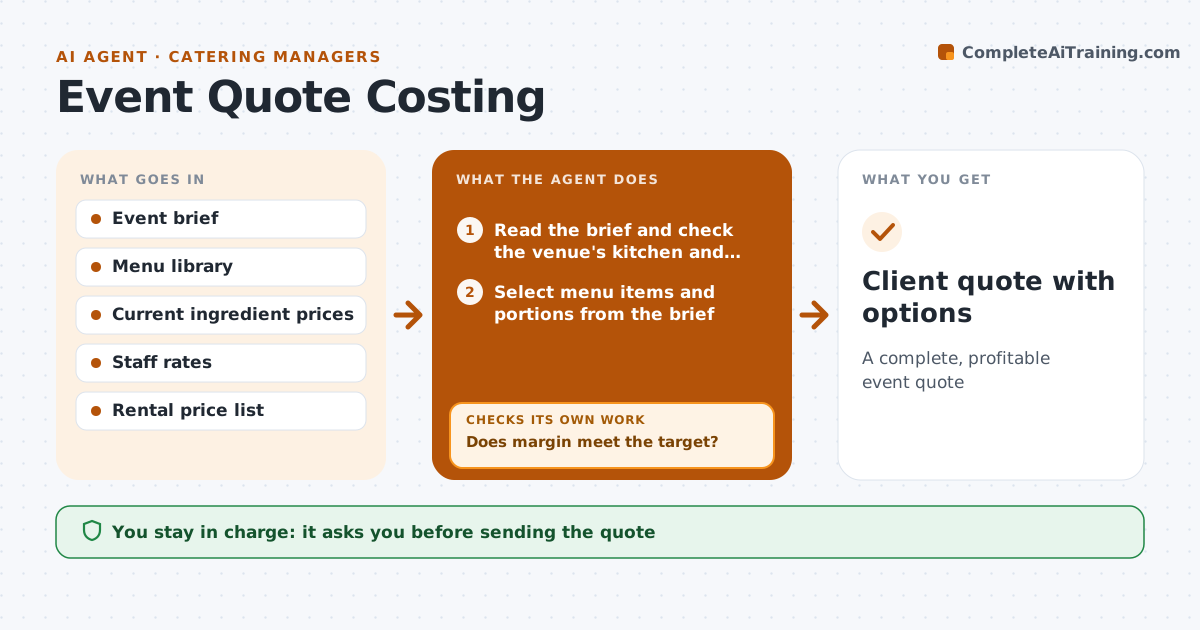
A complete, profitable event quote
What it does
Each event quote must cover food, staff, rentals, travel and venue needs, and a missed line turns a profitable event into a loss. When an inquiry arrives, this agent reads the event brief, selects menu items and portions, and costs ingredients at current prices. It adds staff hours for setup, service and cleanup, rentals and travel, with a charge for trips over 30 miles. It checks whether the venue has a kitchen, because that changes equipment and labor lines. It calculates margin and per-guest price. If margin is below the 30 percent target, it suggests changes such as a different main or family-style service and costs them again. It prepares the quote with options. The manager approves before it goes to the client and can accept a lower margin. Edge case: a venue without a kitchen adds equipment hire and an extra setup hour.
How it works
Follow the arrows from top to bottom. The orange dashed arrow is the loop: when a check fails, the agent goes back and tries again.
Read the steps as a list
- Event inquiry received
- Read the brief and check the venue's kitchen and distance
- Select menu items and portions from the brief
- Cost ingredients, staff hours, rentals and travel
- Calculate margin and per-guest price
- Does margin meet the target?If not: suggest menu or service changes and recost. Back to step 3.
- Prepare quote with menu options
- Manager approves the quoteThe agent waits here for your OK.
- Client quote with options
How it decides
It includes every cost line from the checklist and only finalizes when margin meets the target or the manager accepts lower.
- Target margin 30 percent by default
- Venue kitchen status changes equipment and labor lines
- Travel over 30 miles adds a charge
Make it yours
Every agent is a starting point. You choose these settings for your own situation.
- Target margin
- Staff rates by role
- Rental price list
- Travel charge rules
What keeps you in control
It always asks you first
- Sending the quote
- Any discount
Hard limits
- Never sends quotes
- Never offers discounts
It stops when
- Done: approved quote
- Stop: brief lacks guest count or date, ask the client contact
Set it up
We guide you through the set-up, step by step
Members get the full set-up guide for this agent. No technical skills needed: you copy, paste and upload.
- One set of instructions to paste into your AI, with the clicks for ChatGPT, Claude, Microsoft 365 Copilot, Gemini and Grok
- The agent then walks you through connecting your own data, one source at a time
- A downloadable copy with the flow chart, the rules and the full guide