AI agent for restaurant managers
Event Staff Hours and Tip Payout Agent
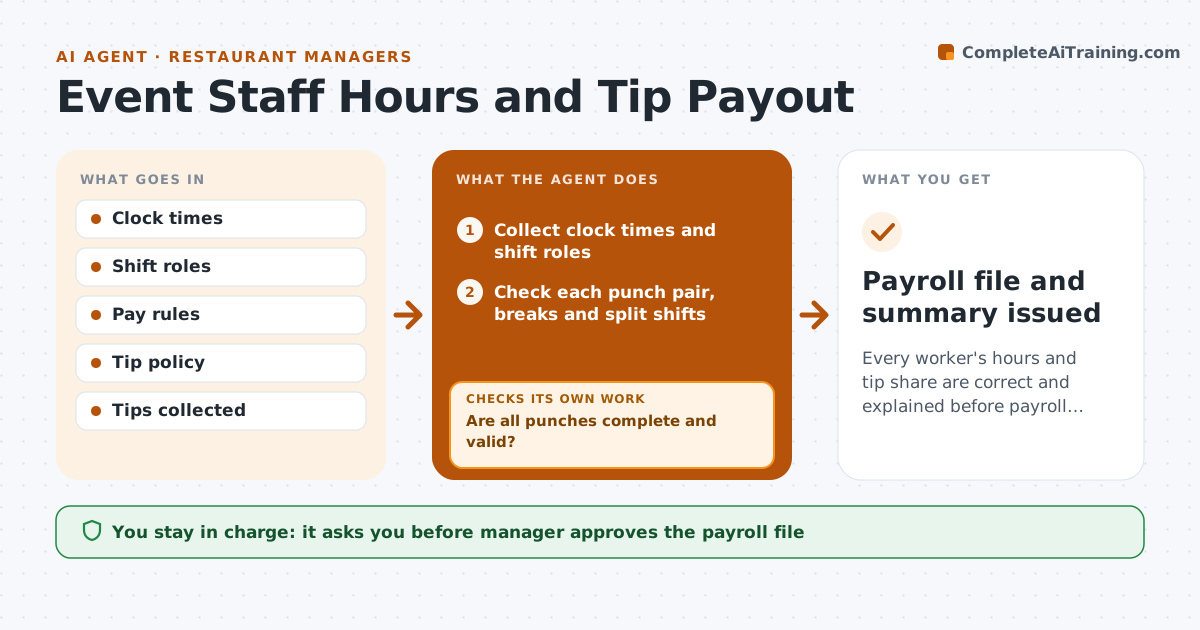
Every worker's hours and tip share are correct and explained before payroll closes.
What it does
After a big event, the manager spends an evening matching clock times, split shifts and tip shares in a spreadsheet, and someone still disagrees with the result. This agent collects the clock times for every staff member and applies the pay rules for each role. It checks break and overtime rules, calculates the tip pool using the shop's split policy, and lists anomalies such as a missing clock-out, a shift over the legal limit or a break that was not taken. Anomalies go back to the supervisor for a fix, and the agent reruns the calculation. It prepares the payroll file and a one page summary. The manager approves the payroll file. Edge case: a worker clocked out at midnight and in again the next morning, a split shift.
How it works
Follow the arrows from top to bottom. The orange dashed arrow is the loop: when a check fails, the agent goes back and tries again.
Read the steps as a list
- Event ends and clock data is ready
- Collect clock times and shift roles
- Check each punch pair, breaks and split shifts
- Are all punches complete and valid?If not: send missing or odd punches to the supervisor and recheck after correction. Back to step 3.
- Calculate regular, overtime and premium hours by role
- Calculate the tip pool and each person's share by the policy
- Do totals match the tips collected and the event's labor budget?If not: find the difference by shift and role and recompute. Back to step 5.
- List remaining anomalies with reasons
- Prepare the payroll file and summary
- Manager approves the payroll fileThe agent waits here for your OK.
- Payroll file and summary issued
How it decides
It applies the pay rules by role and local law, and flags any shift with missing punches, a missing break or hours beyond limits.
- Flag any shift missing a clock out.
- Apply overtime after the weekly or daily threshold in the rules.
- Split tips by hours worked and role weight as in the policy.
- Flag breaks missed or shortened.
Make it yours
Every agent is a starting point. You choose these settings for your own situation.
- Pay rules by role
- Tip split policy
- Overtime thresholds
- Anomaly rules
What keeps you in control
It always asks you first
- Manager approves the payroll file
Hard limits
- Show how each person's pay was calculated
- Never submit payroll itself
It stops when
- Done: payroll file approved.
- Stop: unresolved anomalies remain, so the manager decides.
Set it up
We guide you through the set-up, step by step
Members get the full set-up guide for this agent. No technical skills needed: you copy, paste and upload.
- One set of instructions to paste into your AI, with the clicks for ChatGPT, Claude, Microsoft 365 Copilot, Gemini and Grok
- The agent then walks you through connecting your own data, one source at a time
- A downloadable copy with the flow chart, the rules and the full guide