AI agent for law students
Exam Practice Loop Agent
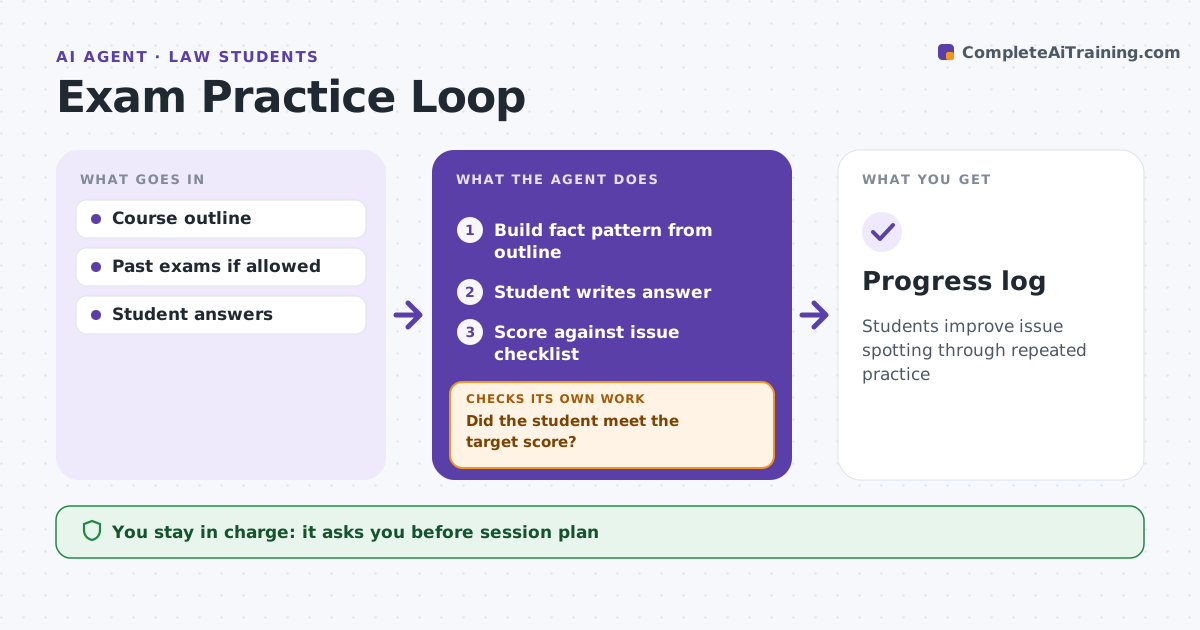
Students improve issue spotting through repeated practice
What it does
Law students learn exam technique by practice, but they rarely get fast, specific feedback on what they missed. Before exams, this agent runs a practice loop. It draws on the student's outline to build a hypothetical fact pattern and asks the student to write an answer. It scores the answer against an issue checklist built from the outline and shows missed issues, weak rule statements and missing application. It tracks weak topics and builds the next fact pattern around them. A topic missed twice becomes the focus. It repeats until the student reaches the target, by default 80% of issues spotted. The student decides when to stop. Edge case: the student keeps missing a defense, so the agent adds more patterns that turn on that defense.
How it works
Follow the arrows from top to bottom. The orange dashed arrow is the loop: when a check fails, the agent goes back and tries again.
Read the steps as a list
- Practice session
- Build fact pattern from outline
- Student writes answer
- Score against issue checklist
- Did the student meet the target score?If not: build a new pattern on weak topics. Back to step 2.
- Student decides to stop or continueThe agent waits here for your OK.
- Progress log
How it decides
It scores answers against an issue checklist and targets weak topics.
- Missed issue twice: target topic
- Rule without application: feedback
- Target 80% of issues
Make it yours
Every agent is a starting point. You choose these settings for your own situation.
- Target score
- Time limits
- Topics
- Feedback style
What keeps you in control
It always asks you first
- Session plan
Hard limits
- Never used during a closed exam
- Never claims model answers are official
It stops when
- Done: target met
- Stop: exam date passed
Set it up
We guide you through the set-up, step by step
Members get the full set-up guide for this agent. No technical skills needed: you copy, paste and upload.
- One set of instructions to paste into your AI, with the clicks for ChatGPT, Claude, Microsoft 365 Copilot, Gemini and Grok
- The agent then walks you through connecting your own data, one source at a time
- A downloadable copy with the flow chart, the rules and the full guide