AI agent for radiographers
Exam Worklist Prioritization Agent
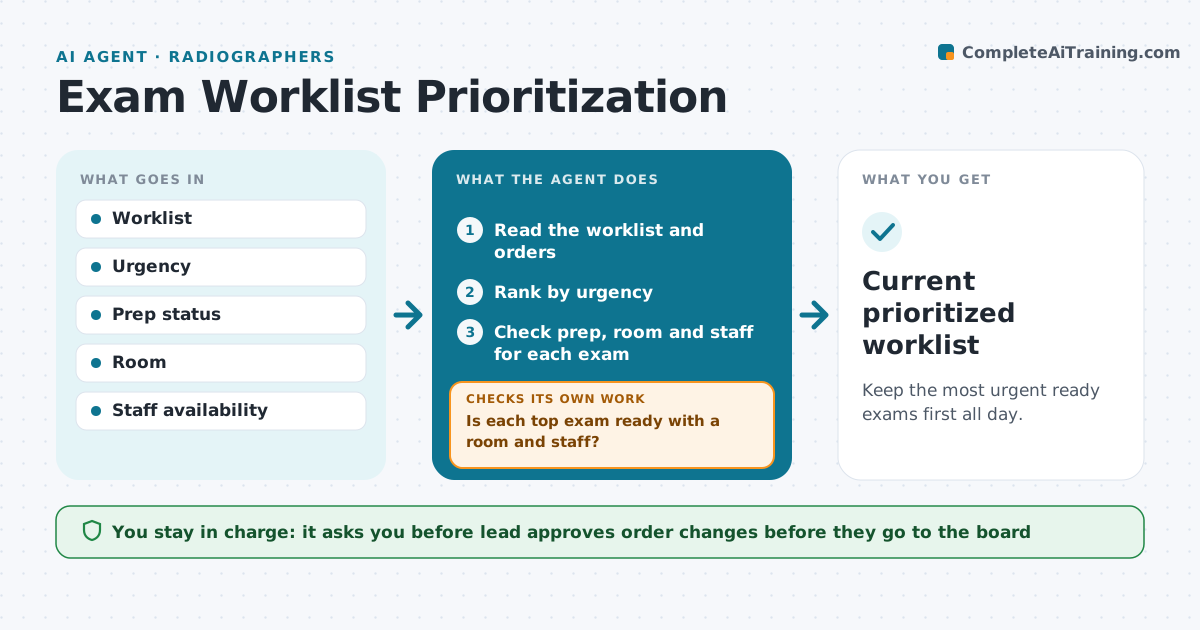
Keep the most urgent ready exams first all day.
What it does
In a busy imaging department, urgent exams can sit behind routine ones because the worklist is in order of arrival. This agent reads the worklist throughout the day. It orders exams by urgency, prep status (for example fasting, contrast and allergies), and what each room and staff member can do. It flags conflicts such as an urgent CT with no available scanner or tech. When new orders arrive, it re-sorts and tells the lead about any change in the top of the list. It checks that each exam moved up has a ready patient and room. The lead approves the order before it goes live. Edge case: an urgent exam needs sedation, so the agent flags the missing nurse.
How it works
Follow the arrows from top to bottom. The orange dashed arrow is the loop: when a check fails, the agent goes back and tries again.
Read the steps as a list
- Worklist refresh
- Read the worklist and orders
- Rank by urgency
- Check prep, room and staff for each exam
- Is each top exam ready with a room and staff?If not: move the next ready exam up and flag the blocker. Back to step 3.
- Lead approves the new orderThe agent waits here for your OK.
- Update the board
- Did the new order change the top of the list?If not: alert the lead and recheck resources. Back to step 2.
- Current prioritized worklist
How it decides
Urgency ranks first, then ready prep and available room and staff. An exam that is not ready cannot jump ahead.
- Mark urgent exams first only when prep is ready
- Flag any urgent exam waiting more than 30 minutes
- Flag missing staff skills such as sedation
- Never skip a patient who has waited beyond the limit without telling the lead
Make it yours
Every agent is a starting point. You choose these settings for your own situation.
- Urgency ranking rules
- Refresh time (default 15 minutes)
- Wait limit (default 30 minutes)
- Rooms covered
What keeps you in control
It always asks you first
- Lead approves order changes before they go to the board
Hard limits
- Never cancel or delay an exam without the lead
- Never change medical urgency codes
It stops when
- Done: list approved and posted
- Stop: system outage, return to manual list
Set it up
We guide you through the set-up, step by step
Members get the full set-up guide for this agent. No technical skills needed: you copy, paste and upload.
- One set of instructions to paste into your AI, with the clicks for ChatGPT, Claude, Microsoft 365 Copilot, Gemini and Grok
- The agent then walks you through connecting your own data, one source at a time
- A downloadable copy with the flow chart, the rules and the full guide