AI agent for radiographers
Radiation Badge Dose Review Agent
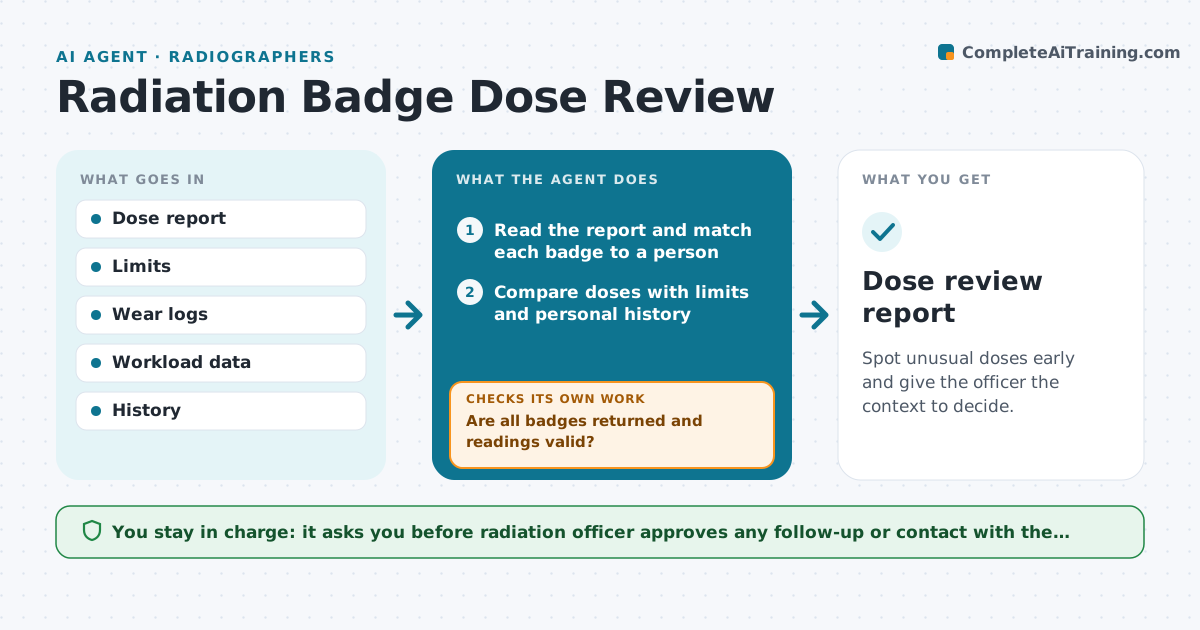
Spot unusual doses early and give the officer the context to decide.
What it does
Monthly badge reports list doses for each worker, but the trends are hard to see in a table. This agent reads each report when it arrives. It compares each dose with the regulatory limits and the person's own history, and flags high or rising readings. For each flag it checks the wear record, such as whether the badge was worn in a different room or left in a coat, and the person's workload that month. It then drafts a follow-up summary for the radiation officer, who decides whether to ask for a review, a change of procedure or no action. Edge case: a badge was not returned, so the agent flags a missing dose rather than assuming zero.
How it works
Follow the arrows from top to bottom. The orange dashed arrow is the loop: when a check fails, the agent goes back and tries again.
Read the steps as a list
- Monthly dose report arrives
- Read the report and match each badge to a person
- Compare doses with limits and personal history
- Are all badges returned and readings valid?If not: ask staff to chase missing badges and mark the dose as missing. Back to step 3.
- Flag high or rising readings
- Check wear logs and workload for each flag
- Draft the follow-up summary with context
- Radiation officer decides on follow-upThe agent waits here for your OK.
- Record the decision and set a recheck
- Dose review report
How it decides
It flags a reading over a set level or a jump above the person's own average. Context from wear and workload is added before the officer decides.
- Flag at 25% of an annual limit in one month
- Flag a reading above 3 times personal average
- Never treat a missing badge as zero
- Escalate any reading near a limit the same day
Make it yours
Every agent is a starting point. You choose these settings for your own situation.
- Flag levels
- Report schedule
- Who sees the summary
- Recheck interval (default next month)
What keeps you in control
It always asks you first
- Radiation officer approves any follow-up or contact with the worker
Hard limits
- Never accuse a worker
- Never alter a dose record
It stops when
- Done: all readings reviewed and logged
- Stop: report invalid, ask the provider
Set it up
We guide you through the set-up, step by step
Members get the full set-up guide for this agent. No technical skills needed: you copy, paste and upload.
- One set of instructions to paste into your AI, with the clicks for ChatGPT, Claude, Microsoft 365 Copilot, Gemini and Grok
- The agent then walks you through connecting your own data, one source at a time
- A downloadable copy with the flow chart, the rules and the full guide