AI agent for radiographers
PACS Image Reconciliation Agent
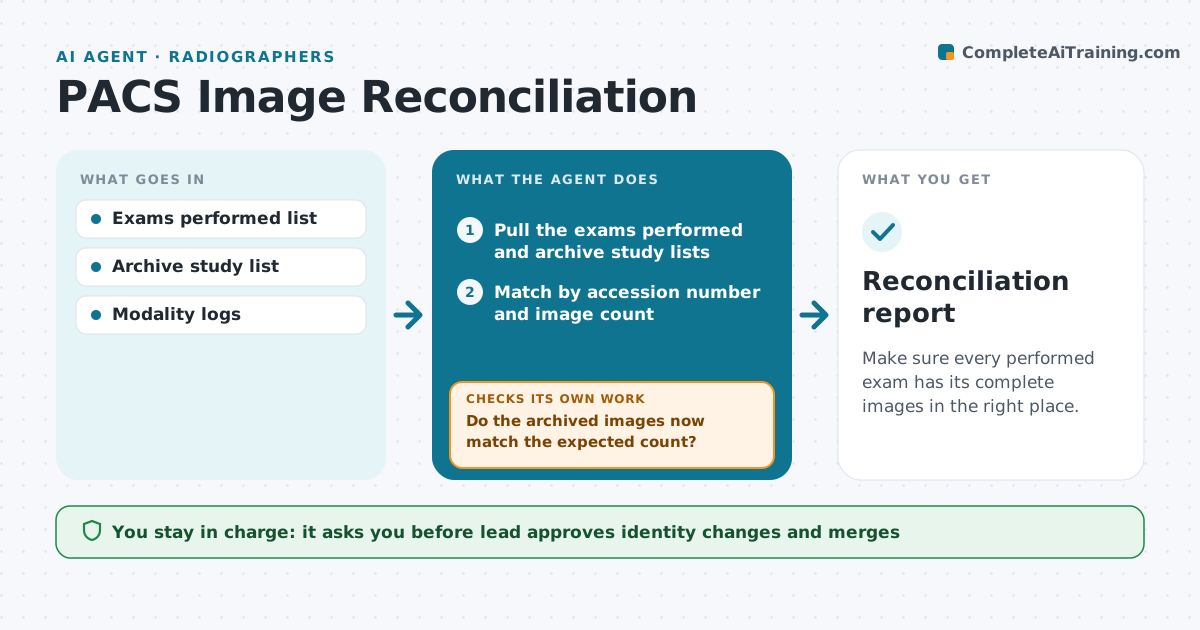
Make sure every performed exam has its complete images in the right place.
What it does
After a shift, some exams show as performed but have no images in the archive, or the images sit under the wrong patient or study. This agent compares the performed exam list from the information system with what the archive holds. It finds missing, incomplete or misfiled studies. For each, it triggers a resend from the modality and rechecks the archive after a short wait. If still missing, it flags the exam to the lead with the details. The lead approves any fix that changes patient identity or merges studies. Edge case: images exist but under a misspelled name, so the agent proposes a match for the lead to approve instead of merging.
How it works
Follow the arrows from top to bottom. The orange dashed arrow is the loop: when a check fails, the agent goes back and tries again.
Read the steps as a list
- Shift ends
- Pull the exams performed and archive study lists
- Match by accession number and image count
- List missing, short and misfiled studies
- Trigger a resend from the modality
- Do the archived images now match the expected count?If not: wait and resend once more, then flag the exam to the lead. Back to step 5.
- Propose identity matches for misfiled studies
- Lead approves fixes that change patient or study identityThe agent waits here for your OK.
- Apply the approved fix and recheck
- Reconciliation report
How it decides
It matches by accession number, then by patient and time. An exam is closed only when the archive shows the expected image count.
- Match first on accession number
- Resend up to 2 times before flagging
- Never merge studies without the lead
- Report exams older than 24 hours without images as urgent
Make it yours
Every agent is a starting point. You choose these settings for your own situation.
- Resend limit (default 2)
- Wait between rechecks (default 10 minutes)
- Modalities covered
- Report recipient
What keeps you in control
It always asks you first
- Lead approves identity changes and merges
Hard limits
- Never delete studies
- Never change identity without approval
It stops when
- Done: all exams reconcile
- Stop: modality offline, tell the lead
Set it up
We guide you through the set-up, step by step
Members get the full set-up guide for this agent. No technical skills needed: you copy, paste and upload.
- One set of instructions to paste into your AI, with the clicks for ChatGPT, Claude, Microsoft 365 Copilot, Gemini and Grok
- The agent then walks you through connecting your own data, one source at a time
- A downloadable copy with the flow chart, the rules and the full guide