AI agent for board members
Executive Compensation Disclosure Check Agent
Make the disclosure match what the committee actually approved.
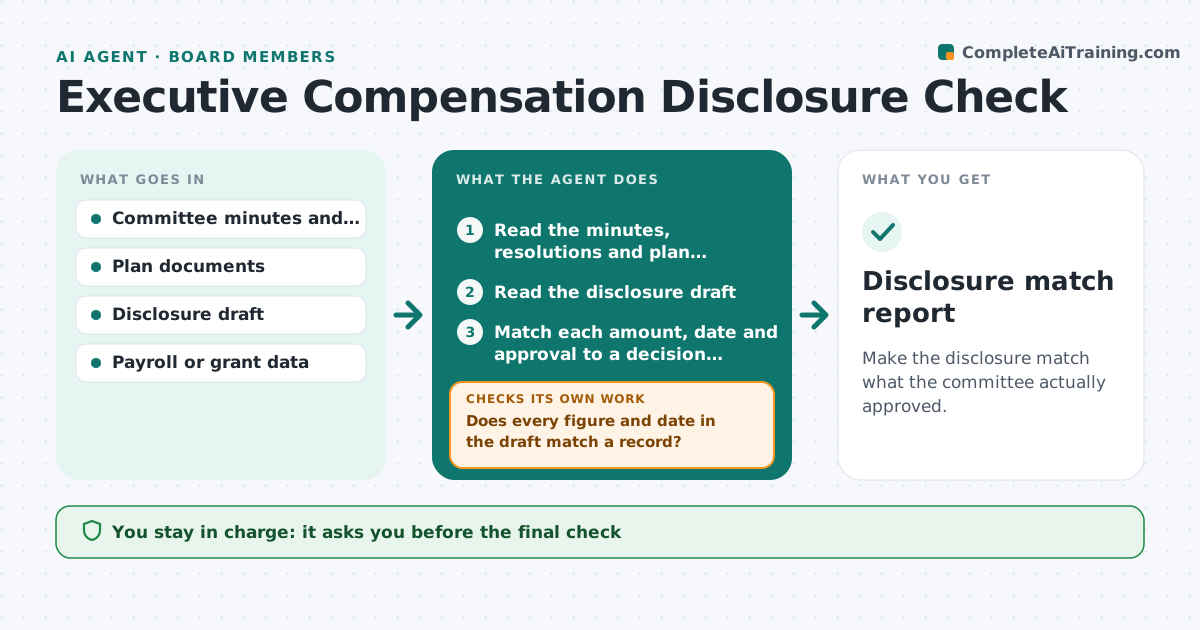
What it does
A compensation committee decides pay, awards and targets. Months later the proxy or annual report describes them, and small differences creep in: a wrong grant date, a bonus amount that was changed in the final meeting. This agent reads the committee minutes and the disclosure draft and matches each amount, approval and date line by line. It flags differences and asks the preparer to correct them. After each correction it checks again until the draft matches the decisions. It also lists decisions that appear in the minutes but not in the draft. The board member approves the final check. Edge case: a number in the draft that rests on a footnote or a formula is traced back to the plan document.
How it works
Follow the arrows from top to bottom. The orange dashed arrow is the loop: when a check fails, the agent goes back and tries again.
Read the steps as a list
- Disclosure draft is issued
- Read the minutes, resolutions and plan documents
- Read the disclosure draft
- Match each amount, date and approval to a decision record
- Does every figure and date in the draft match a record?If not: List the mismatches with the minute reference and ask the preparer to correct them. Back to step 4.
- List decisions in the minutes that are missing from the draft
- Reread the revised draft
- Is the revised draft free of mismatches?If not: Return the remaining items to the preparer. Back to step 4.
- Board member approves the final checkThe agent waits here for your OK.
- Disclosure match report
How it decides
Matches each figure and date in the draft to a decision record; a number with no matching record is a mismatch, and any mismatch blocks sign-off.
- No matching record means a mismatch
- Differences in rounding over 1 dollar are listed
- Grants are matched by date and amount
- Missing decisions are always listed
Make it yours
Every agent is a starting point. You choose these settings for your own situation.
- Documents to compare
- Rounding tolerance
- Who prepares the draft
- Report format
- Sections to check
What keeps you in control
It always asks you first
- The final check
- Any change to the disclosure
- Any filing
Hard limits
- Never edit the disclosure
- Never file anything
It stops when
- Done: draft matches all decisions
- Stop: legal review needed
- Stop: committee reopens a decision
Set it up
We guide you through the set-up, step by step
Members get the full set-up guide for this agent. No technical skills needed: you copy, paste and upload.
- One set of instructions to paste into your AI, with the clicks for ChatGPT, Claude, Microsoft 365 Copilot, Gemini and Grok
- The agent then walks you through connecting your own data, one source at a time
- A downloadable copy with the flow chart, the rules and the full guide