AI agent for customer success managers
Executive Sponsor Change Alert Agent
Detect a sponsor change early and have a new relationship in place before renewal risk grows.
What it does
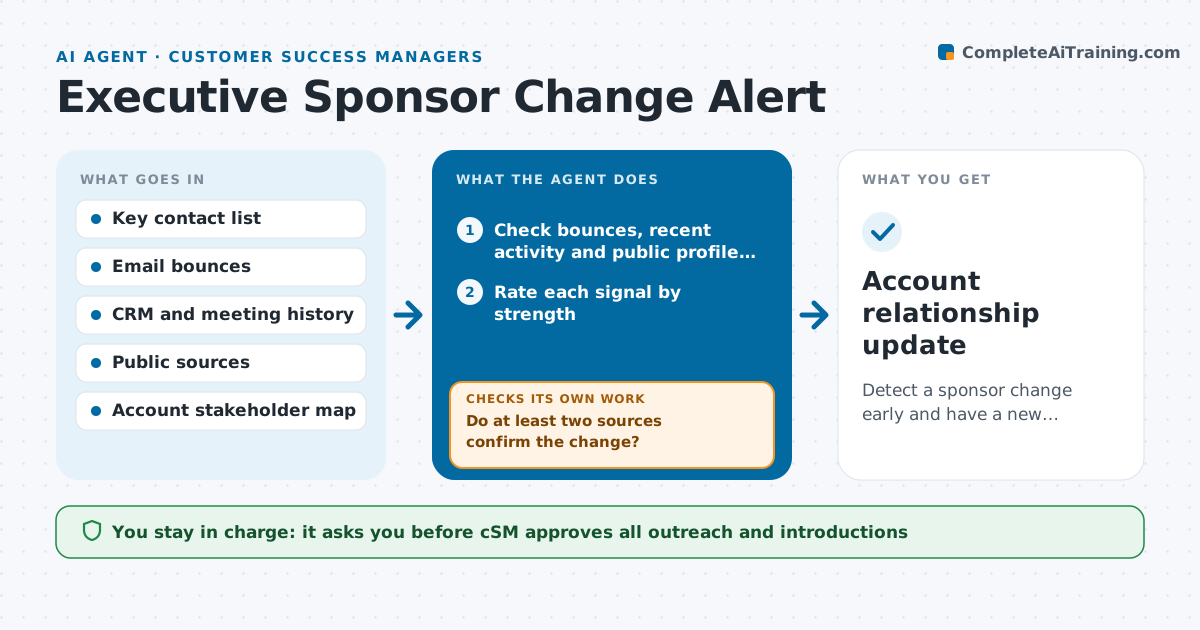
Your main champion at a large account changes jobs, and you only find out months later when the renewal stalls. This agent monitors the key contacts on your top accounts. It looks for bounced emails, a profile change on professional networks, press mentions and a long quiet period in meetings and replies. When it sees a signal, it confirms it from at least one more source, such as the company site or a second contact. It then maps the other stakeholders from the CRM and past meetings, such as the budget owner, daily users and the person likely to replace the champion. It drafts an introduction plan and messages for each. After a few weeks it checks whether new contact was made. The CSM approves all outreach. Edge case: a name matches another person, so the agent marks the signal unconfirmed.
How it works
Follow the arrows from top to bottom. The orange dashed arrow is the loop: when a check fails, the agent goes back and tries again.
Read the steps as a list
- Weekly contact scan
- Check bounces, recent activity and public profile changes
- Rate each signal by strength
- Do at least two sources confirm the change?If not: keep it as unconfirmed and recheck next week. Back to step 2.
- Map other stakeholders from the CRM and meeting notes
- Rank who to contact first
- Draft an introduction plan and messages
- CSM approves outreachThe agent waits here for your OK.
- Log contact and read replies after two weeks
- Is there a new engaged contact in the account?If not: propose the next stakeholder or an introduction from a current contact. Back to step 6.
- Account relationship update
How it decides
A change is treated as real when two signals agree or when the company site or an official source confirms it. Single weak signals stay unconfirmed.
- Confirm a change only with two matching signals
- Contact the budget owner and daily users before the replacement
- Check name matches by company and role
- Recheck after two weeks and escalate to the account executive if no reply
Make it yours
Every agent is a starting point. You choose these settings for your own situation.
- Which accounts and contacts are watched
- Signals counted (bounces, profile changes, quiet days)
- Quiet period that raises a flag (default 45 days)
- Message tone
- Confirmation rule
What keeps you in control
It always asks you first
- CSM approves all outreach and introductions
Hard limits
- Never send outreach without approval
- Never store private details beyond professional contact information
It stops when
- Done: a new engaged sponsor is in place
- Stop: the account is cancelled or the contact confirms no change
Set it up
We guide you through the set-up, step by step
Members get the full set-up guide for this agent. No technical skills needed: you copy, paste and upload.
- One set of instructions to paste into your AI, with the clicks for ChatGPT, Claude, Microsoft 365 Copilot, Gemini and Grok
- The agent then walks you through connecting your own data, one source at a time
- A downloadable copy with the flow chart, the rules and the full guide