AI agent for diversity and inclusion managers
Exit Pattern Analysis Agent
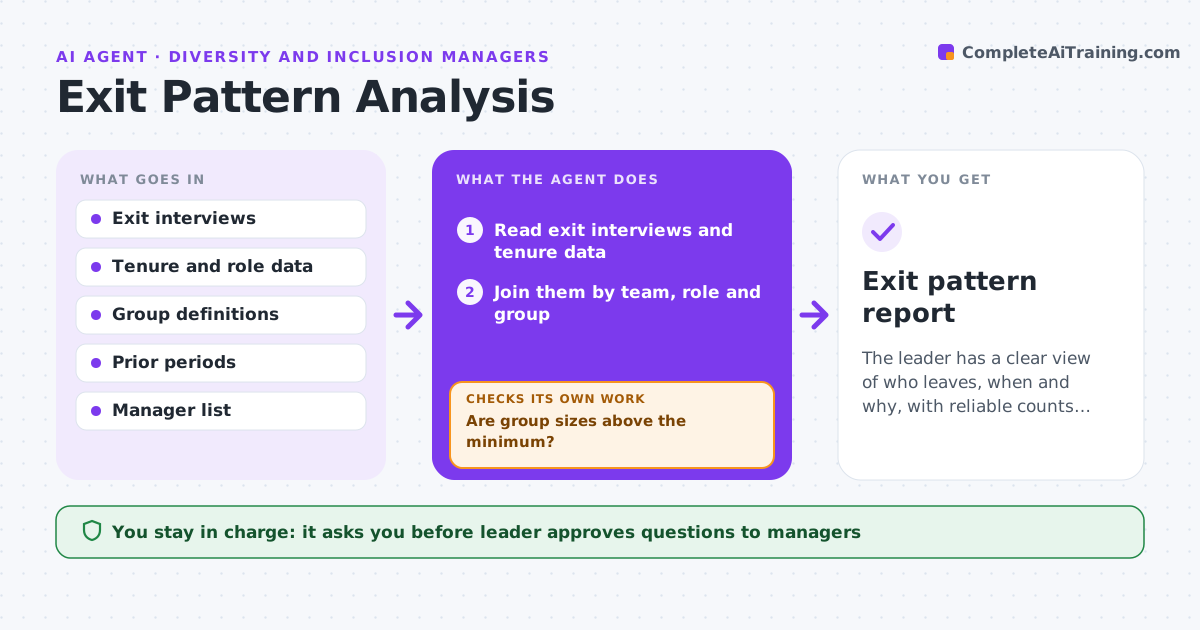
The leader has a clear view of who leaves, when and why, with reliable counts and questions for managers.
What it does
People from some groups leave faster, but exit data is scattered across interviews, tenure records and notes. The agent joins exit interviews with tenure data, groups the reasons by team and group, and checks small counts. It compares the current period with earlier ones and notes changes. It then drafts questions to managers about patterns that stand out and rechecks the results after the answers. The leader approves actions and sharing. Edge case: a team where all leavers cite the same manager but the group is only 4 people, so the agent reports it only to the leader.
How it works
Follow the arrows from top to bottom. The orange dashed arrow is the loop: when a check fails, the agent goes back and tries again.
Read the steps as a list
- Quarter ends
- Read exit interviews and tenure data
- Join them by team, role and group
- Group the reasons for leaving
- Are group sizes above the minimum?If not: Combine categories or hold the result back. Back to step 4.
- Compare with prior periods and find patterns in tenure and reason
- Draft questions to the managers
- Leader approves the questionsThe agent waits here for your OK.
- Read the managers' answers and update the analysis
- Do the patterns still stand after the answers?If not: Revise the patterns and rerun the comparison. Back to step 6.
- Exit pattern report
How it decides
It reports a pattern only when the group is above the minimum size and the difference from earlier periods is larger than the set change.
- Minimum group size of 10
- Flag a change of 20% from last quarter
- Keep manager names out of shared reports
- Use reasons exactly as coded in the exit forms
Make it yours
Every agent is a starting point. You choose these settings for your own situation.
- Minimum group size (default 10)
- Change threshold (default 20%)
- Periods compared
- Reasons list
What keeps you in control
It always asks you first
- Leader approves questions to managers
- Leader approves actions and sharing
Hard limits
- Never share individual exit comments
- Do not report on groups below the minimum size
It stops when
- Done: report approved and shared
- Stop: data is too thin to see a pattern
Set it up
We guide you through the set-up, step by step
Members get the full set-up guide for this agent. No technical skills needed: you copy, paste and upload.
- One set of instructions to paste into your AI, with the clicks for ChatGPT, Claude, Microsoft 365 Copilot, Gemini and Grok
- The agent then walks you through connecting your own data, one source at a time
- A downloadable copy with the flow chart, the rules and the full guide