AI agent for vice president of human resources
Pay Equity Review Agent
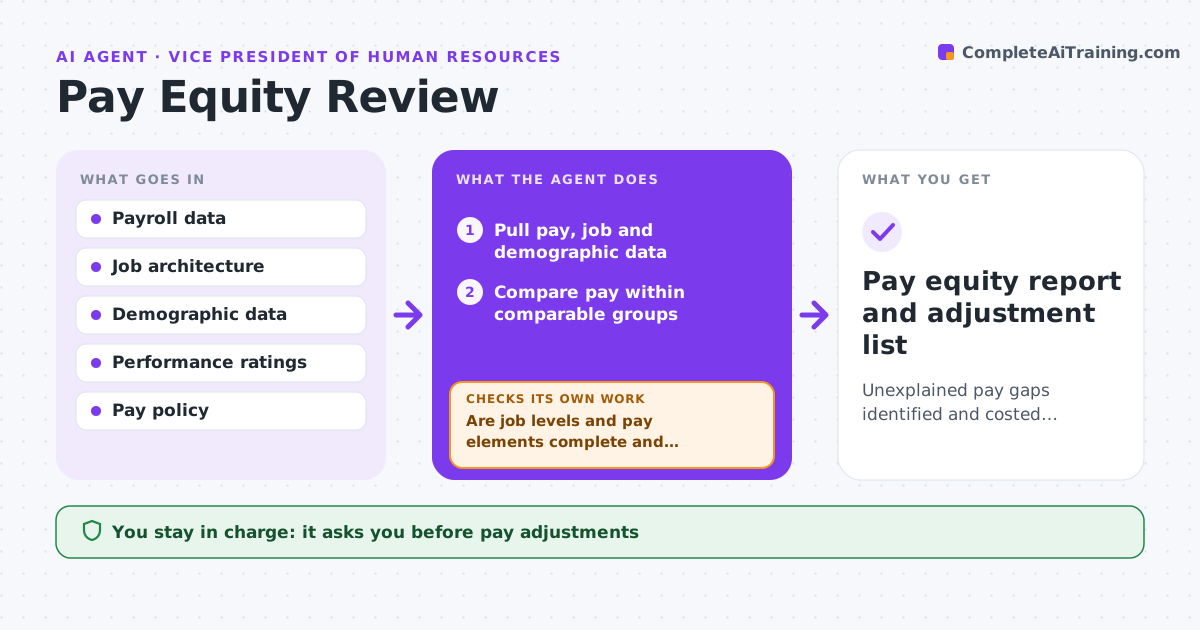
Unexplained pay gaps identified and costed adjustments proposed
What it does
Fair pay needs a regular check that people in comparable roles are paid comparably, but data errors make the analysis unreliable. This agent first pulls pay, job level, role, location, tenure and performance data and checks its quality. Wrong job levels or missing pay elements go to HR operations for correction before any analysis. It then groups comparable roles, compares pay across gender and other groups, and explains differences with legitimate factors such as location or tenure. Gaps that remain above the threshold are flagged. It proposes adjustments with their cost and reruns the analysis to confirm the gaps close; if not, it revises the proposals. The HR leader and legal approve any adjustment. Edge case: a comparison group has fewer than five people, so the agent reviews those cases one by one instead of using statistics.
How it works
Follow the arrows from top to bottom. The orange dashed arrow is the loop: when a check fails, the agent goes back and tries again.
Read the steps as a list
- Pay review cycle approaches
- Pull pay, job and demographic data
- Are job levels and pay elements complete and consistent?If not: send errors to HR operations and reload. Back to step 2.
- Compare pay within comparable groups
- Explain gaps with legitimate factors
- Propose adjustments with cost
- Do proposed adjustments close the unexplained gaps?If not: revise the adjustments. Back to step 6.
- HR leader and legal approve adjustmentsThe agent waits here for your OK.
- Pay equity report and adjustment list
How it decides
It compares pay within comparable groups after legitimate factors and flags unexplained gaps above the threshold.
- Unexplained gaps over 3% are flagged
- Groups under five reviewed individually
- Adjustments are within the pay range
Make it yours
Every agent is a starting point. You choose these settings for your own situation.
- Groups compared
- Gap threshold (default 3%)
- Legitimate factors used
- Budget cap for adjustments
What keeps you in control
It always asks you first
- Pay adjustments
- Any external reporting
Hard limits
- Data access limited to approved users
- Never changes pay in payroll
It stops when
- Done: adjustments approved
- Stop: legal requests privileged review
Set it up
We guide you through the set-up, step by step
Members get the full set-up guide for this agent. No technical skills needed: you copy, paste and upload.
- One set of instructions to paste into your AI, with the clicks for ChatGPT, Claude, Microsoft 365 Copilot, Gemini and Grok
- The agent then walks you through connecting your own data, one source at a time
- A downloadable copy with the flow chart, the rules and the full guide