AI agent for office managers
Facility Issue Reporting Follow-up Agent
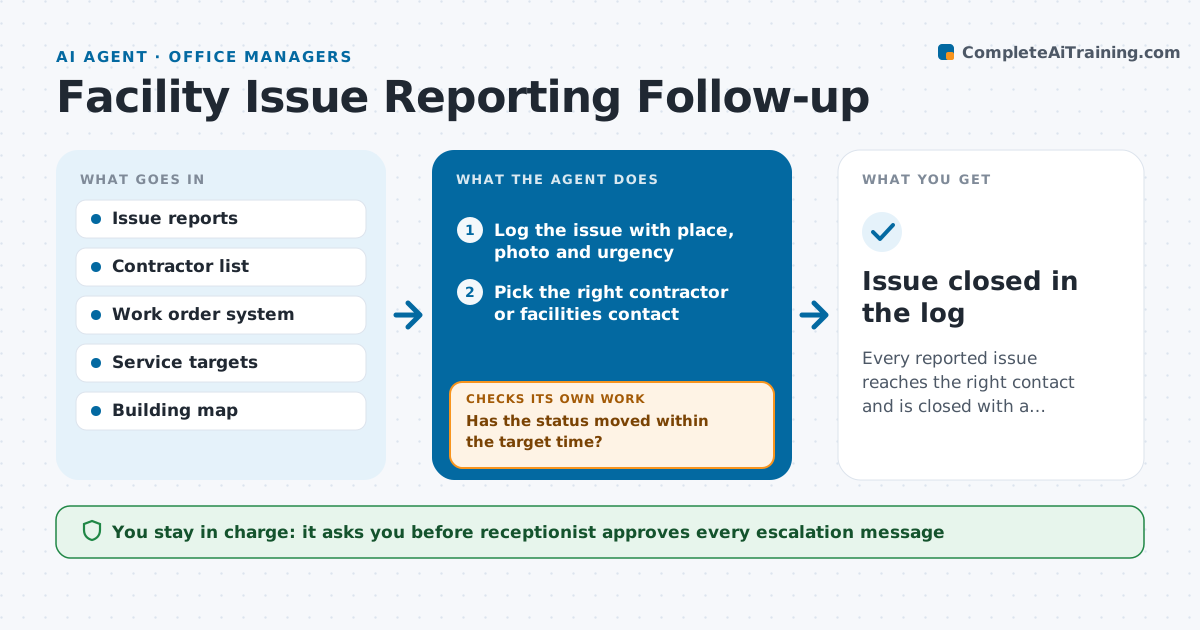
Every reported issue reaches the right contact and is closed with a confirmation, or escalated on time.
What it does
A person reports a broken light or a leaking tap at reception, and after that nobody knows who is fixing it. The agent logs each report with place, photo and time, sends it to the right contractor or facilities contact, and then watches the work order status every day. If the status does not move within the target time, it prepares an escalation message with the original report attached, such as a request to the facilities manager. When the work is marked done, it checks the report for a completion note and asks the reporter if the fix holds. The receptionist approves every escalation. Edge case: a report that needs two trades, such as a plumber and then a ceiling repair.
How it works
Follow the arrows from top to bottom. The orange dashed arrow is the loop: when a check fails, the agent goes back and tries again.
Read the steps as a list
- Issue reported at reception
- Log the issue with place, photo and urgency
- Pick the right contractor or facilities contact
- Create a work order and send the details
- Check the work order status each day
- Has the status moved within the target time?If not: Draft an escalation with the original report attached. Back to step 5.
- Receptionist approves the escalation messageThe agent waits here for your OK.
- Record the new status and reply
- Is the work marked done with a completion note?If not: Ask the contractor for a note and recheck the next day. Back to step 5.
- Ask the reporter whether the fix holds
- Issue closed in the log
How it decides
It routes by issue type and location, and escalates when a work order has had no status change within its target time.
- Safety issues have a 4 hour target, others 3 days
- Route by trade, building and floor
- Reopen the issue if the reporter says it still fails
- Split a report that needs two trades into two orders
Make it yours
Every agent is a starting point. You choose these settings for your own situation.
- Target times by urgency
- Contractors per trade
- How often to check status (default daily)
- Who receives escalations
- Wording of reporter follow-up
What keeps you in control
It always asks you first
- Receptionist approves every escalation message
- Receptionist approves closing an issue the reporter disputes
Hard limits
- Never promise repair dates
- Do not send escalations without approval
It stops when
- Done: work completed and confirmed by the reporter
- Stop: no contractor is assigned and the facilities manager must choose
Set it up
We guide you through the set-up, step by step
Members get the full set-up guide for this agent. No technical skills needed: you copy, paste and upload.
- One set of instructions to paste into your AI, with the clicks for ChatGPT, Claude, Microsoft 365 Copilot, Gemini and Grok
- The agent then walks you through connecting your own data, one source at a time
- A downloadable copy with the flow chart, the rules and the full guide