AI agent for operation managers
Facility Maintenance Backlog Prioritization Agent
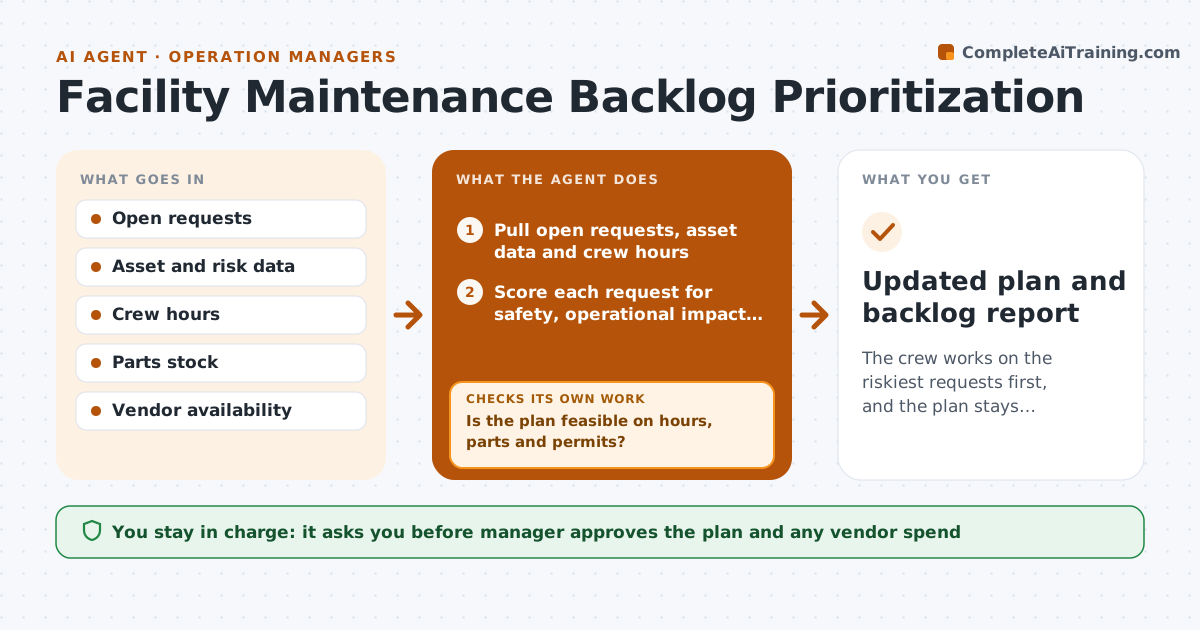
The crew works on the riskiest requests first, and the plan stays realistic as the week changes.
What it does
A hundred requests sit in the queue, and the manager works on whoever complained last. This agent ranks all open requests by safety risk, operational impact and cost of delay. It checks parts and vendor availability and builds a weekly work plan that fits the crew's hours. As new requests or emergencies arrive during the week, it reranks and moves lower items, telling the requesters what changed. It checks that the plan is feasible: hours, parts and permits. The manager approves the plan and any vendor spend. Edge case: a low priority item shares a site visit with a high priority one, so the agent bundles them.
How it works
Follow the arrows from top to bottom. The orange dashed arrow is the loop: when a check fails, the agent goes back and tries again.
Read the steps as a list
- Weekly planning or a new request
- Pull open requests, asset data and crew hours
- Score each request for safety, operational impact and cost of delay
- Check parts and vendor availability
- Build a plan that fits crew hours, bundling jobs at the same site
- Is the plan feasible on hours, parts and permits?If not: move blocked items to a waiting list and refill the plan. Back to step 4.
- Manager approves the plan and any vendor spendThe agent waits here for your OK.
- Monitor new requests and emergencies
- Does a new item outrank the current plan?If not: keep the plan and queue the item in rank order. Back to step 3.
- Rerank, move lower items and notify requesters
- Updated plan and backlog report
How it decides
It ranks by safety risk first, then operational impact, then cost of delay, and moves anything that lacks parts or a vendor to a waiting list.
- Safety risk outranks all other scores.
- Move items without parts or vendor to a waiting list.
- Bundle low-priority items at the same site as high-priority jobs.
- Reserve 15 percent of crew hours for emergencies.
Make it yours
Every agent is a starting point. You choose these settings for your own situation.
- Scoring weights
- Emergency reserve (default 15 percent)
- Crew hours
- Notification rules
What keeps you in control
It always asks you first
- Manager approves the plan and any vendor spend
Hard limits
- Never skip a safety item for convenience
- Do not commit vendor spend without approval
It stops when
- Done: weekly plan approved and updates applied.
- Stop: crew hours unknown, so the manager is asked.
Set it up
We guide you through the set-up, step by step
Members get the full set-up guide for this agent. No technical skills needed: you copy, paste and upload.
- One set of instructions to paste into your AI, with the clicks for ChatGPT, Claude, Microsoft 365 Copilot, Gemini and Grok
- The agent then walks you through connecting your own data, one source at a time
- A downloadable copy with the flow chart, the rules and the full guide