AI agent for crisis communications managers
Fake Account and Impersonation Takedown Agent
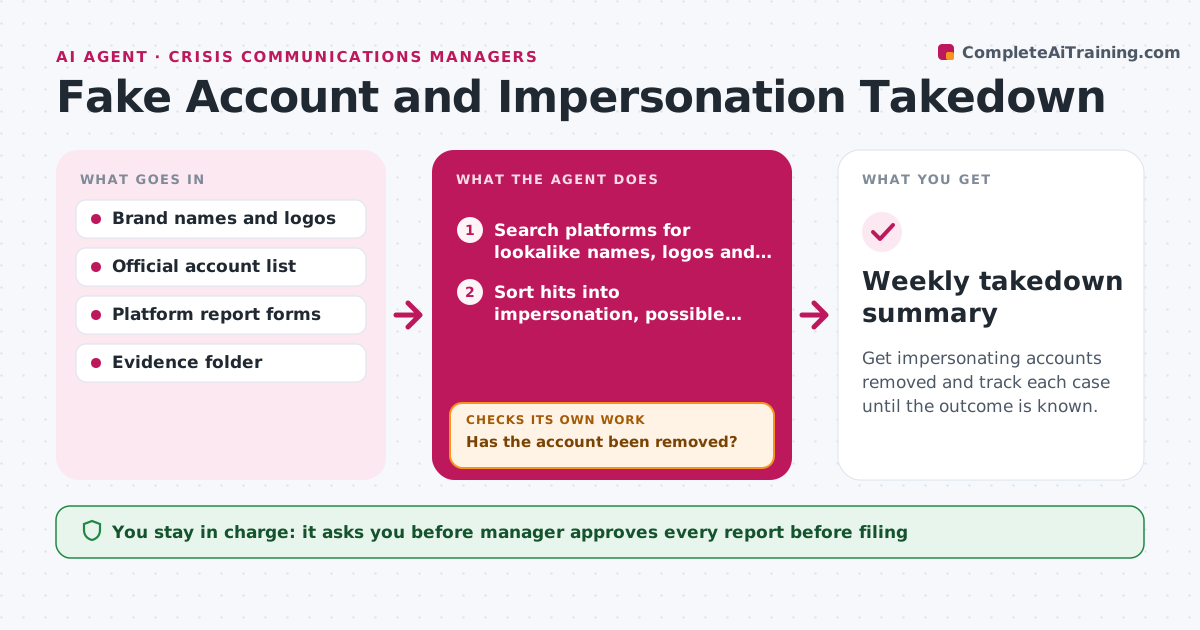
Get impersonating accounts removed and track each case until the outcome is known.
What it does
In a crisis, scammers and trolls open accounts that copy the brand and post fake announcements, and each takedown request must be filed on a different platform. The agent scans the main platforms for lookalike names, logos and posts that mimic official statements. For each hit it collects screenshots, links, dates and signs of impersonation, then drafts the report in the format that platform requires. After approval it files the report or hands the manager the filled form. The agent then returns on a schedule to check whether the account was removed. If it is still live, it escalates through another route, such as the platform's business contact or a trademark form. Edge case: a fan or parody account that is allowed. The agent flags it for review. The manager approves each report.
How it works
Follow the arrows from top to bottom. The orange dashed arrow is the loop: when a check fails, the agent goes back and tries again.
Read the steps as a list
- Scan runs
- Search platforms for lookalike names, logos and fake statements
- Sort hits into impersonation, possible parody and harmless
- Capture screenshots, links and dates as evidence
- Draft the report in each platform's required format
- Manager approves each reportThe agent waits here for your OK.
- File the report and log the case number
- Return after 48 hours to check whether the account is gone
- Has the account been removed?If not: escalate through another channel, such as a trademark form, and update the report. Back to step 5.
- Update the case log with outcome and time to removal
- Weekly takedown summary
How it decides
A hit is impersonation if it copies brand identity and claims to speak for the company. Parody or fan pages are flagged for human review, not reported.
- Report only accounts that claim to be the company or use its logo
- Flag parody or fan accounts for review instead of reporting
- Re-check each case after 48 hours
- Escalate after 2 failed reports on the same account
Make it yours
Every agent is a starting point. You choose these settings for your own situation.
- Platforms to scan
- Brand names and spellings
- Re-check time (default 48 hours)
- Escalation order
- Scan frequency
What keeps you in control
It always asks you first
- Manager approves every report before filing
- Manager approves any public warning about the fake account
Hard limits
- Do not contact the account owners
- Do not file reports without approval
It stops when
- Done: all cases closed or escalated
- Stop: platform requires proof of ownership the agent does not have, hand to the manager
Set it up
We guide you through the set-up, step by step
Members get the full set-up guide for this agent. No technical skills needed: you copy, paste and upload.
- One set of instructions to paste into your AI, with the clicks for ChatGPT, Claude, Microsoft 365 Copilot, Gemini and Grok
- The agent then walks you through connecting your own data, one source at a time
- A downloadable copy with the flow chart, the rules and the full guide