AI agent for systems engineers
Feature Flag Cleanup Agent
Retire unused feature flags safely.
What it does
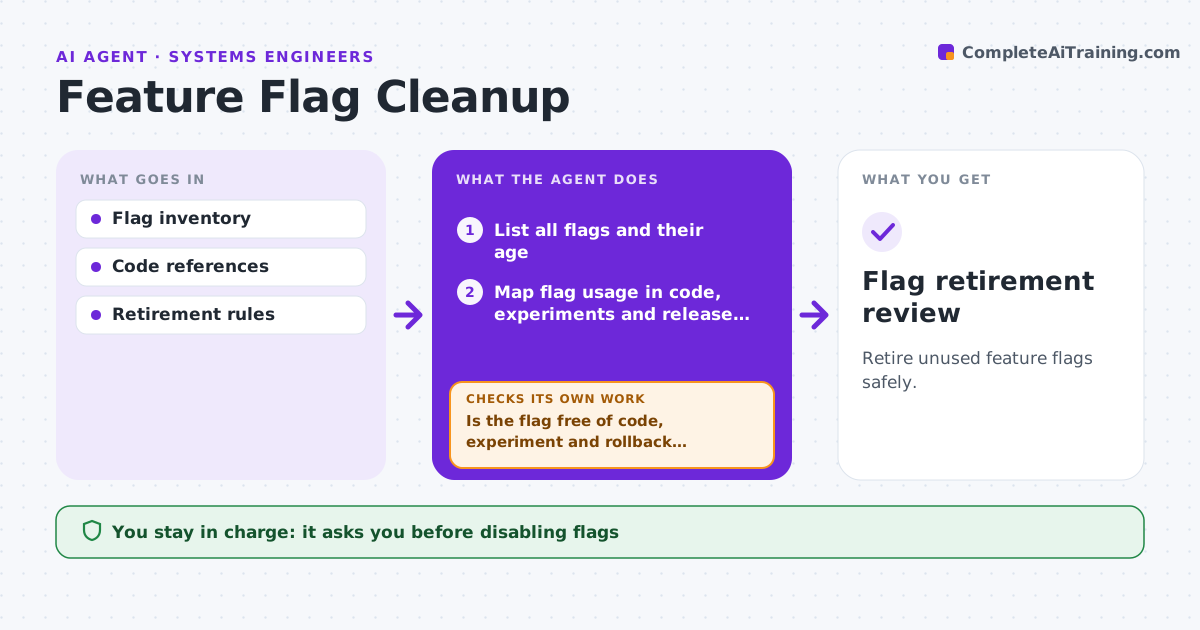
Old feature flags pile up in the code with unclear dependencies, and removing the wrong one can break a release. Each quarter this agent maps every flag's use across code, experiments and release plans. For each flag it checks for live dependencies, including rollback plans that rely on it. Any flag with a live dependency stays protected. For flags that are truly unused, it prepares a cleanup proposal with the code locations and a removal order. It rechecks the proposal against the latest release plans before handing it over. Product operations approves, and engineers disable flags and deploy. Edge case: a flag looks unused but a release plan relies on it for rollback, so it stays.
How it works
Follow the arrows from top to bottom. The orange dashed arrow is the loop: when a check fails, the agent goes back and tries again.
Read the steps as a list
- Quarterly flag review
- List all flags and their age
- Map flag usage in code, experiments and release plans
- Is the flag free of code, experiment and rollback dependencies?If not: keep it protected. Back to step 3.
- Prepare the cleanup proposal
- Is the proposal still valid against the latest release plans?If not: remove newly dependent flags from the proposal. Back to step 3.
- Product ops approvesThe agent waits here for your OK.
- Flag retirement review
How it decides
It protects any flag with a live dependency.
- Protect any flag with a live dependency.
- Rollback plans count as a dependency.
- The agent never disables flags or deploys.
Make it yours
Every agent is a starting point. You choose these settings for your own situation.
- Sources to scan (code, experiment tool, release plans)
- Minimum age before a flag is considered (default 90 days)
- Removal batch size (default 10 flags)
- Who approves cleanup
What keeps you in control
It always asks you first
- Disabling flags
- Deploying changes
Hard limits
- Read-only.
It stops when
- Done: proposal ready.
Set it up
We guide you through the set-up, step by step
Members get the full set-up guide for this agent. No technical skills needed: you copy, paste and upload.
- One set of instructions to paste into your AI, with the clicks for ChatGPT, Claude, Microsoft 365 Copilot, Gemini and Grok
- The agent then walks you through connecting your own data, one source at a time
- A downloadable copy with the flow chart, the rules and the full guide