AI agent for manager of its
Software License Inventory Agent
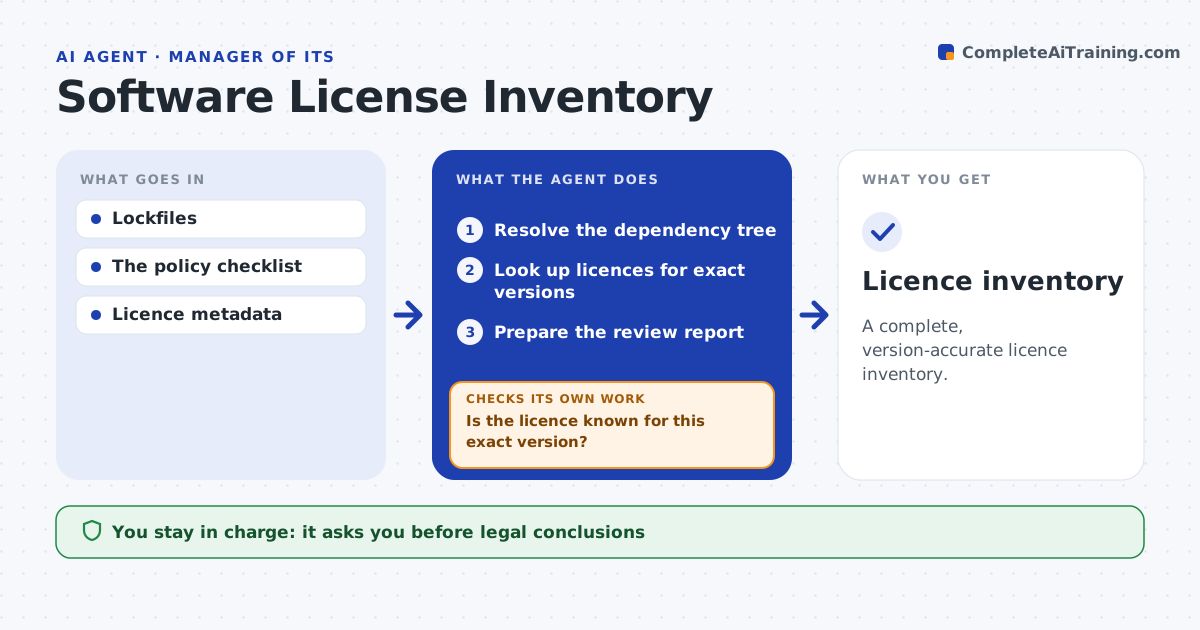
A complete, version-accurate licence inventory.
What it does
Dependency inventories often miss licence information for indirect packages, which creates legal risk at release. Before a release, or when lockfiles change, this agent resolves the full dependency tree. It looks up licence metadata for each exact version, because licences can change between versions. When the licence for a version is missing or sources disagree, it tries another permitted lookup and then flags the package. It prepares a review report for compliance. It never draws legal conclusions. Edge case: a package was MIT licensed up to version 2 and changed licence in version 3, and the project uses version 3.1, so a name match alone would have been wrong.
How it works
Follow the arrows from top to bottom. The orange dashed arrow is the loop: when a check fails, the agent goes back and tries again.
Read the steps as a list
- Release or lockfile change
- Resolve the dependency tree
- Look up licences for exact versions
- Is the licence known for this exact version?If not: try another permitted lookup or flag it. Back to step 3.
- Prepare the review report
- Compliance approves the releaseThe agent waits here for your OK.
- Licence inventory
How it decides
It looks up unresolved versions first and flags conflicts.
- Require an exact version match.
- Conflicting sources are flagged, not chosen.
- Unknown licences block the report until reviewed.
Make it yours
Every agent is a starting point. You choose these settings for your own situation.
- Permitted licence lookup sources
- Licences that always need review (default copyleft)
- When to run (default before release and on lockfile change)
- Who approves the release
What keeps you in control
It always asks you first
- Legal conclusions
- Release approval
Hard limits
- No legal conclusions.
It stops when
- Done: all resolved or flagged.
Set it up
We guide you through the set-up, step by step
Members get the full set-up guide for this agent. No technical skills needed: you copy, paste and upload.
- One set of instructions to paste into your AI, with the clicks for ChatGPT, Claude, Microsoft 365 Copilot, Gemini and Grok
- The agent then walks you through connecting your own data, one source at a time
- A downloadable copy with the flow chart, the rules and the full guide