AI agent for cloud architects
Infrastructure Configuration Drift Agent
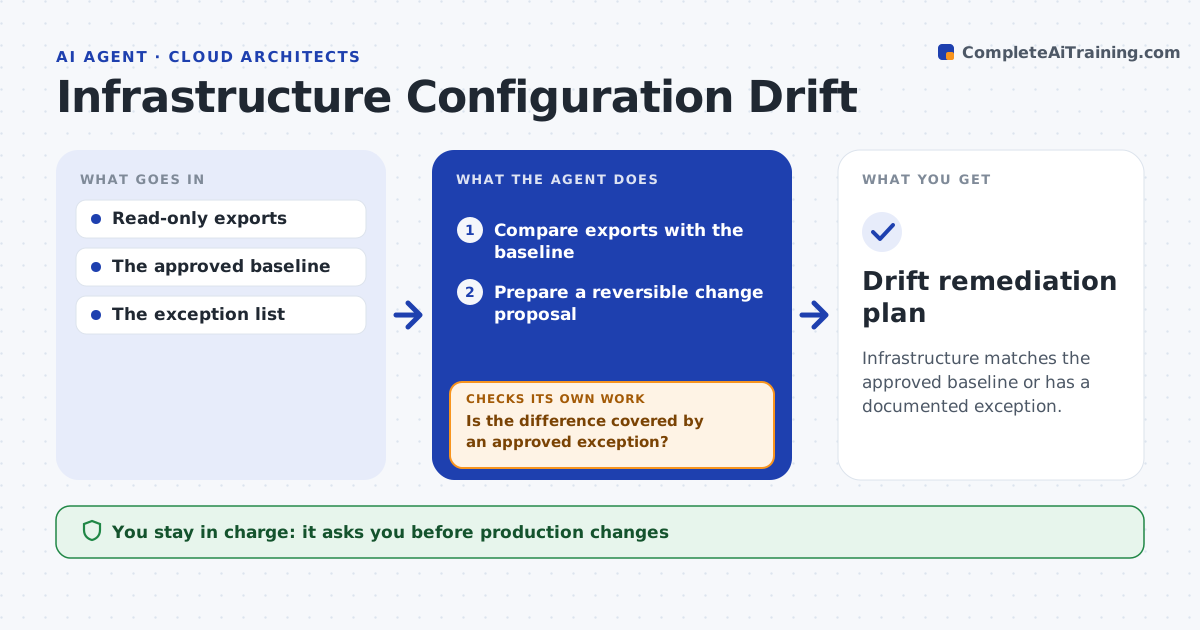
Infrastructure matches the approved baseline or has a documented exception.
What it does
Live infrastructure slowly drifts from the approved configuration as people make quick fixes. Every day this agent compares read-only exports of the live setup with the approved baseline. It separates differences covered by an approved exception from unmanaged drift. For unmanaged drift, it gathers ownership evidence from tags and change history. When the owner is clear, it prepares a reversible change proposal. When ownership evidence conflicts, it sends the item to review instead of fixing it. The platform lead approves changes; it never deletes or changes production itself. Edge case: a firewall rule differs from the baseline, but two teams' tags claim it, so it goes to review.
How it works
Follow the arrows from top to bottom. The orange dashed arrow is the loop: when a check fails, the agent goes back and tries again.
Read the steps as a list
- Daily scan
- Compare exports with the baseline
- Is the difference covered by an approved exception?If not: gather ownership evidence. Back to step 2.
- Is ownership clear?If not: send to review. Back to step 2.
- Prepare a reversible change proposal
- Platform lead approves changesThe agent waits here for your OK.
- Drift remediation plan
How it decides
It checks the exception list before treating anything as drift.
- Check the exception register first.
- Unclear ownership goes to review.
- Only reversible changes are proposed.
Make it yours
Every agent is a starting point. You choose these settings for your own situation.
- Baseline source and environments scanned
- Exception register
- Severity that triggers same-day review (default public exposure)
- Who approves changes
What keeps you in control
It always asks you first
- Production changes
- Deletions
Hard limits
- Read-only.
It stops when
- Done: all drift handled.
Set it up
We guide you through the set-up, step by step
Members get the full set-up guide for this agent. No technical skills needed: you copy, paste and upload.
- One set of instructions to paste into your AI, with the clicks for ChatGPT, Claude, Microsoft 365 Copilot, Gemini and Grok
- The agent then walks you through connecting your own data, one source at a time
- A downloadable copy with the flow chart, the rules and the full guide