AI agent for product marketing managers
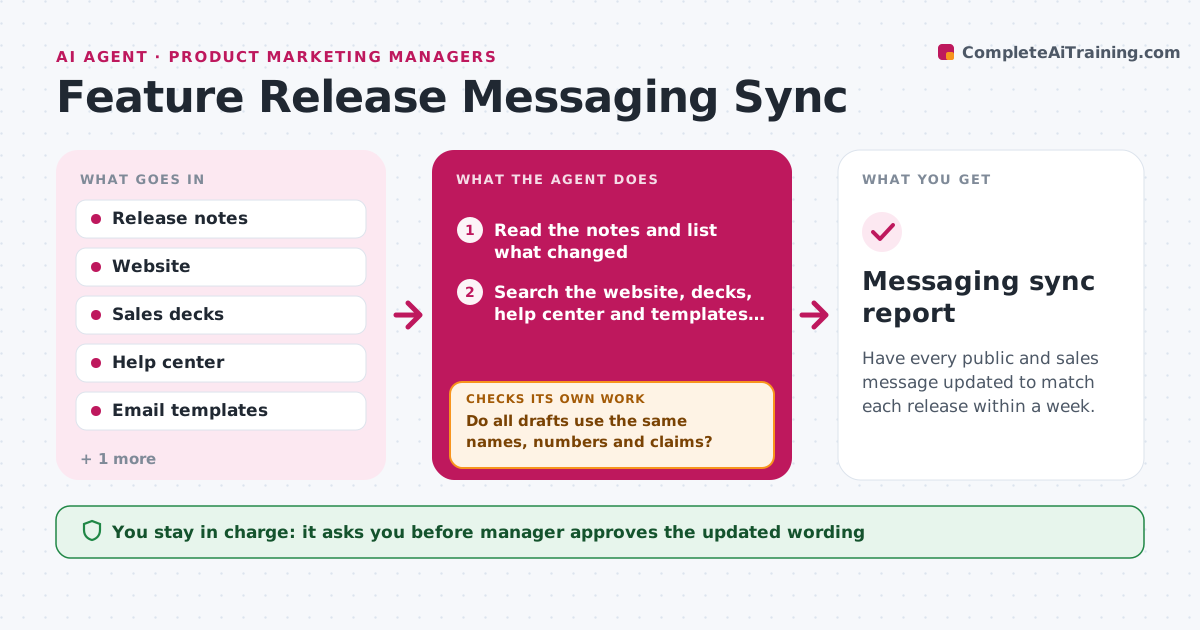
Feature Release Messaging Sync Agent
Have every public and sales message updated to match each release within a week.
What it does
A feature launches on Tuesday, and three months later the pricing page, sales deck and help articles still describe the old way. When a release goes out, the agent reads the release notes and works out which messages are affected. It searches the website, sales decks, help center and email templates for statements the release changes, such as a limit raised, a feature renamed or a new integration. It drafts updated text for each place and notes the owner. It then checks consistency across all of them, so the website, deck and help page use the same names and numbers. After the owners edit, the agent searches again to confirm that old wording is gone. Edge case: a staged rollout where only some customers have the feature. The manager approves.
How it works
Follow the arrows from top to bottom. The orange dashed arrow is the loop: when a check fails, the agent goes back and tries again.
Read the steps as a list
- Release notes are published
- Read the notes and list what changed
- Search the website, decks, help center and templates for affected text
- Draft updated wording for each location
- Compare the drafts with each other for names and numbers
- Do all drafts use the same names, numbers and claims?If not: align the drafts and note the final wording. Back to step 3.
- Manager approves the updatesThe agent waits here for your OK.
- Send each update to its owner with the exact change
- After 7 days, search again for the old wording
- Is the old wording gone everywhere?If not: remind the owners of the remaining places. Back to step 8.
- Messaging sync report
How it decides
Any text that contradicts or omits the new behavior is flagged. Updates are consistent when names, numbers and claims match across all locations.
- Flag any text that mentions the old name, limit or flow
- Use the product team's name for the feature everywhere
- Mark staged rollouts and say who has access
- Check again 7 days after sending updates
Make it yours
Every agent is a starting point. You choose these settings for your own situation.
- Locations to search
- Check delay (default 7 days)
- Naming guide
- Owners by location
- Release types that trigger a sync
What keeps you in control
It always asks you first
- Manager approves the updated wording
- Manager approves messages to owners about overdue changes
Hard limits
- Never edit pages or decks itself
- Do not announce unreleased features
It stops when
- Done: old wording removed everywhere
- Stop: the release is rolled back, undo the update plan
Set it up
We guide you through the set-up, step by step
Members get the full set-up guide for this agent. No technical skills needed: you copy, paste and upload.
- One set of instructions to paste into your AI, with the clicks for ChatGPT, Claude, Microsoft 365 Copilot, Gemini and Grok
- The agent then walks you through connecting your own data, one source at a time
- A downloadable copy with the flow chart, the rules and the full guide