AI agent for interior designers
FF&E Schedule and Procurement Agent
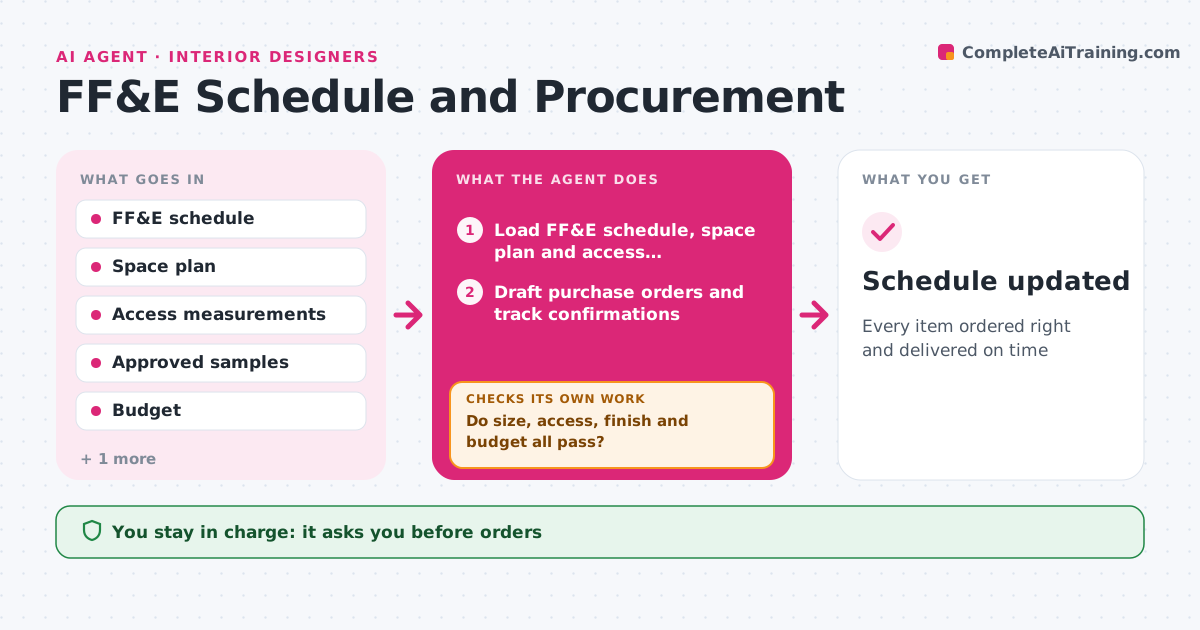
Every item ordered right and delivered on time
What it does
Furniture, fixtures and equipment orders involve dozens of vendors, and one wrong finish or missed delivery can stall an install. This agent keeps the FF&E schedule: item, room, size, finish, vendor, price, lead time and status. Before ordering, it checks that each item fits the space plan and access routes, that finishes match the approved samples and that the total stays within budget. Problems go to the designer. After approval, it drafts purchase orders and tracks confirmations, ship dates and deliveries. It compares each vendor confirmation with the order and flags any difference in finish, size or date. Late items get substitute options. On delivery, it checks for damage reports. The designer approves orders and substitutes. Edge case: a sofa that fits the room but not the stairwell is caught from access measurements.
How it works
Follow the arrows from top to bottom. The orange dashed arrow is the loop: when a check fails, the agent goes back and tries again.
Read the steps as a list
- Items approved by client
- Load FF&E schedule, space plan and access measurements
- Do size, access, finish and budget all pass?If not: send the problem items to the designer for alternatives. Back to step 2.
- Designer approves ordersThe agent waits here for your OK.
- Draft purchase orders and track confirmations
- Do confirmations match the orders and dates?If not: query the vendor or draft substitute options. Back to step 5.
- Track delivery and inspection
- Schedule updated
How it decides
It checks fit, finish and budget before ordering and matches every confirmation to the order.
- Check access routes for large items
- Confirmations must match finish and size
- Delays over two weeks trigger options
Make it yours
Every agent is a starting point. You choose these settings for your own situation.
- Schedule fields
- Delay threshold
- Vendors
- Budget alerts
What keeps you in control
It always asks you first
- Orders
- Substitutes
- Budget changes
Hard limits
- Never places orders or pays without approval
- Never shares client address beyond vendors who need it
It stops when
- Done: all items installed
- Stop: project paused
Set it up
We guide you through the set-up, step by step
Members get the full set-up guide for this agent. No technical skills needed: you copy, paste and upload.
- One set of instructions to paste into your AI, with the clicks for ChatGPT, Claude, Microsoft 365 Copilot, Gemini and Grok
- The agent then walks you through connecting your own data, one source at a time
- A downloadable copy with the flow chart, the rules and the full guide