AI agent for interior designers
Room Measurement and Fit Check Agent
A selection of items that fit the room and the route to it
What it does
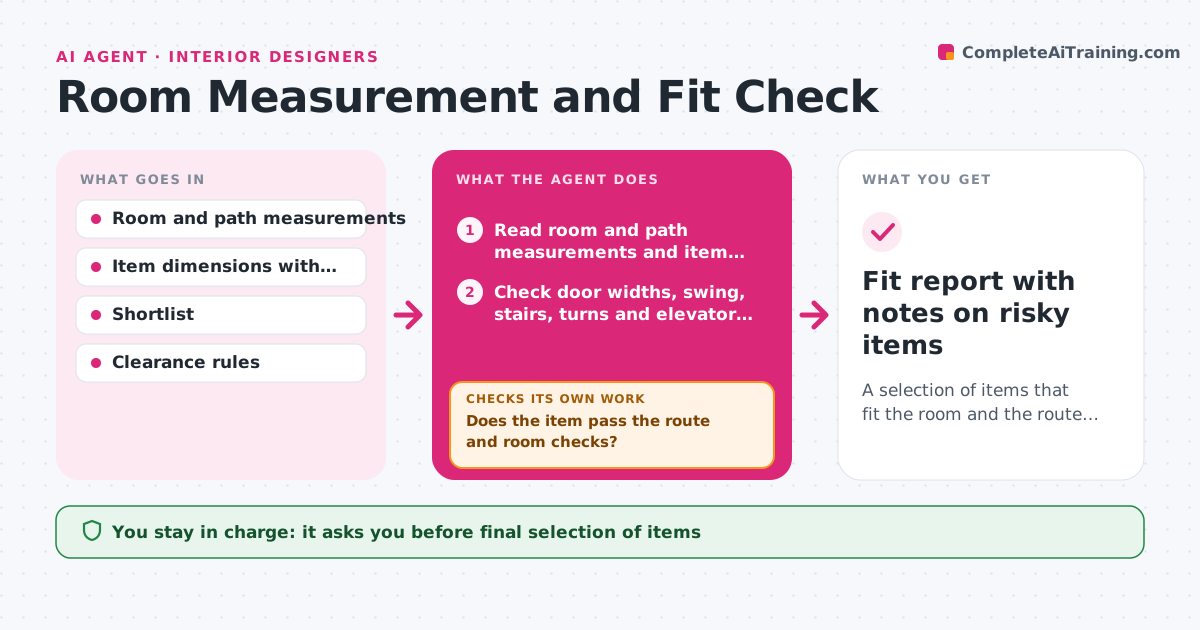
Items do not fit through doors, stairs or into rooms because dimensions are checked late. This agent takes the room and path measurements and the item dimensions, including packaging and any legs that can be removed. It checks clearances, door swing and the delivery path, including turns on stairs and elevator sizes. It flags problems and finds alternatives from the shortlist, such as a sectional that can be split. After a swap, it checks the new item again, as well as its fit with the rest of the room, for example clearance around a coffee table. The designer approves the final selection. Edge case: a sofa that passes through the door only on its side is flagged as a risk with a handling note.
How it works
Follow the arrows from top to bottom. The orange dashed arrow is the loop: when a check fails, the agent goes back and tries again.
Read the steps as a list
- Item added or room measured
- Read room and path measurements and item dimensions
- Check door widths, swing, stairs, turns and elevator size
- Check the item in the room with clearances around it
- Does the item pass the route and room checks?If not: find alternatives on the shortlist, such as a split or smaller model. Back to step 3.
- Swap in the alternative
- Does the alternative pass and keep the room layout working?If not: list the new conflict and try another alternative. Back to step 3.
- Designer approves the final selectionThe agent waits here for your OK.
- Fit report with notes on risky items
How it decides
An item passes when it fits the route with a clearance margin and fits the room with the recommended clearances.
- Require a 2 inch margin on every path dimension
- Check the diagonal for items turned on their side
- Require 36 inches for main walkways
- Flag any item that passes by less than the margin
Make it yours
Every agent is a starting point. You choose these settings for your own situation.
- Margin on paths (default 2 inches)
- Walkway width
- Units of measure
- Shortlist source
What keeps you in control
It always asks you first
- Final selection of items
- Accepting a tight fit
Hard limits
- Never orders an item
- Never guesses a missing measurement
It stops when
- Done: every item fits and the designer approved
- Stop: measurements are missing
Set it up
We guide you through the set-up, step by step
Members get the full set-up guide for this agent. No technical skills needed: you copy, paste and upload.
- One set of instructions to paste into your AI, with the clicks for ChatGPT, Claude, Microsoft 365 Copilot, Gemini and Grok
- The agent then walks you through connecting your own data, one source at a time
- A downloadable copy with the flow chart, the rules and the full guide