AI agent for land surveyors
Field Data Backup and Integrity Agent
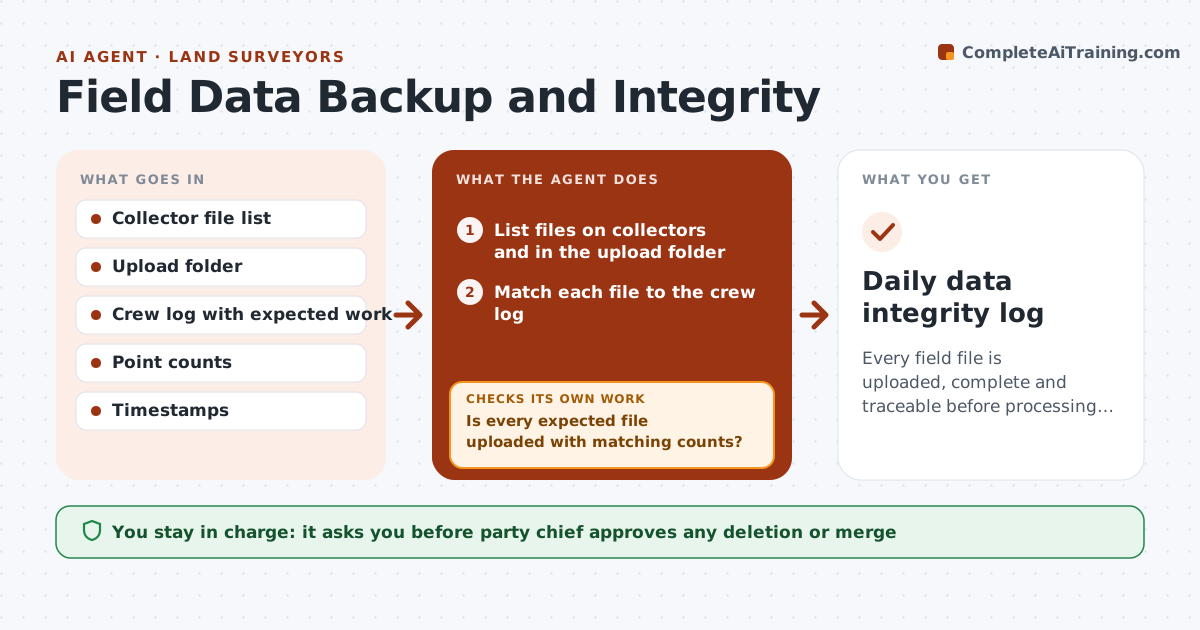
Every field file is uploaded, complete and traceable before processing starts.
What it does
A crew finishes a day of work, and a week later you find one collector file was overwritten and another never uploaded. This agent checks every day. It confirms that every collector file has been uploaded, compares point counts and timestamps with the crew log, and flags gaps or duplicate point names. When something is missing, it asks the crew to resync and rechecks after the upload. You, or the party chief, approve any file deletion. Edge case: two files from different collectors with the same job name and overlapping time ranges are flagged as possible conflicts before anyone merges them.
How it works
Follow the arrows from top to bottom. The orange dashed arrow is the loop: when a check fails, the agent goes back and tries again.
Read the steps as a list
- End of day
- List files on collectors and in the upload folder
- Match each file to the crew log
- Compare point counts and timestamps
- Is every expected file uploaded with matching counts?If not: Ask the crew to resync, then refresh the file list. Back to step 2.
- Search for duplicate point names and overlapping files
- Draft the status message for the party chief
- Party chief approves any file deletion or mergeThe agent waits here for your OK.
- Create a verified backup copy
- Does the backup match the source files?If not: Recopy and compare checksums again. Back to step 8.
- Daily data integrity log
How it decides
A file is complete when it is uploaded, its point count and time range match the crew log, and no point names conflict.
- Compare counts within 1% of the crew log
- Flag duplicate names with different coordinates
- Keep original files untouched
- Back up before any change
Make it yours
Every agent is a starting point. You choose these settings for your own situation.
- Count tolerance (default 1%)
- Backup location
- Check time
- Crew log source
What keeps you in control
It always asks you first
- Party chief approves any deletion or merge
Hard limits
- Never delete or edit raw files
- Never merge files without approval
It stops when
- Done: all files uploaded and backed up
- Stop: collector cannot be reached
Set it up
We guide you through the set-up, step by step
Members get the full set-up guide for this agent. No technical skills needed: you copy, paste and upload.
- One set of instructions to paste into your AI, with the clicks for ChatGPT, Claude, Microsoft 365 Copilot, Gemini and Grok
- The agent then walks you through connecting your own data, one source at a time
- A downloadable copy with the flow chart, the rules and the full guide