AI agent for land surveyors
Survey Job Scheduling and Access Agent
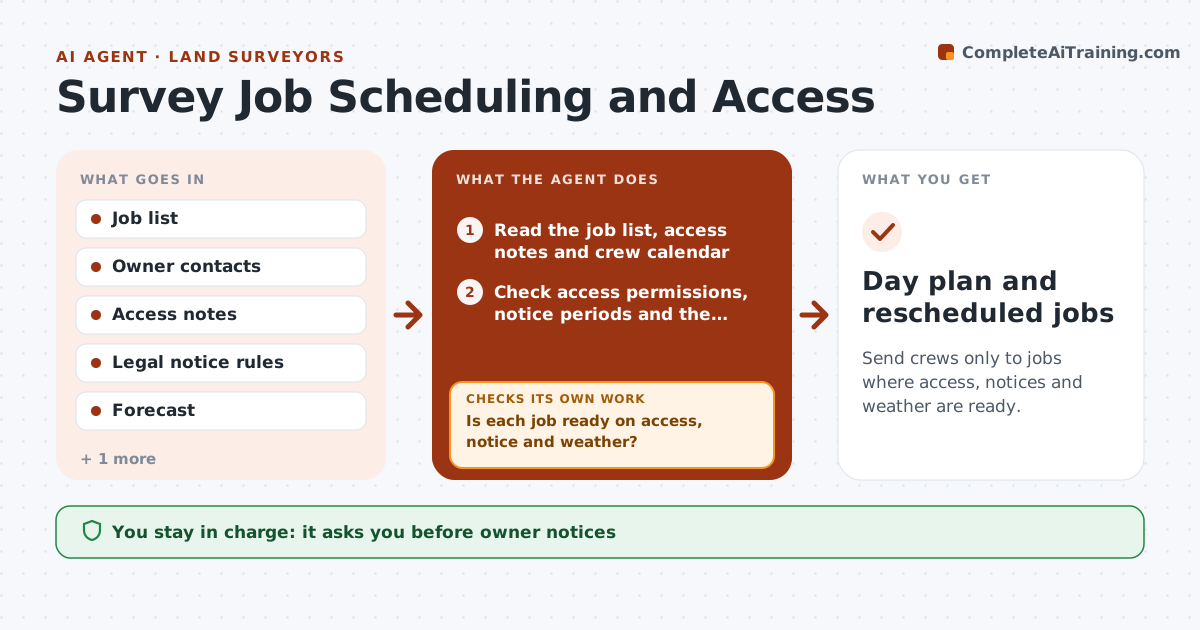
Send crews only to jobs where access, notices and weather are ready.
What it does
A crew arrives at a locked gate or in a storm, and a day is lost. This agent checks each job before the crew leaves. It confirms access permissions and notices to owners, gate codes, dog warnings and right of entry rules, then reads the weather forecast and crew time. It builds the day plan, and reschedules when any check fails, such as an owner who has not answered or a wet forecast for GNSS work. You approve all owner notices. Edge case: the neighbor's land must be crossed to reach a corner, and the agent holds the job until the notice is sent and the days required by law have passed.
How it works
Follow the arrows from top to bottom. The orange dashed arrow is the loop: when a check fails, the agent goes back and tries again.
Read the steps as a list
- Field day is three days away
- Read the job list, access notes and crew calendar
- Check access permissions, notice periods and the forecast for each job
- Is each job ready on access, notice and weather?If not: List what is missing for each job. Back to step 3.
- Draft owner notices and access requests
- Surveyor approves the noticesThe agent waits here for your OK.
- Send notices and log replies
- Build the day plan with the ready jobs
- Recheck access and forecast the day before
- Are all jobs still ready?If not: Remove the failing job and move it to the next open day. Back to step 8.
- Day plan and rescheduled jobs
How it decides
It marks a job ready only when access is confirmed, the notice period has passed and the weather suits the work.
- Notice periods set by state law must pass before entry
- Rain over 0.1 inch stops GNSS and optical work (default)
- Do not plan more than the crew's hours
- Recheck the day before
Make it yours
Every agent is a starting point. You choose these settings for your own situation.
- Notice period by state
- Weather limits by work type
- Hours per crew day
- Lead time (default 3 days)
- Gate and access notes
What keeps you in control
It always asks you first
- Owner notices
- The day plan
Hard limits
- Never sends notices without approval
- Never plans entry before the legal period
- Keeps access records
It stops when
- Done: crews go only to ready jobs
- Stop: no job ready; day is rescheduled
Set it up
We guide you through the set-up, step by step
Members get the full set-up guide for this agent. No technical skills needed: you copy, paste and upload.
- One set of instructions to paste into your AI, with the clicks for ChatGPT, Claude, Microsoft 365 Copilot, Gemini and Grok
- The agent then walks you through connecting your own data, one source at a time
- A downloadable copy with the flow chart, the rules and the full guide