AI agent for secondary school teachers
Field Trip Logistics and Permission Agent
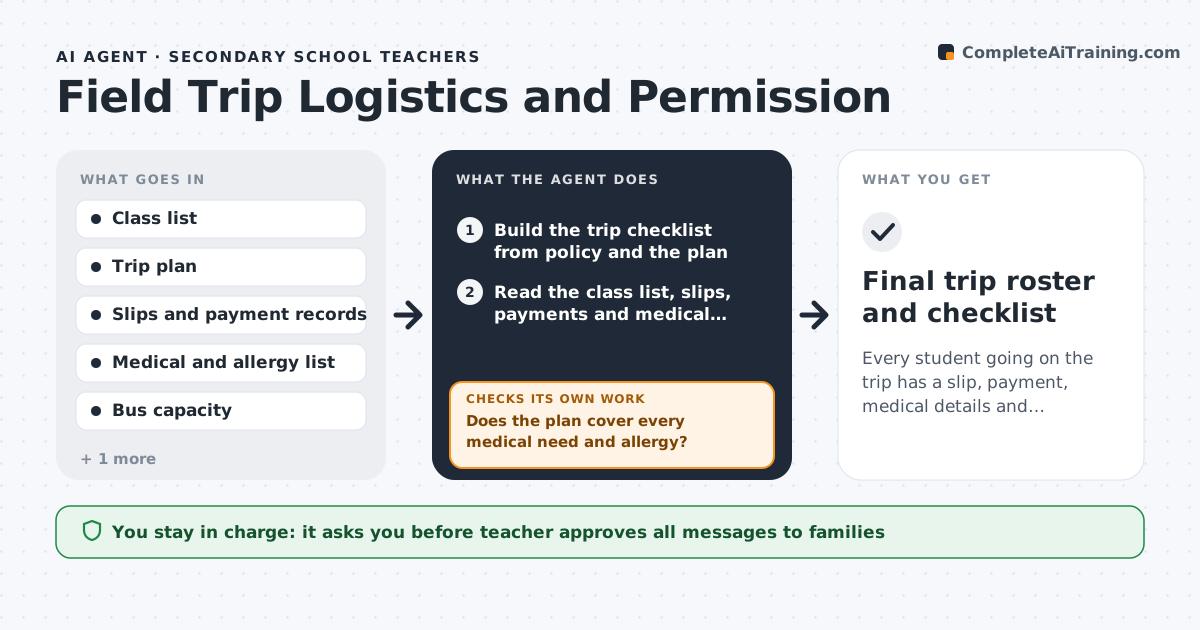
Every student going on the trip has a slip, payment, medical details and transport confirmed by the deadline.
What it does
A field trip needs a slip, a payment, medical information and a seat on a bus for every student, and the teacher chases each by hand. The agent builds the trip checklist from the school's trip policy, then reads the class list against the returned slips and payments. It marks each student as complete, missing a slip, missing payment or missing medical information, and drafts personal reminders for each gap. It checks the allergy and medical list against the trip plan, for example a nut allergy against the lunch stop, and flags any clash. After reminders go out it checks again and escalates students still missing at a set date. The teacher approves every message. Edge case: a student on a fee waiver should not get a payment reminder.
How it works
Follow the arrows from top to bottom. The orange dashed arrow is the loop: when a check fails, the agent goes back and tries again.
Read the steps as a list
- Trip approved
- Build the trip checklist from policy and the plan
- Read the class list, slips, payments and medical records
- Mark each student complete or list the missing items
- Check allergies and medical needs against the plan
- Does the plan cover every medical need and allergy?If not: Draft changes to the plan and ask the teacher to decide, then recheck. Back to step 4.
- Draft reminders for each gap, skipping fee waivers
- Teacher approves reminder messagesThe agent waits here for your OK.
- Send reminders and update the tracker
- Is every student complete or excused by the deadline minus 3 days?If not: Escalate the remaining students to the teacher with a call list. Back to step 3.
- Final trip roster and checklist
How it decides
It tracks each student's four items, and sends a gap to the teacher when two reminders have gone unanswered.
- Four items per student: slip, payment, medical, transport
- Fee waiver students skip payment reminders
- Allergy clash with the plan blocks approval
- Two unanswered reminders go to the teacher
Make it yours
Every agent is a starting point. You choose these settings for your own situation.
- Deadline and reminder days
- Items required per student
- Reminder tone and language
- Who handles fee waivers
- Escalation count (default 2 reminders)
What keeps you in control
It always asks you first
- Teacher approves all messages to families
- Teacher approves plan changes for medical needs
Hard limits
- Never message families without approval
- Never share medical details in group messages
- Never remove a student without teacher approval
It stops when
- Done: every student is complete or excused and the roster is final
- Stop: bus capacity is exceeded or the trip is cancelled
Set it up
We guide you through the set-up, step by step
Members get the full set-up guide for this agent. No technical skills needed: you copy, paste and upload.
- One set of instructions to paste into your AI, with the clicks for ChatGPT, Claude, Microsoft 365 Copilot, Gemini and Grok
- The agent then walks you through connecting your own data, one source at a time
- A downloadable copy with the flow chart, the rules and the full guide