AI agent for secondary school teachers
Lab Teaching Worksheet Agent
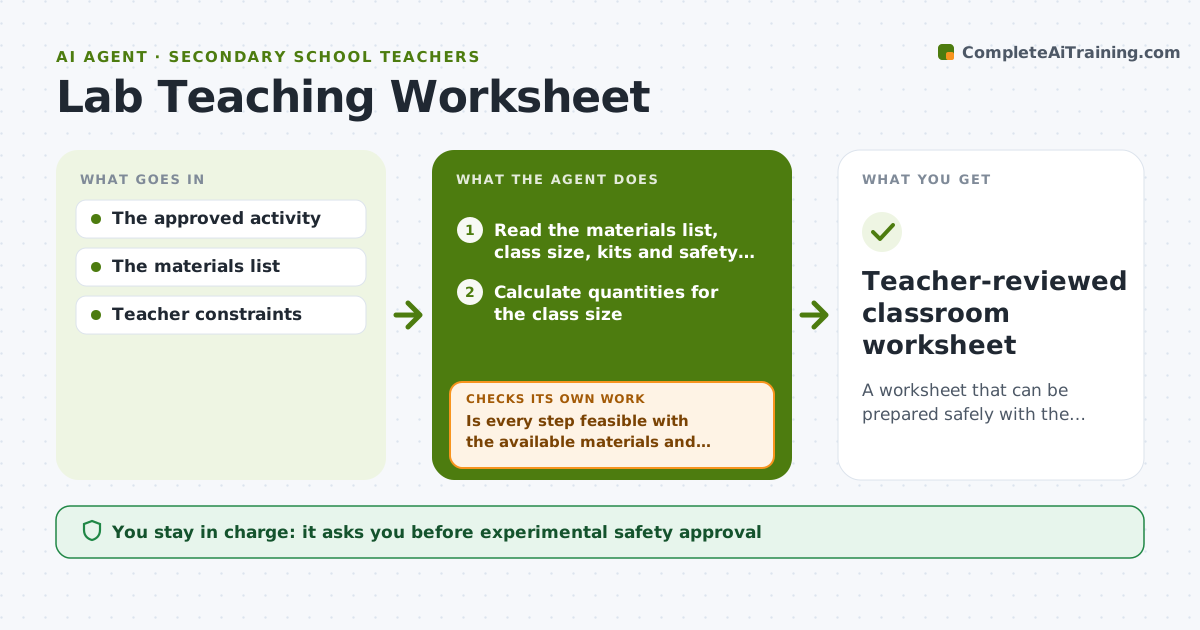
A worksheet that can be prepared safely with the materials and time actually available.
What it does
Science worksheets sometimes assume materials, quantities or steps that are unsafe or impossible in a real classroom. Teachers find out during the lesson. This agent reads the planned lab activity, the materials list and the teacher's constraints: class size, available kits, safety rules and lesson time. It calculates quantities for the class and checks each preparation step for feasibility. When a step does not work, it drafts a correction chosen only from approved activity variants. It then checks that the correction does not break another rule, such as time or safety. If it does, it revises again and flags the step for the teacher. The teacher reviews and approves the worksheet. Edge case: a substitution that changes the experiment's result is never made without the teacher.
How it works
Follow the arrows from top to bottom. The orange dashed arrow is the loop: when a check fails, the agent goes back and tries again.
Read the steps as a list
- Lab activity planned for a class
- Read the materials list, class size, kits and safety rules
- Calculate quantities for the class size
- Is every step feasible with the available materials and time?If not: draft a correction from approved activity variants. Back to step 3.
- Does the correction respect every other rule, including safety and time?If not: revise the correction and flag it for teacher review. Back to step 4.
- Write the worksheet with group sizes, quantities and timing
- Teacher reviews and approves the worksheetThe agent waits here for your OK.
- Teacher-reviewed classroom worksheet
How it decides
It tests each preparation step for feasibility, picks corrections from approved options, and re-checks all constraints after each change.
- Feasibility: check each step against kits, quantities, safety rules and time.
- Correction choice: only from approved activity variants.
- Rule conflict: when a correction breaks another rule, revise and flag for the teacher.
- Result-changing substitutions: never made without the teacher.
Make it yours
Every agent is a starting point. You choose these settings for your own situation.
- Class size and number of approved kits
- Lesson length (default 45 minutes)
- Safety rules that apply (default the school's lab safety list)
- Approved activity variants the agent may use
- Worksheet format (default student sheet plus teacher prep list)
What keeps you in control
It always asks you first
- Experimental safety approval
- Changing physical procedures
Hard limits
- Never invents new procedures or chemicals.
It stops when
- Done: worksheet feasible.
- Needs a human: no approved variant fits.
Set it up
We guide you through the set-up, step by step
Members get the full set-up guide for this agent. No technical skills needed: you copy, paste and upload.
- One set of instructions to paste into your AI, with the clicks for ChatGPT, Claude, Microsoft 365 Copilot, Gemini and Grok
- The agent then walks you through connecting your own data, one source at a time
- A downloadable copy with the flow chart, the rules and the full guide