AI agent for payroll administrators
Final Pay Compliance Agent
A correct final paycheck, computed under the right state rules, ready before the legal deadline
What it does
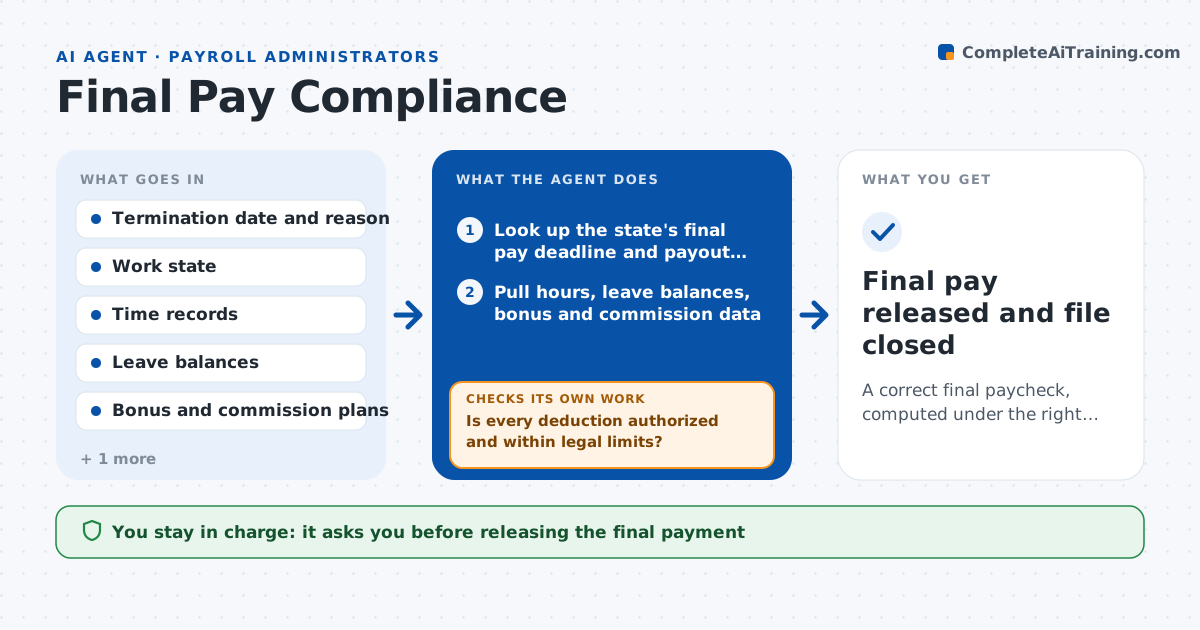
When someone leaves, payroll must pay the right amount by a deadline that depends on the state and on whether the exit was a firing or a resignation. Some states require unused vacation, bonuses and commissions to be paid in the final check, and late pay brings penalty wages. This agent starts when a termination date is entered. It looks up the state's deadline and payout rules, pulls the employee's hours, accrued leave, bonus and commission plans, and computes the final gross pay. It checks the deductions against what the law and written authorizations allow, and calculates net pay. If a check finds an error, such as a deduction without authorization or a missed commission, it corrects the calculation and tests again. It lists the risks. The payroll lead approves the payment. Edge case: the employee worked in two states, and the agent applies the deadline of the stricter one.
How it works
Follow the arrows from top to bottom. The orange dashed arrow is the loop: when a check fails, the agent goes back and tries again.
Read the steps as a list
- A termination date is entered
- Look up the state's final pay deadline and payout rules
- Pull hours, leave balances, bonus and commission data
- Compute final gross pay including required payouts
- Apply taxes and deductions
- Is every deduction authorized and within legal limits?If not: remove or reduce the deduction and recompute. Back to step 4.
- Are all payable items included, such as leave, commissions and bonuses?If not: add the missing item from the plan terms and recompute. Back to step 3.
- Calculate the deadline date and the days remaining
- Write a risk list and a summary for the payroll lead
- Payroll lead approves the paymentThe agent waits here for your OK.
- Final pay released and file closed
How it decides
It applies the state rule for deadline, leave payout and deduction limits, and it will not pass a calculation that includes an unauthorized deduction or misses a payable item.
- Use the earlier deadline when an employee worked in two states
- Pay unused vacation when the state or policy requires it
- Reject any deduction without written authorization
- Warn when fewer than two business days remain to the deadline
Make it yours
Every agent is a starting point. You choose these settings for your own situation.
- States covered and their rules
- Warning period before deadline (default two business days)
- Leave payout policy
- Report format for the lead
What keeps you in control
It always asks you first
- Releasing the final payment
- Any deduction from final pay
Hard limits
- Never releases payment itself
- Never makes a legal ruling on disputed pay
- Shows the rule used for every item
It stops when
- Done: payment is approved before the deadline
- Stop: a required record, such as commission data, is missing
Set it up
We guide you through the set-up, step by step
Members get the full set-up guide for this agent. No technical skills needed: you copy, paste and upload.
- One set of instructions to paste into your AI, with the clicks for ChatGPT, Claude, Microsoft 365 Copilot, Gemini and Grok
- The agent then walks you through connecting your own data, one source at a time
- A downloadable copy with the flow chart, the rules and the full guide