AI agent for payroll administrators
Sales Commission Plan Audit Agent
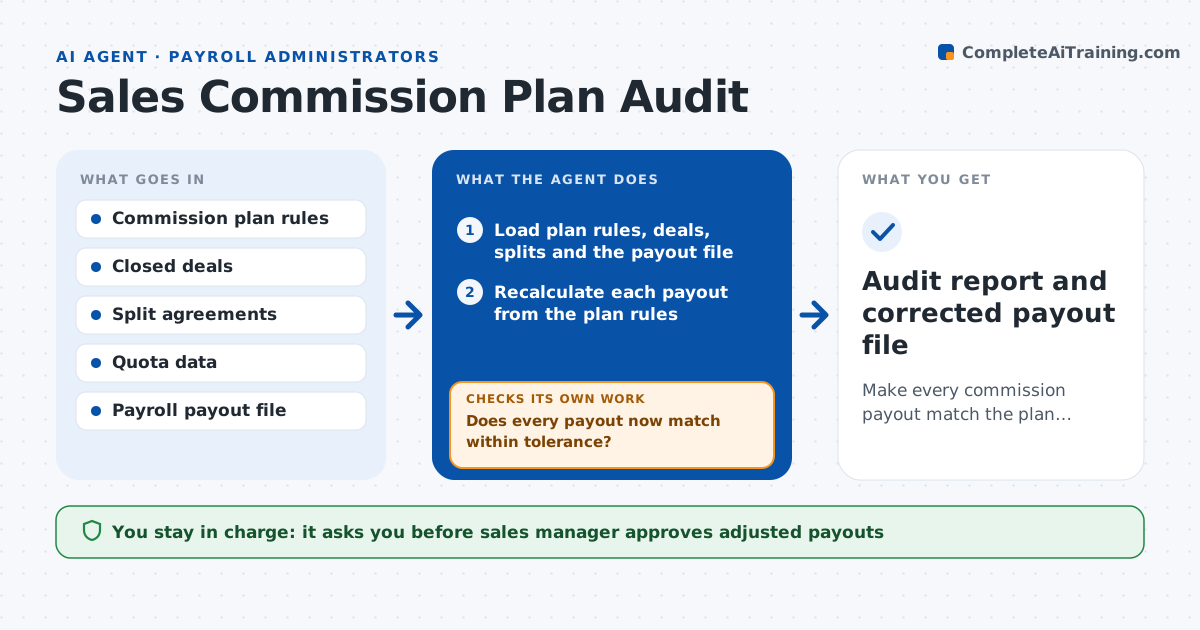
Make every commission payout match the plan before it is paid, with differences explained.
What it does
Commission plans have rates, tiers, splits and clawbacks, and a small error in any of them becomes a dispute at payout. This agent reads the plan rules, deals and payout data and recalculates every payout from scratch. It compares its figure with the payroll amount, flags any difference, and traces the cause, such as a wrong rate, a missed split, a late deal or a clawback not applied. After a correction is made it recalculates again to confirm the numbers now match. If it cannot explain a difference, it lists it for manual review. Edge case: deals that closed in the last days of the period are checked for correct dating. The manager approves adjusted payouts.
How it works
Follow the arrows from top to bottom. The orange dashed arrow is the loop: when a check fails, the agent goes back and tries again.
Read the steps as a list
- Commission period closes
- Load plan rules, deals, splits and the payout file
- Recalculate each payout from the plan rules
- Compare with the payout file and list differences
- Trace each difference to a cause
- Draft corrections with the amount and reason
- Manager approves adjusted payoutsThe agent waits here for your OK.
- Recalculate with the corrections applied
- Does every payout now match within tolerance?If not: investigate the remaining differences, check dates and splits again. Back to step 5.
- Audit report and corrected payout file
How it decides
It recomputes payouts from the plan and treats any difference above the tolerance as an error to trace.
- Treat differences above $5 as errors
- Check clawback rules for any deal cancelled in the period
- Verify close dates for deals within 3 days of period end
- Send unexplained differences for manual review
Make it yours
Every agent is a starting point. You choose these settings for your own situation.
- Difference tolerance (default $5)
- Plan rules and tiers
- Periods for clawbacks
- Date window for period-end checks (default 3 days)
What keeps you in control
It always asks you first
- Sales manager approves adjusted payouts
- Payroll administrator approves the final payout file
Hard limits
- Never changes payroll or CRM data itself
- Does not tell sales staff of changes before manager approval
It stops when
- Done: all payouts match or differences are approved
- Stop: plan rules are unclear or contradictory
Set it up
We guide you through the set-up, step by step
Members get the full set-up guide for this agent. No technical skills needed: you copy, paste and upload.
- One set of instructions to paste into your AI, with the clicks for ChatGPT, Claude, Microsoft 365 Copilot, Gemini and Grok
- The agent then walks you through connecting your own data, one source at a time
- A downloadable copy with the flow chart, the rules and the full guide