AI agent for human resources directors
Open Enrollment Readiness Agent
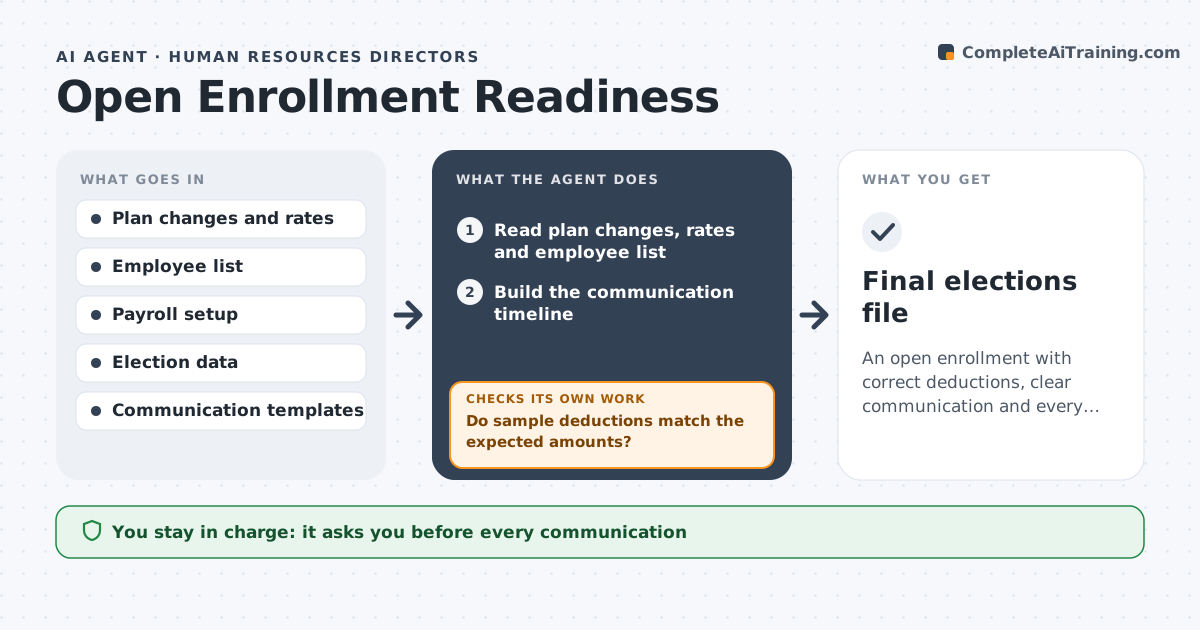
An open enrollment with correct deductions, clear communication and every election collected.
What it does
A deduction is set up wrong during open enrollment and 40 employees see the wrong pay in January. This agent reads plan changes and rates and builds the employee communication timeline. It tests the deduction setup on a sample, tracks completion and chases missing elections. It rechecks the sample after fixes. It compares the first payroll run in the sample against what each employee should pay, and it keeps a list of who has not yet made a choice so reminders go only to the people who still need them. Results of each test are saved so HR can show they were checked. Edge case: a plan's rate changed mid-year for part-time staff, so the agent tests that group separately. HR approves communications and final files.
How it works
Follow the arrows from top to bottom. The orange dashed arrow is the loop: when a check fails, the agent goes back and tries again.
Read the steps as a list
- Open enrollment planning begins
- Read plan changes, rates and employee list
- Build the communication timeline
- HR approves the communicationsThe agent waits here for your OK.
- Test deduction setup on a sample of employees
- Do sample deductions match the expected amounts?If not: find the cause in the setup and fix it. Back to step 5.
- Track elections and chase missing ones
- Has every eligible employee made an election or waiver?If not: send reminders to the remaining employees. Back to step 7.
- Prepare the final file for payroll and carriers
- HR approves the final fileThe agent waits here for your OK.
- Final elections file
How it decides
It treats any sample deduction that differs from the expected amount as a failure and holds the final file until it passes.
- Test at least 5% of employees across all plan types.
- Any deduction mismatch holds the file.
- Send reminders 7, 3 and 1 day before close.
- Treat part-time and full-time groups separately.
Make it yours
Every agent is a starting point. You choose these settings for your own situation.
- Sample size
- Reminder days
- Plan types
- Communication channels
- Final file format
What keeps you in control
It always asks you first
- Every communication
- The final elections file
Hard limits
- Do not change payroll settings.
- Do not send communications without approval.
It stops when
- Done: all elections are in and deductions verified
- Stop: payroll cannot be tested, so the agent asks HR
Set it up
We guide you through the set-up, step by step
Members get the full set-up guide for this agent. No technical skills needed: you copy, paste and upload.
- One set of instructions to paste into your AI, with the clicks for ChatGPT, Claude, Microsoft 365 Copilot, Gemini and Grok
- The agent then walks you through connecting your own data, one source at a time
- A downloadable copy with the flow chart, the rules and the full guide