AI agent for students
Financial Aid and Tuition Deadline Agent
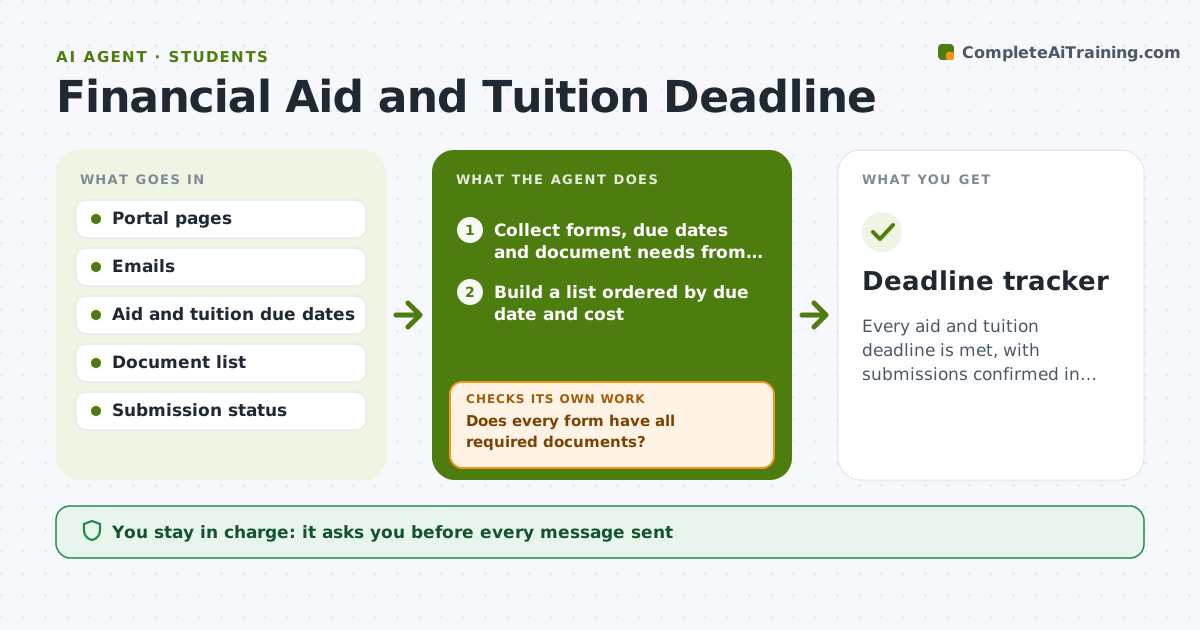
Every aid and tuition deadline is met, with submissions confirmed in the portal.
What it does
A financial aid form due Friday and a tuition payment due Monday sit in separate portals and emails, and missing one can cost a student hundreds or thousands of dollars. This agent collects aid forms, due dates and document needs from school portals and emails, and tracks what has been submitted. It flags missing items, such as a tax document or a signature. After each submission it rechecks the portal to confirm the status changed, and drafts reminders. Edge case: a form says submitted but the portal shows pending review, so the agent flags it. The student approves anything sent.
How it works
Follow the arrows from top to bottom. The orange dashed arrow is the loop: when a check fails, the agent goes back and tries again.
Read the steps as a list
- Weekly deadline check
- Collect forms, due dates and document needs from portals and emails
- Build a list ordered by due date and cost
- Does every form have all required documents?If not: list missing items and draft a reminder. Back to step 2.
- Draft reminders and any follow-up emails
- Student approves what is sentThe agent waits here for your OK.
- Check the portal after each submission
- Does the portal show the submission as received?If not: flag the problem and draft a follow-up to the office. Back to step 4.
- Update the tracker
- Deadline tracker
How it decides
It orders tasks by deadline and cost of missing them, and confirms each submission in the portal before marking it done.
- Remind 7 days and 2 days before each deadline.
- Tuition due dates rank above optional forms.
- A submission counts only after portal confirmation.
- Unsigned forms are flagged immediately.
Make it yours
Every agent is a starting point. You choose these settings for your own situation.
- Reminder days
- Portals tracked
- Document list
- Notification method
- Cost ranking
What keeps you in control
It always asks you first
- Every message sent
- Any payment or submission
Hard limits
- Never enter passwords or pay anything.
- Do not share financial data with third parties.
It stops when
- Done: all deadlines met and confirmed
- Stop: a portal cannot be accessed, so the agent asks the student to check it
Set it up
We guide you through the set-up, step by step
Members get the full set-up guide for this agent. No technical skills needed: you copy, paste and upload.
- One set of instructions to paste into your AI, with the clicks for ChatGPT, Claude, Microsoft 365 Copilot, Gemini and Grok
- The agent then walks you through connecting your own data, one source at a time
- A downloadable copy with the flow chart, the rules and the full guide