AI agent for interior designers
Finish Sample Approval Agent
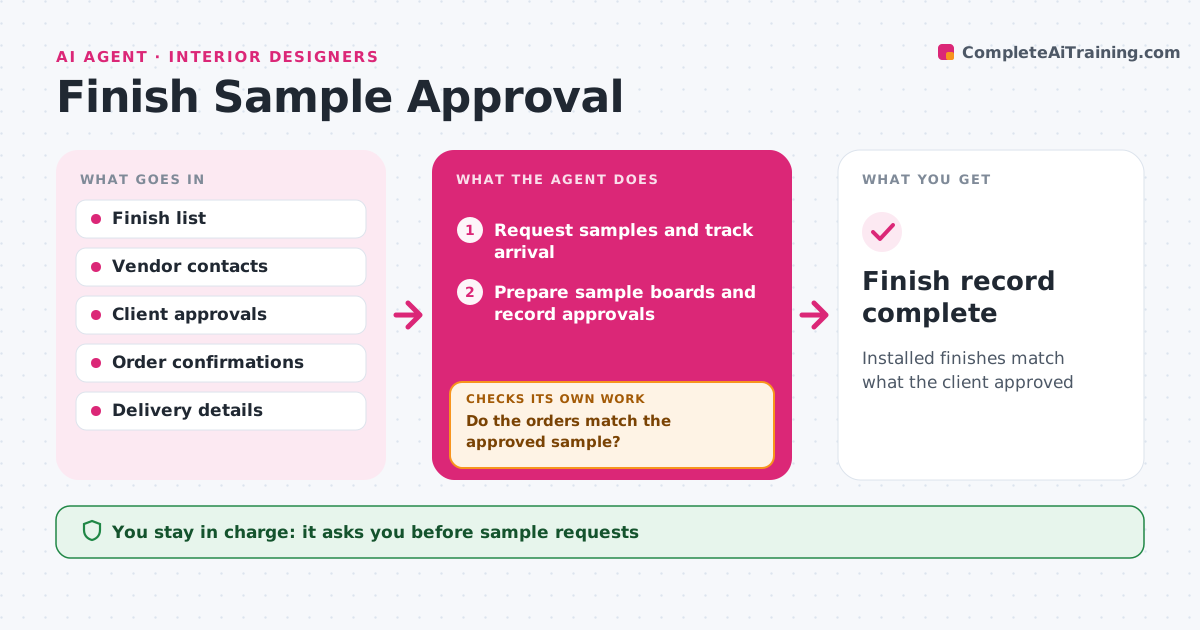
Installed finishes match what the client approved
What it does
A finish approved in a meeting can arrive weeks later in the wrong color or from a different lot. For each room, this agent lists the finishes needing approval: paint, tile, stone, wood, fabric and hardware. It requests physical samples from vendors and tracks when they arrive. It prepares sample boards for the client meeting and records each choice with photos and product codes. When orders are placed, it checks codes, lot numbers and colors against the approved sample. When material arrives, it checks the delivery against the approval photo and code again. Any mismatch is flagged before installation and the vendor is asked to fix it. The designer approves sample requests and client sign-off forms. Edge case: stone from a different lot than the approved sample is flagged because color can vary between lots.
How it works
Follow the arrows from top to bottom. The orange dashed arrow is the loop: when a check fails, the agent goes back and tries again.
Read the steps as a list
- Finishes selected
- Request samples and track arrival
- Prepare sample boards and record approvals
- Client signs off finishes through the designerThe agent waits here for your OK.
- Check order codes, lots and colors against approvals
- Do the orders match the approved sample?If not: correct the order with the vendor. Back to step 5.
- Check deliveries against approval photos and codes
- Do deliveries match the approved sample?If not: flag before installation and ask the vendor. Back to step 7.
- Finish record complete
How it decides
It requires matching codes and lots at order and delivery against the signed approval.
- Stone and tile lots must match
- Approvals need signed records
- Mismatches stop installation
Make it yours
Every agent is a starting point. You choose these settings for your own situation.
- Finish categories
- Sign-off form
- Lot rules
- Vendors
What keeps you in control
It always asks you first
- Sample requests
- Client sign-off
- Accepting substitutes
Hard limits
- Never approves substitutes
- Never orders samples without approval
It stops when
- Done: all finishes installed as approved
- Stop: client changes scope
Set it up
We guide you through the set-up, step by step
Members get the full set-up guide for this agent. No technical skills needed: you copy, paste and upload.
- One set of instructions to paste into your AI, with the clicks for ChatGPT, Claude, Microsoft 365 Copilot, Gemini and Grok
- The agent then walks you through connecting your own data, one source at a time
- A downloadable copy with the flow chart, the rules and the full guide