AI agent for safety engineers
Fire Protection Deficiency Follow-up Agent
All fire protection deficiencies are fixed and proven within risk-based dates
What it does
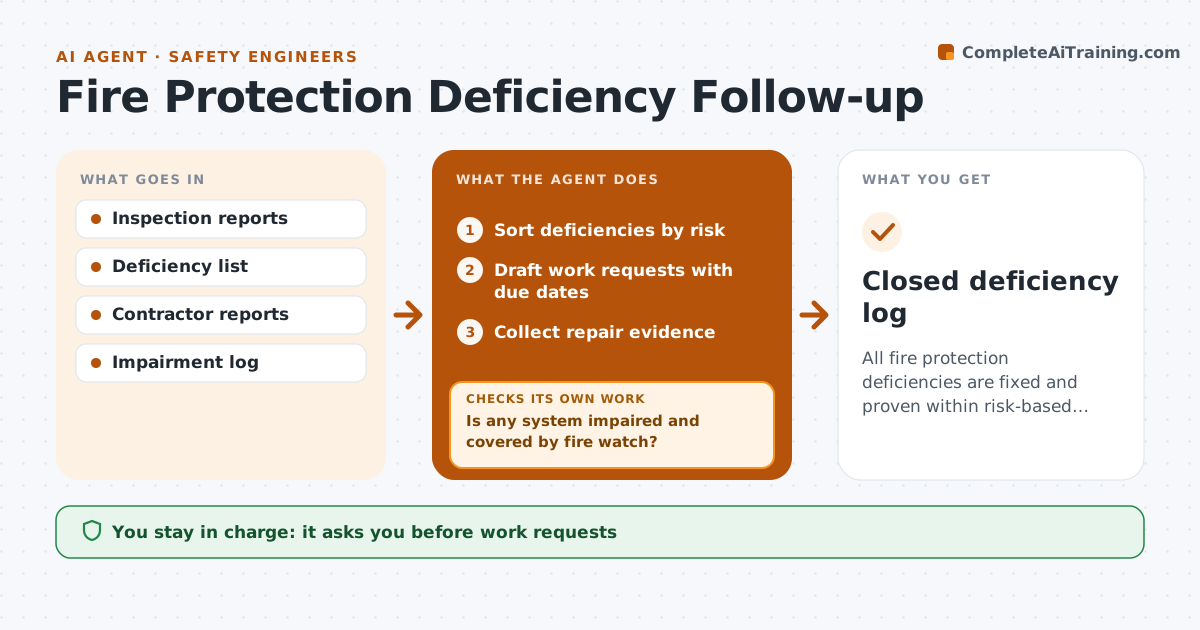
Fire sprinkler, alarm and extinguisher inspections produce deficiency lists that stay open for months. This agent reads each inspection report, sorts deficiencies by risk, and drafts work requests with due dates based on that risk. A closed sprinkler valve or impaired system is treated as urgent and handled the same day. For any impaired system it checks that an impairment procedure is in place, such as fire watch and insurer notice. It tracks repairs and asks for proof such as a contractor report or photo. When a due date passes without proof, it escalates. When proof arrives, it checks it covers the exact deficiency before closing. The engineer approves work requests and closures.
How it works
Follow the arrows from top to bottom. The orange dashed arrow is the loop: when a check fails, the agent goes back and tries again.
Read the steps as a list
- Inspection report received
- Sort deficiencies by risk
- Is any system impaired and covered by fire watch?If not: start the impairment procedure and notify the engineer. Back to step 2.
- Draft work requests with due dates
- Engineer approves work requestsThe agent waits here for your OK.
- Collect repair evidence
- Is proof received by the due date?If not: escalate to the engineer and check impairment controls. Back to step 6.
- Engineer approves closureThe agent waits here for your OK.
- Closed deficiency log
How it decides
It sets due dates by risk class and closes an item only with repair evidence.
- Impaired systems need fire watch
- Closed valves are same-day
- Evidence required to close
Make it yours
Every agent is a starting point. You choose these settings for your own situation.
- Risk classes and due dates
- Who gets escalations
- Evidence types accepted
What keeps you in control
It always asks you first
- Work requests
- Closing deficiencies
Hard limits
- Never closes without proof
- Never changes system status
It stops when
- Done: all items closed
- Stop: impairment without fire watch; alert immediately
Set it up
We guide you through the set-up, step by step
Members get the full set-up guide for this agent. No technical skills needed: you copy, paste and upload.
- One set of instructions to paste into your AI, with the clicks for ChatGPT, Claude, Microsoft 365 Copilot, Gemini and Grok
- The agent then walks you through connecting your own data, one source at a time
- A downloadable copy with the flow chart, the rules and the full guide