AI agent for meteorologists
Fire Weather Watch Agent
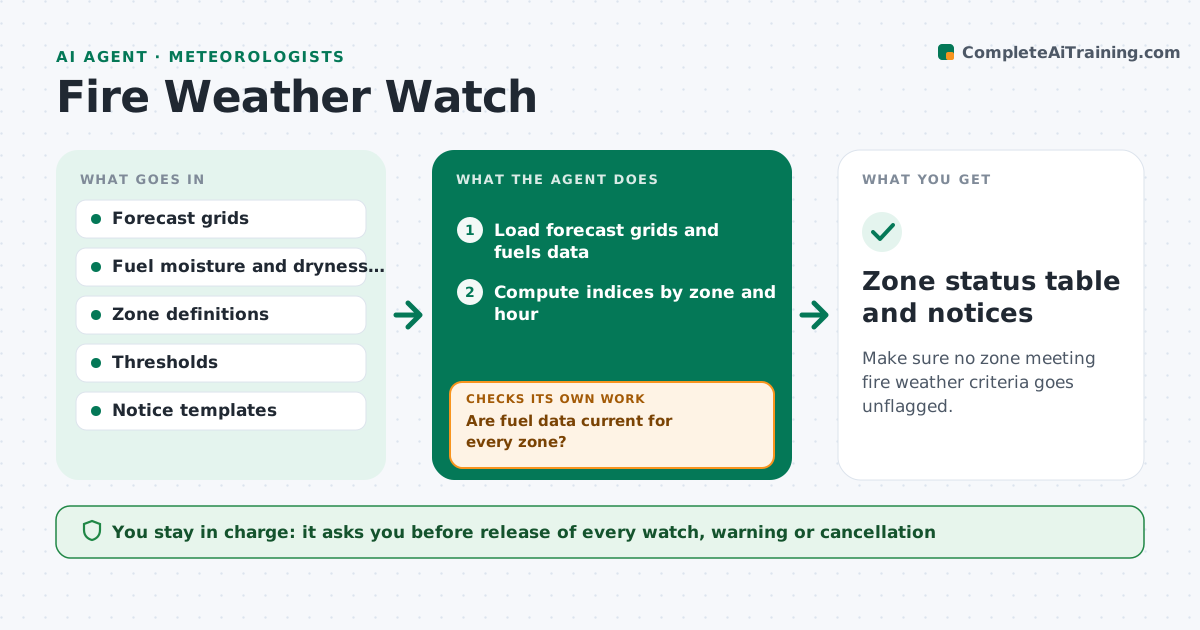
Make sure no zone meeting fire weather criteria goes unflagged.
What it does
Fire weather watches depend on humidity, wind, temperature and fuel dryness, and a forecaster must check them by zone each day as forecasts change. This agent reads the latest forecast grids and fuels data, and computes the indices the office uses, such as a fire weather index or red flag criteria. It compares each zone to the thresholds, flags zones that exceed them and for how long, and drafts a watch or warning notice in the office template. It rechecks with every new forecast run and flags zones that enter or leave the criteria. It never releases a notice. The forecaster approves release. Edge case: a dry thunderstorm risk is added as a separate note even if the index is below the threshold.
How it works
Follow the arrows from top to bottom. The orange dashed arrow is the loop: when a check fails, the agent goes back and tries again.
Read the steps as a list
- New forecast run
- Load forecast grids and fuels data
- Are fuel data current for every zone?If not: use the last available data, mark it stale and ask for an update. Back to step 2.
- Compute indices by zone and hour
- Compare with thresholds and minimum duration
- List zones that exceed, are borderline or have cleared
- Draft the notice text for flagged zones
- Forecaster approves releaseThe agent waits here for your OK.
- Did the next run change any zone's status?If not: recompute and draft an update or cancellation. Back to step 3.
- Zone status table and notices
How it decides
It flags a zone when humidity, wind and fuel dryness all meet the thresholds for the minimum duration. It marks a zone as borderline when it misses by a narrow margin.
- Flag a zone when humidity is under 15%, wind exceeds 20 mph and fuels are critically dry for 3 hours
- Mark a zone borderline when one factor is within 10% of its threshold
- Mark data as stale after 24 hours
- Add a dry lightning note when the thunderstorm forecast includes low rainfall
Make it yours
Every agent is a starting point. You choose these settings for your own situation.
- Thresholds by zone
- Minimum duration (default 3 hours)
- Borderline margin (default 10%)
- Notice template
- Run schedule
What keeps you in control
It always asks you first
- Release of every watch, warning or cancellation
Hard limits
- Never release a notice
- Show the values behind each flag
It stops when
- Done: criteria no longer met and notices cleared
- Stop: forecast data missing
Set it up
We guide you through the set-up, step by step
Members get the full set-up guide for this agent. No technical skills needed: you copy, paste and upload.
- One set of instructions to paste into your AI, with the clicks for ChatGPT, Claude, Microsoft 365 Copilot, Gemini and Grok
- The agent then walks you through connecting your own data, one source at a time
- A downloadable copy with the flow chart, the rules and the full guide