AI agent for quality control inspectors
First Article Inspection Agent
Produce an accurate first article report with every feature covered.
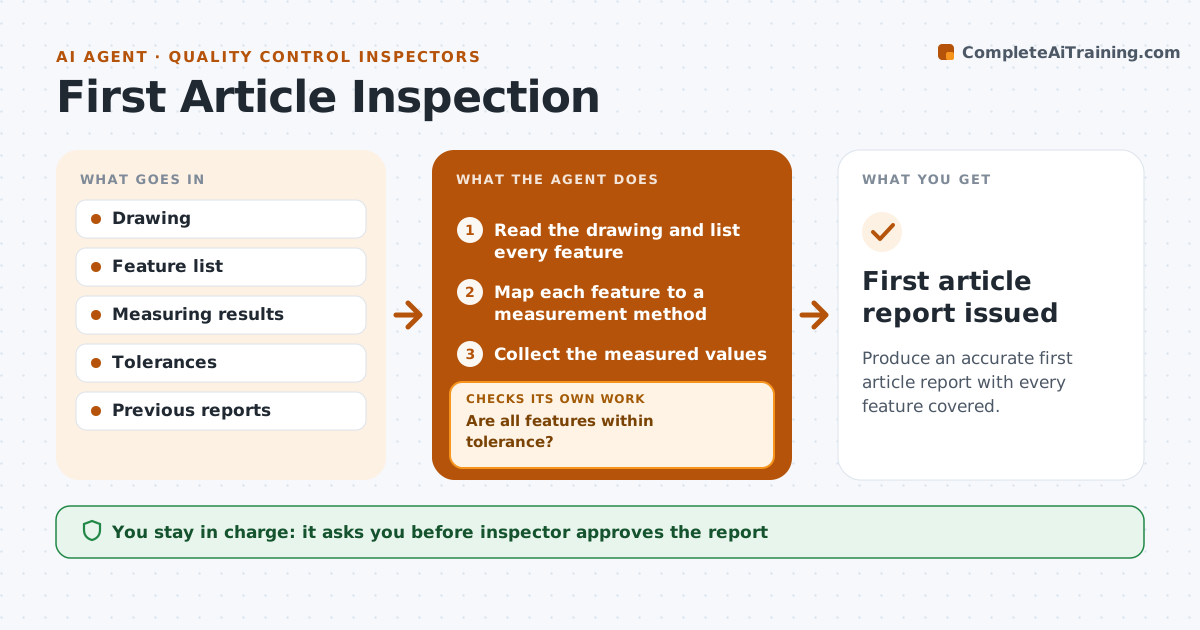
What it does
First article reports take time because each drawing feature must be matched with a measurement. This agent maps the features on the drawing to measurements, tells the inspector what to measure, and checks each result against its tolerance. It requests a remeasure for failures and builds the report. After each remeasure it updates the report and flags any feature still out of tolerance. The inspector approves the final report. Edge case: a feature with a tolerance given as a note on the drawing rather than a number is flagged so a person confirms the limit.
How it works
Follow the arrows from top to bottom. The orange dashed arrow is the loop: when a check fails, the agent goes back and tries again.
Read the steps as a list
- First article ready
- Read the drawing and list every feature
- Map each feature to a measurement method
- Collect the measured values
- Compare each value with its tolerance
- Are all features within tolerance?If not: Request a remeasure of the failed features. Back to step 4.
- Update the report with the new values
- Is any feature still out of tolerance?If not: Flag it for the inspector and propose a nonconformance. Back to step 6.
- Build the report
- Inspector approves the reportThe agent waits here for your OK.
- First article report issued
How it decides
It marks each feature pass or fail from the measured value and the tolerance, and asks for a remeasure on any failure.
- Every drawing feature must have a result
- Flag notes without numeric limits for confirmation
- Remeasure failures once
- Mark a feature failed if the second reading also fails
Make it yours
Every agent is a starting point. You choose these settings for your own situation.
- Remeasure rule (default once)
- Report template
- Features that need special methods
- Drawing format
What keeps you in control
It always asks you first
- Inspector approves the report
Hard limits
- Never change a measured value
- Never approve the report itself
It stops when
- Done: a complete report is approved
- Stop: a feature fails twice and the inspector raises a nonconformance
Set it up
We guide you through the set-up, step by step
Members get the full set-up guide for this agent. No technical skills needed: you copy, paste and upload.
- One set of instructions to paste into your AI, with the clicks for ChatGPT, Claude, Microsoft 365 Copilot, Gemini and Grok
- The agent then walks you through connecting your own data, one source at a time
- A downloadable copy with the flow chart, the rules and the full guide