AI agent for physicists
Fit Convergence and Uncertainty Agent
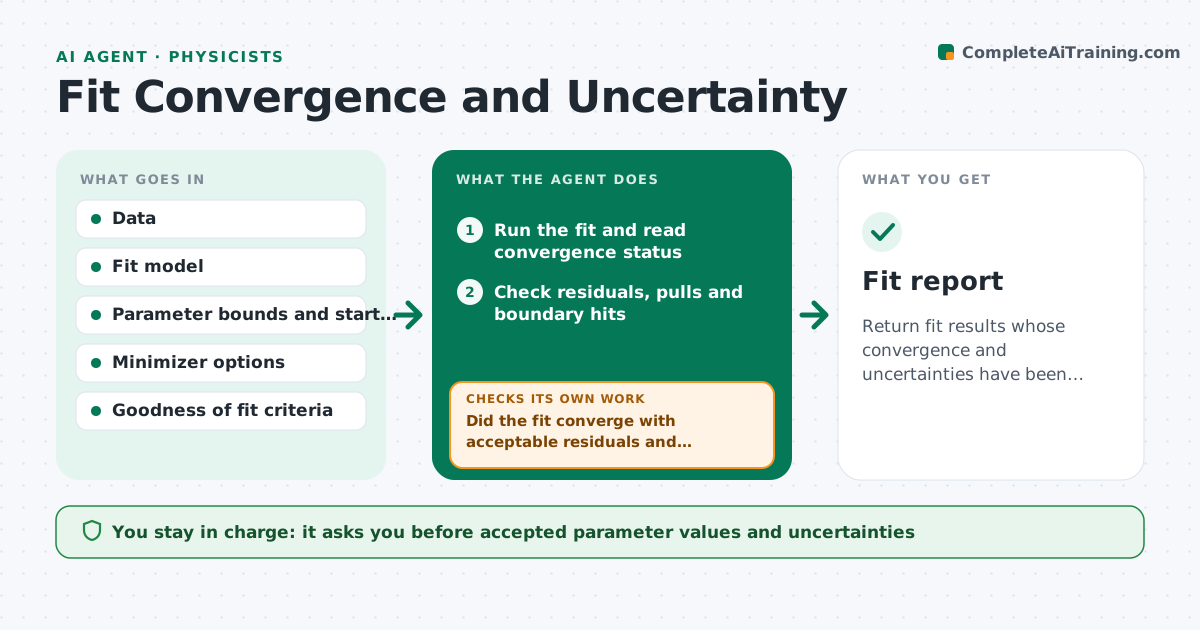
Return fit results whose convergence and uncertainties have been checked and documented.
What it does
A fit can report a number and a small error and still be wrong, because it stopped at a local minimum, parameters are strongly correlated, or errors are underestimated. This agent runs the fit and checks convergence status, the covariance matrix, residuals and pulls. It then checks parameter correlations and whether any parameter sits near a bound. If a check fails, it reruns from different starting points, tries other minimizers or fixes a weakly constrained parameter, and compares the results. It compares uncertainties from the covariance matrix with those from profile scans or bootstrap. It reports the result with uncertainties and a log of what it tried. It never accepts a fit for the physicist. The physicist approves values. Edge case: two minima with similar likelihood are both reported.
How it works
Follow the arrows from top to bottom. The orange dashed arrow is the loop: when a check fails, the agent goes back and tries again.
Read the steps as a list
- Fit requested
- Run the fit and read convergence status
- Check residuals, pulls and boundary hits
- Read parameter correlations and the covariance matrix
- Did the fit converge with acceptable residuals and correlations?If not: rerun from new starting points or with another minimizer. Back to step 2.
- Compare uncertainties from the covariance, profile scans and bootstrap
- Do the uncertainty estimates agree?If not: use the larger estimate and fix or reparameterize a weak parameter. Back to step 4.
- Do the multiple starts reach the same minimum?If not: report both minima with their likelihoods. Back to step 2.
- Write the result table with the attempts log
- Physicist approves valuesThe agent waits here for your OK.
- Fit report
How it decides
It accepts a fit when it converges, the residuals look consistent with noise, correlations are below the set limit and uncertainties agree between methods.
- Flag a fit when any pair of parameters has correlation above 0.95
- Flag when a parameter sits within 1% of its bound
- Use at least 10 random starting points
- Report the larger of two disagreeing uncertainty estimates
Make it yours
Every agent is a starting point. You choose these settings for your own situation.
- Correlation limit (default 0.95)
- Number of starts (default 10)
- Minimizers to try
- Uncertainty method
- Fit quality criteria
What keeps you in control
It always asks you first
- Accepted parameter values and uncertainties
Hard limits
- Never hide failed fits
- Always show the uncertainty method
It stops when
- Done: checks pass and the physicist approves
- Stop: no start point converges
Set it up
We guide you through the set-up, step by step
Members get the full set-up guide for this agent. No technical skills needed: you copy, paste and upload.
- One set of instructions to paste into your AI, with the clicks for ChatGPT, Claude, Microsoft 365 Copilot, Gemini and Grok
- The agent then walks you through connecting your own data, one source at a time
- A downloadable copy with the flow chart, the rules and the full guide