AI agent for aerospace engineers
Flight Test Card Preparation and Risk Review Agent
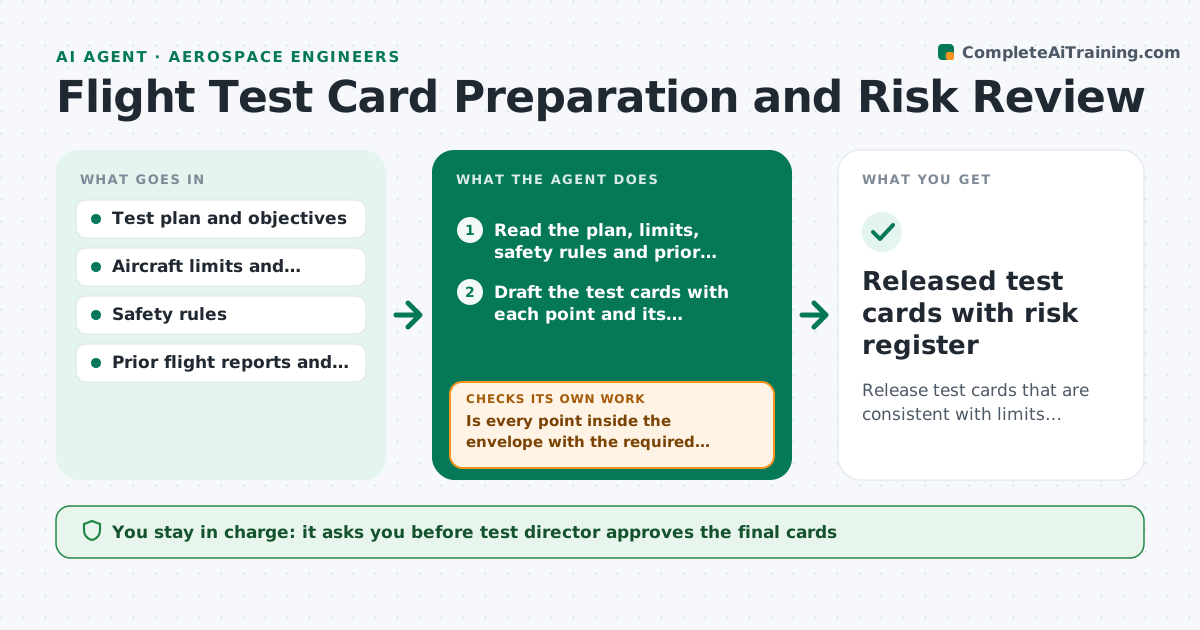
Release test cards that are consistent with limits, safety rules and prior findings
What it does
A test card says to fly a maneuver at a speed and altitude that is outside the envelope for that configuration, or repeats a point that a previous flight showed was marginal. The conflict is found in the briefing or in the air. This agent checks before the card is released. It reads the test plan, the aircraft limits and prior reports, then drafts the test cards and checks each point against the envelope, safety rules and earlier findings. It flags conflicts, proposes changes and revises the cards after each fix, then repeats the full check. The test director approves the cards. Edge case: a point is inside the envelope but close to a margin set by a previous anomaly. The agent flags it for risk review.
How it works
Follow the arrows from top to bottom. The orange dashed arrow is the loop: when a check fails, the agent goes back and tries again.
Read the steps as a list
- Test plan finalized
- Read the plan, limits, safety rules and prior reports
- Draft the test cards with each point and its conditions
- Check each point against the envelope and configuration
- Is every point inside the envelope with the required margin?If not: List conflicts and propose changed conditions or ordering. Back to step 3.
- Compare points with prior anomalies and findings
- Add risk notes and abort criteria for marginal points
- Do the revised cards still meet the test objectives?If not: Restore needed points with mitigations and recheck. Back to step 3.
- Test director approves the cardsThe agent waits here for your OK.
- Released test cards with risk register
How it decides
Each test point must lie inside the approved envelope for the configuration with required margins. Any point close to a prior anomaly needs a risk note.
- A point must have the required margin from each limit
- Points near a prior anomaly need a risk note and abort criteria
- Changes to ordering must keep build-up of risk
- Cards cannot be released with unresolved conflicts
Make it yours
Every agent is a starting point. You choose these settings for your own situation.
- Margins required from limits
- Risk review rules
- Card template
- Prior reports to include
- Who reviews the cards
What keeps you in control
It always asks you first
- Test director approves the final cards
Hard limits
- Never certifies safety, supports the review only
- Cannot change limits
It stops when
- Done: cards released with risk notes
- Stop: objectives cannot be met within limits, hand back to the test team
Set it up
We guide you through the set-up, step by step
Members get the full set-up guide for this agent. No technical skills needed: you copy, paste and upload.
- One set of instructions to paste into your AI, with the clicks for ChatGPT, Claude, Microsoft 365 Copilot, Gemini and Grok
- The agent then walks you through connecting your own data, one source at a time
- A downloadable copy with the flow chart, the rules and the full guide