AI agent for financial controllers
Forecast Assumption Refresh Agent
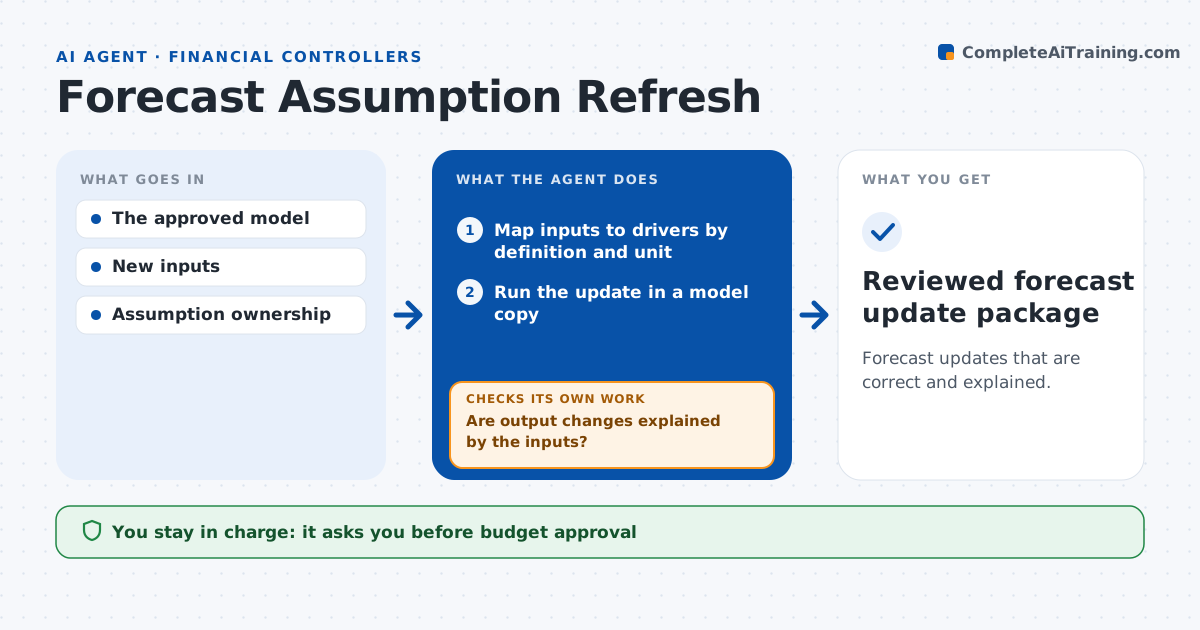
Forecast updates that are correct and explained.
What it does
FP&A forecasts can break without warning when new inputs arrive in different units or with different definitions. This agent maps each new input to the model driver it feeds, checking that definition and unit match. It runs the update in a copy of the model, never the live version, and compares the outputs with the previous version. When an output moves more than the input change explains, it checks the dependencies or rolls back the mapping and tries again. It packages the update with notes on every assumption it had to make. The FP&A lead approves the update; budgets and guidance stay with people. Edge case: a headcount file gives full-time equivalents while the model expects employee count, so the agent converts and flags the assumption.
How it works
Follow the arrows from top to bottom. The orange dashed arrow is the loop: when a check fails, the agent goes back and tries again.
Read the steps as a list
- New inputs arrive
- Map inputs to drivers by definition and unit
- Run the update in a model copy
- Compare outputs with the previous version
- Are output changes explained by the inputs?If not: check dependencies or roll back the mapping. Back to step 2.
- FP&A lead approves the updateThe agent waits here for your OK.
- Reviewed forecast update package
How it decides
It maps inputs by definition and unit and investigates any output change larger than expected from the input change.
- Mapping requires the same definition and unit.
- Output swings larger than the input change explains are investigated before anything is presented.
- When a mapping fails twice, the agent asks the input owner instead of guessing.
- Every conversion assumption is listed in the update notes.
Make it yours
Every agent is a starting point. You choose these settings for your own situation.
- Output swing that needs an explanation (default 2x the input change)
- Which inputs and source files to watch
- Model copy location and naming
- Who approves forecast updates
- Format of the update notes (memo or change log)
What keeps you in control
It always asks you first
- Budget approval
- Financial guidance
Hard limits
- Works on a copy.
It stops when
- Done: changes explained.
Set it up
We guide you through the set-up, step by step
Members get the full set-up guide for this agent. No technical skills needed: you copy, paste and upload.
- One set of instructions to paste into your AI, with the clicks for ChatGPT, Claude, Microsoft 365 Copilot, Gemini and Grok
- The agent then walks you through connecting your own data, one source at a time
- A downloadable copy with the flow chart, the rules and the full guide