AI agent for accounts payable specialists
Vendor Invoice Duplicate Investigation Agent
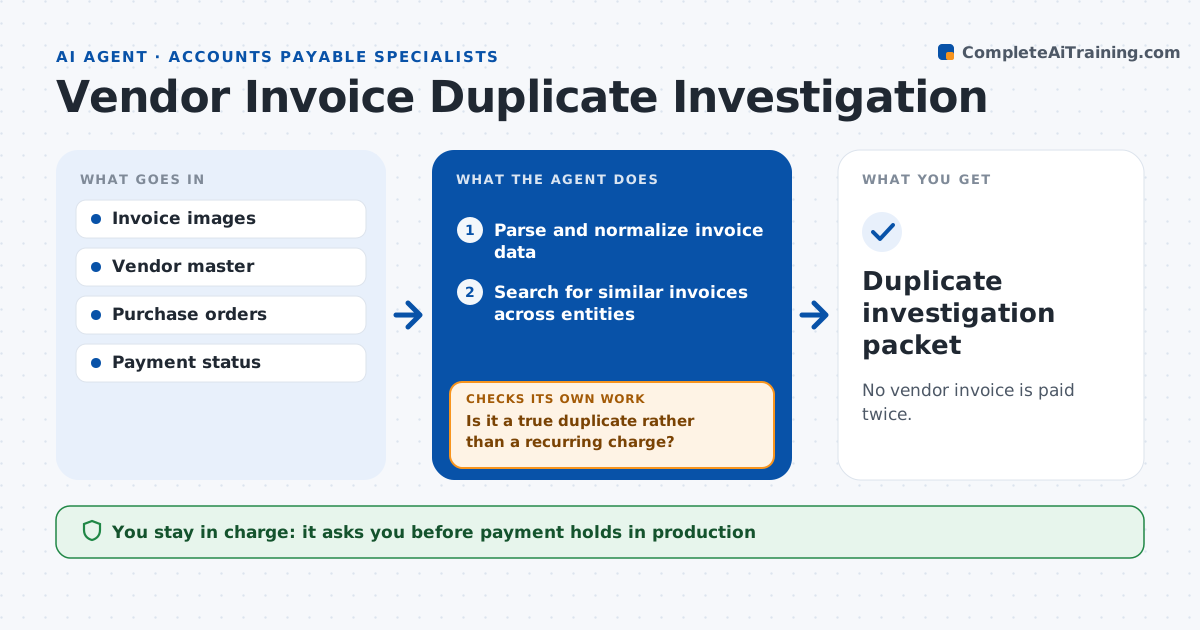
No vendor invoice is paid twice.
What it does
Duplicate invoices slip through when the invoice number differs slightly or the same bill arrives at two entities. Paying twice is costly and hard to recover. Before each payment run this agent parses and normalizes new invoices: vendor, amount, service period, PO and line items. It searches for similar invoices across all entities and compares the details. It tells a valid recurring charge from a repeated bill: same service period and order means a duplicate. Cleared pairs get a note. True or unexplained duplicates become an exception case with a proposed hold. The AP controller approves any hold or rejection. Edge case: a credit note followed by a corrected invoice is not a duplicate.
How it works
Follow the arrows from top to bottom. The orange dashed arrow is the loop: when a check fails, the agent goes back and tries again.
Read the steps as a list
- New invoices or payment run upcoming
- Parse and normalize invoice data
- Search for similar invoices across entities
- Compare service period, entity, PO and lines
- Is it a true duplicate rather than a recurring charge?If not: clear it and note why. Back to step 4.
- Create an exception case and propose a hold
- AP controller approves holds or rejectionsThe agent waits here for your OK.
- Duplicate investigation packet
How it decides
It picks the closest matches for deeper comparison of service period, entity and order, and keeps differences unresolved when they can't be explained.
- Duplicate or recurring: same service period and order means duplicate.
- Hold proposal: only for confirmed or unexplained cases.
- Credit notes: a credit followed by a corrected invoice is not a duplicate.
- Cross-entity: compare invoices across all entities with the same vendor.
Make it yours
Every agent is a starting point. You choose these settings for your own situation.
- Similarity threshold for flagging (default 90% match on vendor, amount and period)
- Entities included in the search
- When the check runs (default on invoice entry and before each payment run)
- Amount above which every match is reviewed (default $1,000)
- Who approves holds (default the AP controller)
What keeps you in control
It always asks you first
- Payment holds in production
- Rejecting invoices
- Payment execution
Hard limits
- Never blocks payments itself.
It stops when
- Done: all candidates cleared or cased.
Set it up
We guide you through the set-up, step by step
Members get the full set-up guide for this agent. No technical skills needed: you copy, paste and upload.
- One set of instructions to paste into your AI, with the clicks for ChatGPT, Claude, Microsoft 365 Copilot, Gemini and Grok
- The agent then walks you through connecting your own data, one source at a time
- A downloadable copy with the flow chart, the rules and the full guide