AI agent for chief digital officers
Forecast Model Drift Monitor Agent
Models kept accurate with monitored drift and tested retraining
What it does
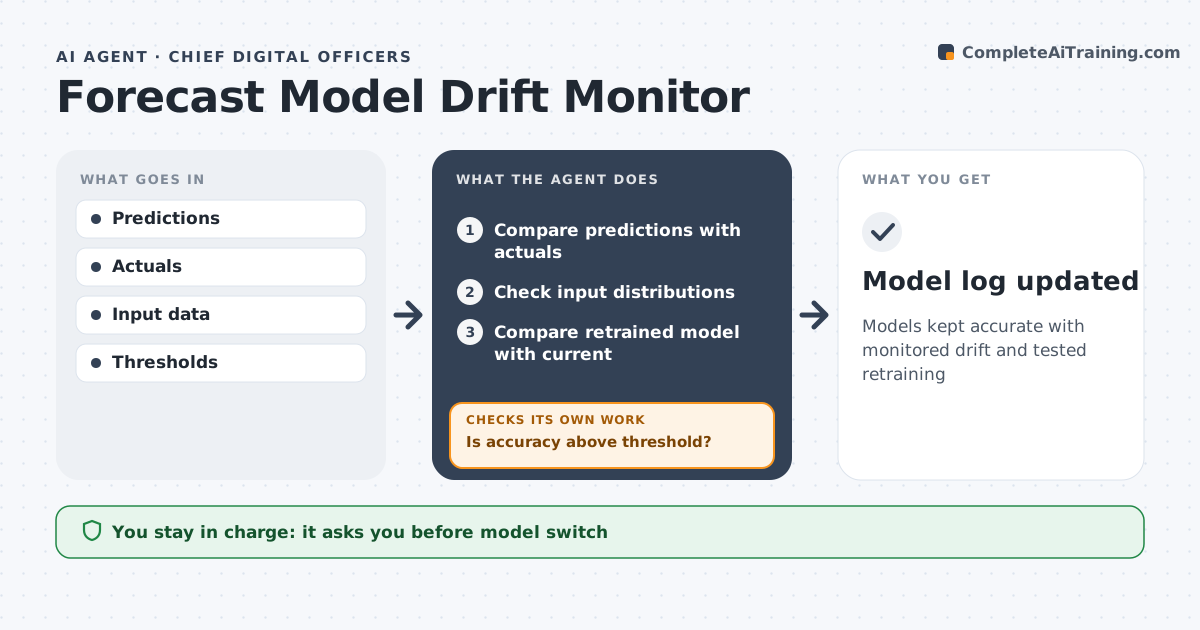
Predictive models for demand or churn lose accuracy quietly as conditions change. Each week this agent compares every model's predictions with actual outcomes and checks whether the input data has shifted, such as a new customer mix. If accuracy stays above the threshold, it logs the result. When accuracy drops more than the set amount, it finds which inputs changed and suggests retraining, with its reasons. The data team does the retraining; the agent only watches, explains and compares. After retraining, it tests the new model against the current one on recent data. If the new model does not do better, it reports that and the old model stays in place. The CDO approves any switch. Everything goes into the model log. Edge case: a holiday week distorts accuracy, so the agent excludes that week from the comparison and marks it in the log.
How it works
Follow the arrows from top to bottom. The orange dashed arrow is the loop: when a check fails, the agent goes back and tries again.
Read the steps as a list
- Weekly check
- Compare predictions with actuals
- Check input distributions
- Is accuracy above threshold?If not: identify drift and request retraining. Back to step 2.
- Compare retrained model with current
- CDO approves switchThe agent waits here for your OK.
- Model log updated
How it decides
It compares accuracy with thresholds and checks input shifts.
- Accuracy drop over 10% triggers retraining
- Holidays excluded
- New model must beat old
Make it yours
Every agent is a starting point. You choose these settings for your own situation.
- Models
- Thresholds
- Check frequency
- Comparison window
What keeps you in control
It always asks you first
- Model switch
Hard limits
- Never switches models alone
- Reports in aggregate
It stops when
- Done: model current
- Stop: data missing
Set it up
We guide you through the set-up, step by step
Members get the full set-up guide for this agent. No technical skills needed: you copy, paste and upload.
- One set of instructions to paste into your AI, with the clicks for ChatGPT, Claude, Microsoft 365 Copilot, Gemini and Grok
- The agent then walks you through connecting your own data, one source at a time
- A downloadable copy with the flow chart, the rules and the full guide