AI agent for chief digital officers
Data Vendor and Third-Party Sharing Review Agent
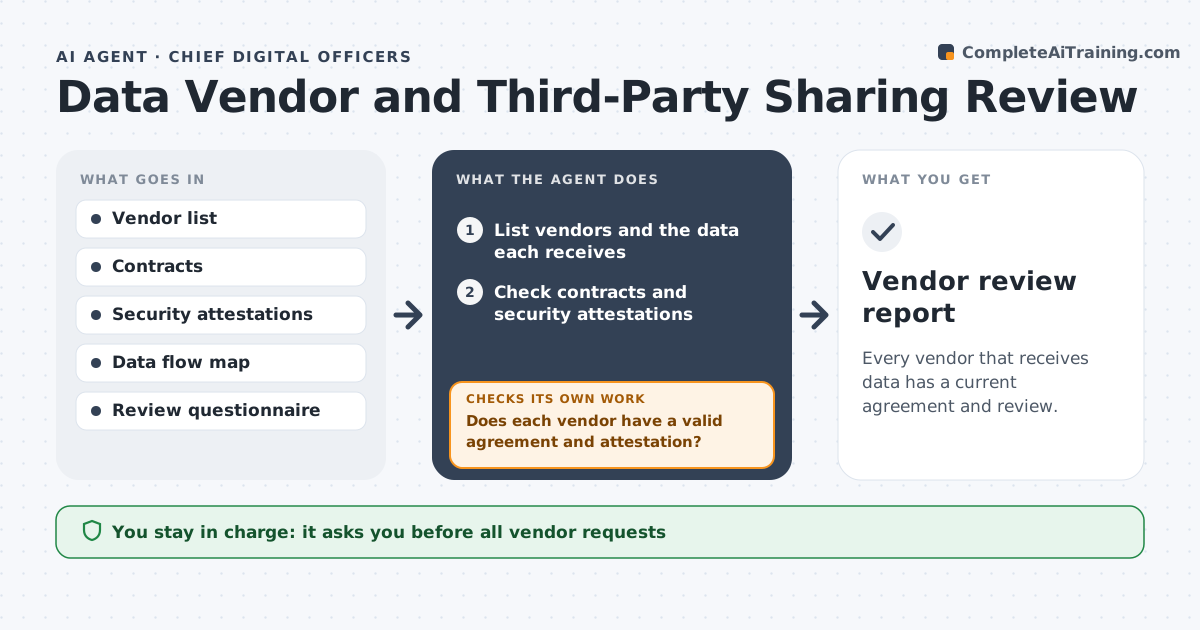
Every vendor that receives data has a current agreement and review.
What it does
Vendors receive customer data through integrations nobody has reviewed in two years. This agent lists vendors that receive data and checks contracts, security attestations and the data types shared. It flags missing agreements, such as a data processing agreement, and drafts review requests to each vendor. When vendors reply, it rechecks the answers against the requirements. It ranks vendors by how sensitive the shared data is, so the most important reviews come first, and it keeps a record of every question and answer for audits. When a vendor does not answer, the agent reminds once and then escalates to you. Edge case: a vendor now shares data with a subprocessor, so the agent flags the new risk. The officer approves any change to sharing.
How it works
Follow the arrows from top to bottom. The orange dashed arrow is the loop: when a check fails, the agent goes back and tries again.
Read the steps as a list
- Annual vendor review
- List vendors and the data each receives
- Check contracts and security attestations
- Does each vendor have a valid agreement and attestation?If not: flag the gaps and rank by data sensitivity. Back to step 3.
- Draft review requests for flagged vendors
- Officer approves the requests before sendingThe agent waits here for your OK.
- Collect vendor replies
- Do the replies meet the requirements?If not: draft follow-up questions or flag the vendor. Back to step 5.
- Compile a risk summary
- Officer approves any change to data sharingThe agent waits here for your OK.
- Vendor review report
How it decides
It ranks vendors by data sensitivity and flags those with missing or expired documents for priority review.
- Vendors with sensitive data are reviewed first.
- A missing data processing agreement is a priority gap.
- Attestations older than 12 months need renewal.
- New subprocessors trigger a review.
Make it yours
Every agent is a starting point. You choose these settings for your own situation.
- Review frequency
- Risk ranking
- Required documents
- Attestation age limit
- Questionnaire
What keeps you in control
It always asks you first
- All vendor requests
- Any suspension or change to sharing
Hard limits
- Do not contact vendors without approval.
- Do not pause data sharing on its own.
It stops when
- Done: all vendors reviewed and approved
- Stop: a vendor will not respond, so the agent escalates to the officer
Set it up
We guide you through the set-up, step by step
Members get the full set-up guide for this agent. No technical skills needed: you copy, paste and upload.
- One set of instructions to paste into your AI, with the clicks for ChatGPT, Claude, Microsoft 365 Copilot, Gemini and Grok
- The agent then walks you through connecting your own data, one source at a time
- A downloadable copy with the flow chart, the rules and the full guide