AI agent for data protection officers
Customer Data Consent and Preference Sync Agent
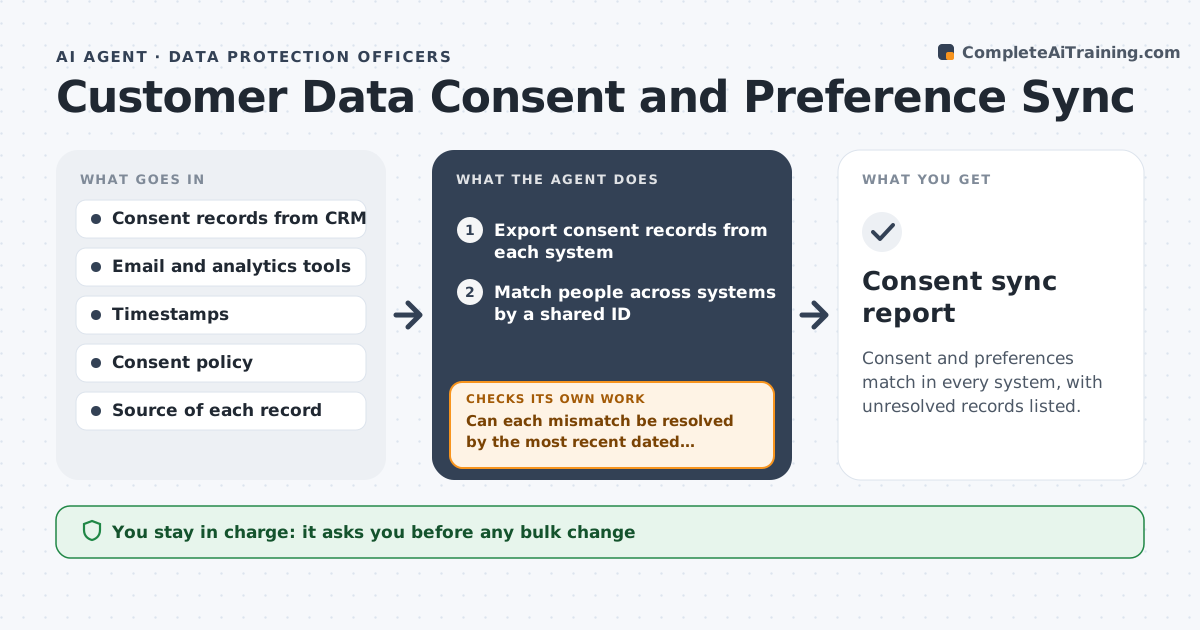
Consent and preferences match in every system, with unresolved records listed.
What it does
A customer unsubscribes in the email tool but still gets marketing from the CRM, and a regulator would call that a violation. This agent compares consent records across the CRM, email platform and analytics tools and finds mismatches, such as a person opted out in one and opted in in another. It drafts corrections that follow the most recent valid choice and rechecks all systems after the sync. Records it cannot resolve, for example with no timestamp, are listed for a person. It does the comparison again before and after any bulk change to confirm counts match. Edge case: a customer's consent was given through a paper form, so the agent leaves it for manual review. The privacy owner approves any bulk change.
How it works
Follow the arrows from top to bottom. The orange dashed arrow is the loop: when a check fails, the agent goes back and tries again.
Read the steps as a list
- Weekly consent comparison
- Export consent records from each system
- Match people across systems by a shared ID
- Find mismatches in consent and preferences
- Can each mismatch be resolved by the most recent dated choice?If not: list it as unresolved for the privacy owner. Back to step 3.
- Draft the correction list
- Privacy owner approves any bulk changeThe agent waits here for your OK.
- Apply approved corrections
- Re-export and compare all systems
- Do all systems now agree?If not: investigate and correct the remaining mismatches. Back to step 4.
- Consent sync report
How it decides
It trusts the most recent dated choice and treats any opt-out as binding until a valid newer opt-in exists.
- An opt-out always wins until a valid newer opt-in exists.
- Records with no timestamp go to a person.
- Bulk changes over 100 records need approval.
- Verify with a re-export after every change.
Make it yours
Every agent is a starting point. You choose these settings for your own situation.
- Systems compared
- Matching ID
- Bulk approval limit (default 100)
- Frequency
- Source priority
What keeps you in control
It always asks you first
- Any bulk change
- Any decision on an unresolved record
Hard limits
- Never re-subscribe someone without a valid opt-in.
- Do not delete consent history.
It stops when
- Done: systems agree and unresolved records are listed
- Stop: the matching ID is unreliable, so the agent asks the owner to fix it
Set it up
We guide you through the set-up, step by step
Members get the full set-up guide for this agent. No technical skills needed: you copy, paste and upload.
- One set of instructions to paste into your AI, with the clicks for ChatGPT, Claude, Microsoft 365 Copilot, Gemini and Grok
- The agent then walks you through connecting your own data, one source at a time
- A downloadable copy with the flow chart, the rules and the full guide